Executive summary
On 30 June 2026, National Treasury released MSCOA 2026 Specimens, to be used for the 2025/2026 financial year.
The Municipal Budget and Reporting Regulation (MBRR) in year reporting schedules Schedule B to F which aligns to mSCOA version 7.1 was released on 16 April 2026.
This update will add all these new requirements to your existing Caseware file.
Contents
1. mSCOA Specimen 2026
1.1. Update to Specimen
2. MBRR 2026.02 (SEC71 2026.02)
2.1. Update to Schedules to align to A1 Schedule
3. Caseware Working Papers 2025.00.091 Release 2
3.1. Features
3.2. Fixes
mSCOA SPECIMEN 2026
1.1. Update to Specimen
The following areas have been updated to align to the latest released AFS Specimen:
- Cashflow Statement:
- Added new line - Insurance Refund - Capital.
- Added new line - Interest on Short Term Investment (Greater than 90 days) and Long-Term Investments.
- Added new line - Retention (Capital).
- Statement of Comparison of Budget and Actual Amounts:
- Cashflow statements
- Added new line - Insurance Refund - Capital.
- Added new line - Interest on Short Term Investment (Greater than 90 days) and Long-Term Investments.
- Added new line - Retention (Capital)
- Accounting policies:
-
- Add new accounting policy for " Financial Instruments (GRAP 104 Revised - 2019) (for periods after 1 July 2024)" note.
- Update " Key judgements and sources of estimation uncertainty" note with items specifically related financial instruments.
- Notes to the financial statements:
-
- Short-term investments note.
- Cash and cash equivalents note.
- Trade and other receivables from exchange transactions note.
- Receivables from non- exchange transactions note.
- Trade and other payables from exchange transactions note.
- Trade and other payables from non-exchange transactions note.
- Financial instrument - Risk management and Other disclosures note.
- Change in accounting policy note.
MBRR 2026.02 (SEC71 2026.02)
2.1. Update to Schedules to align with A1 Schedule:
| Schedule | Worksheets Update |
|---|
|
Schedule B
|
B1-Sum, B4, SB1, SB14, B6, SB2, B7, SB7/SB15, B5, SB18A, SB18B, SB18E, SB17/SA18, SB11
|
|
Schedule C
|
C1-Sum, C4, SA1C, SC10, C6, SA3C, C7, SC9, C5, SC13A, SC13B, SC13E, SC8
|
|
Schedule D
|
D1-SUM, D2, SA1D, SD6, D4, SA3D, D5-CFLOW, SD6_CASHFLOW, D3-CAPEX, SD7A, SD7B, SD7E, SD4
|
|
Schedule E
|
E1-Sum, E2, SA1E, SE5, E4, SA3E, E5, E3, SE6A, SE6B, SE6E, SE4
|
|
Schedule F
|
F1-Sum, F2, SA1F, F4, SA3F, F5, F3, SF8A, SF8B, SF8E, SF6
|
Caseware Working Papers 2025.00.091 Release 2
The following describes the features and fixes included in Working Papers 2025 and related products.
3.1. Features
- Chromium Embedded Framework (CEF) has been updated to version 131 to stay in line with the latest updates
- You can now export journal entry transfers to a format that is highly compatible with Xero, allowing for a more efficient import process
- CSS is now supported when printing to the iXBRL file format
- Installation - You will be required to fill in a username and email on installation
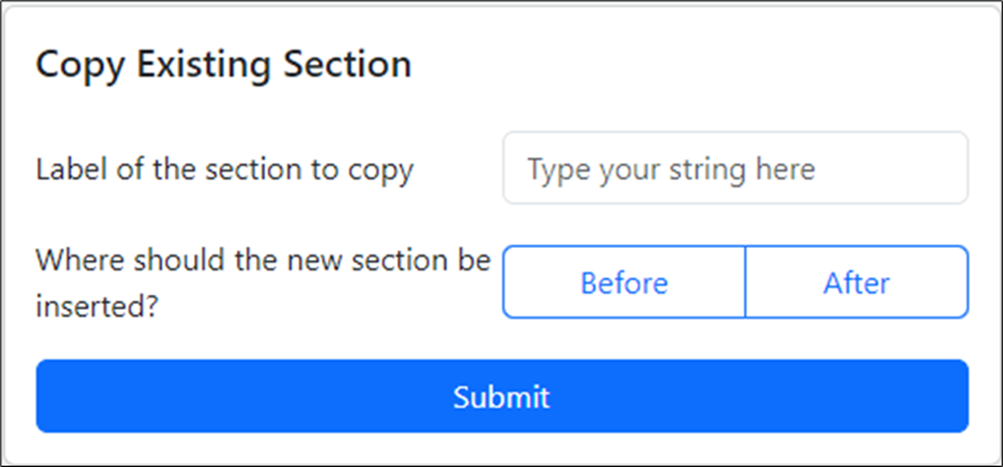
- The copy existing section method lets you specify if you want to insert the existing section before or after the relative section. This is only available to users when they have the firm template guide in their file.
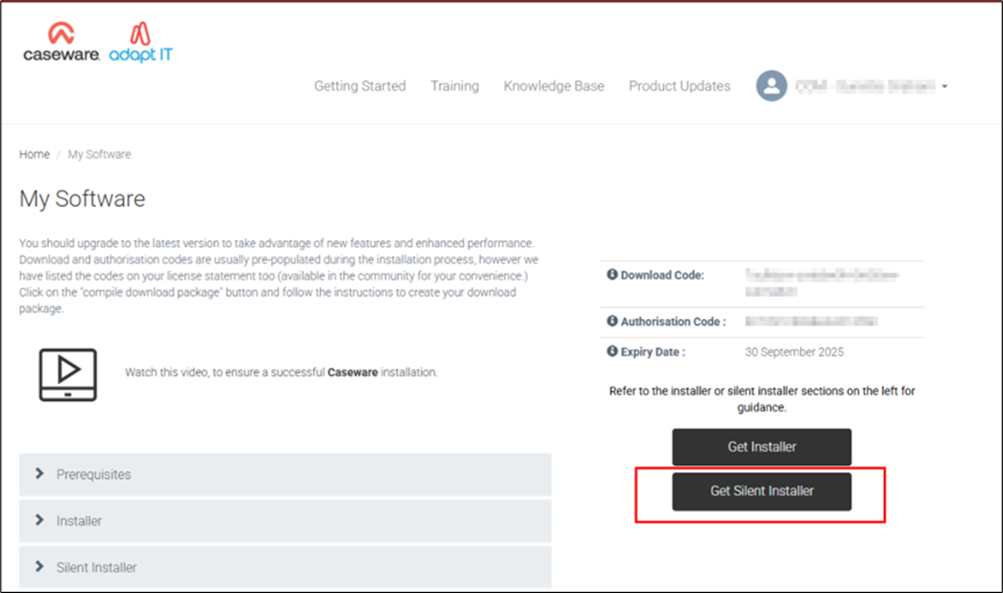
The cloud installer lets you self-serve and generate a silent install
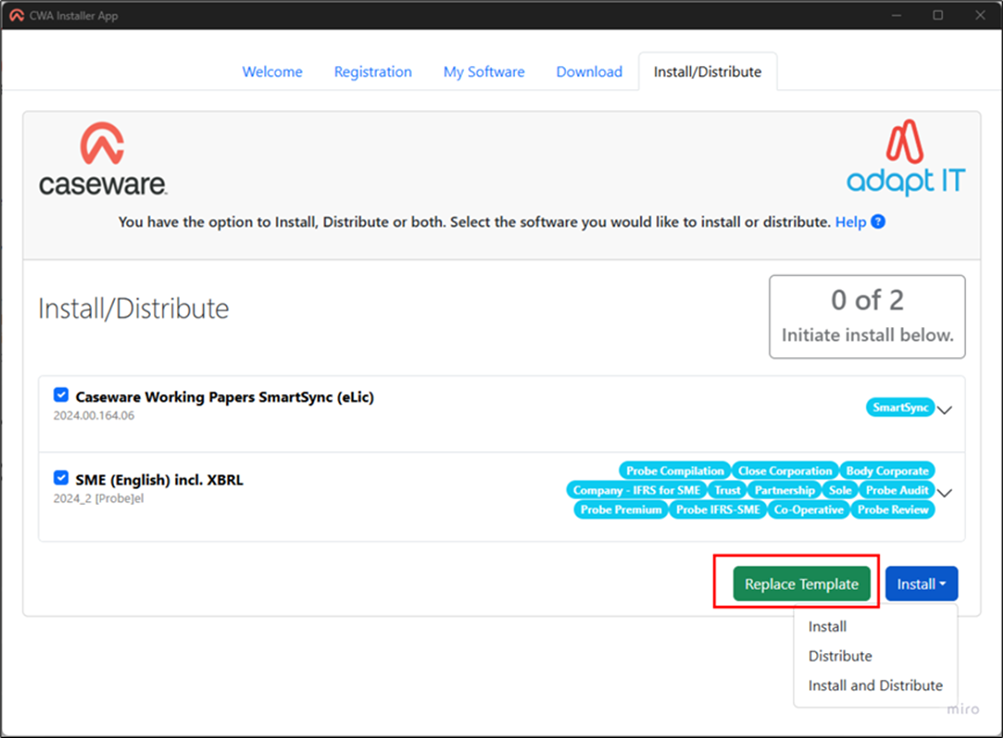
The cloud installer now lets you add your customised firm template to the distributable for your firm
3.2. Fixes
- Published Working Papers engagements that are pending lockdown do not show the correct lockdown status (P) on Caseware Cloud
- The document modification time does not account for time zone differences, resulting in erroneous sync conflicts
- The multi-year view of the trial balance does not calculate prior year balances correctly
- Caseware AiDA occasionally fails to summarize the active PDF document
- A conversion error prevents Xero trial balance data from being imported into Working Papers
- The CaseView calculation editor does not display ampersands correctly
- Large values do not round correctly in certain graph types
- CaseView documents open slower if the engagement is published to an on-premises SmartSync Server
If you are a firm champion, you will have access to your unique download package by accessing the
My Software page and clicking on the download packager icon top right. If you are responsible for managing updates and have not received login details for the CaseWare Africa Success Community, click on
Login top right and then choose the
Register Now option.
If this is not successful contact our admin team at
info@casewareafrica.com
Kindly find the links to our previous releases here:
Rate this article:
|vote=None|
Processing...
(Popularity = 17/100, Rating = 0.0/5)
Login to access this download.
Release Notes
For more detailed information on these and other enhancements to the software, please go through our Release Notes.
Download Release Notes
Related Articles
GRAP Latest Release Version 2025.10.02
ISRS Agreed-Upon | Latest release
ISAE Attestation | Latest release
mSCOA | Release | March 2026 | Version 2025.13.01 Incl. Sec 71 2026_1
view all...
Search Results
Editing Financial Forms in a Client Profile
Adding Financial Forms to a Client Profile
Roll Forward of a Client Profile
Why can’t I see a client’s profile on my list of clients?
Changing Client Signers on Forms
view all...