Need More Information is a status the Responder can use to request additional information from the auditor about the client or account in question.
You can respond to the request within the existing form and without initiating a separate confirmation. Please find the below steps to assist:
Answer:
- On the dashboard, Select the client from the Client List (or search for the client using the search feature)
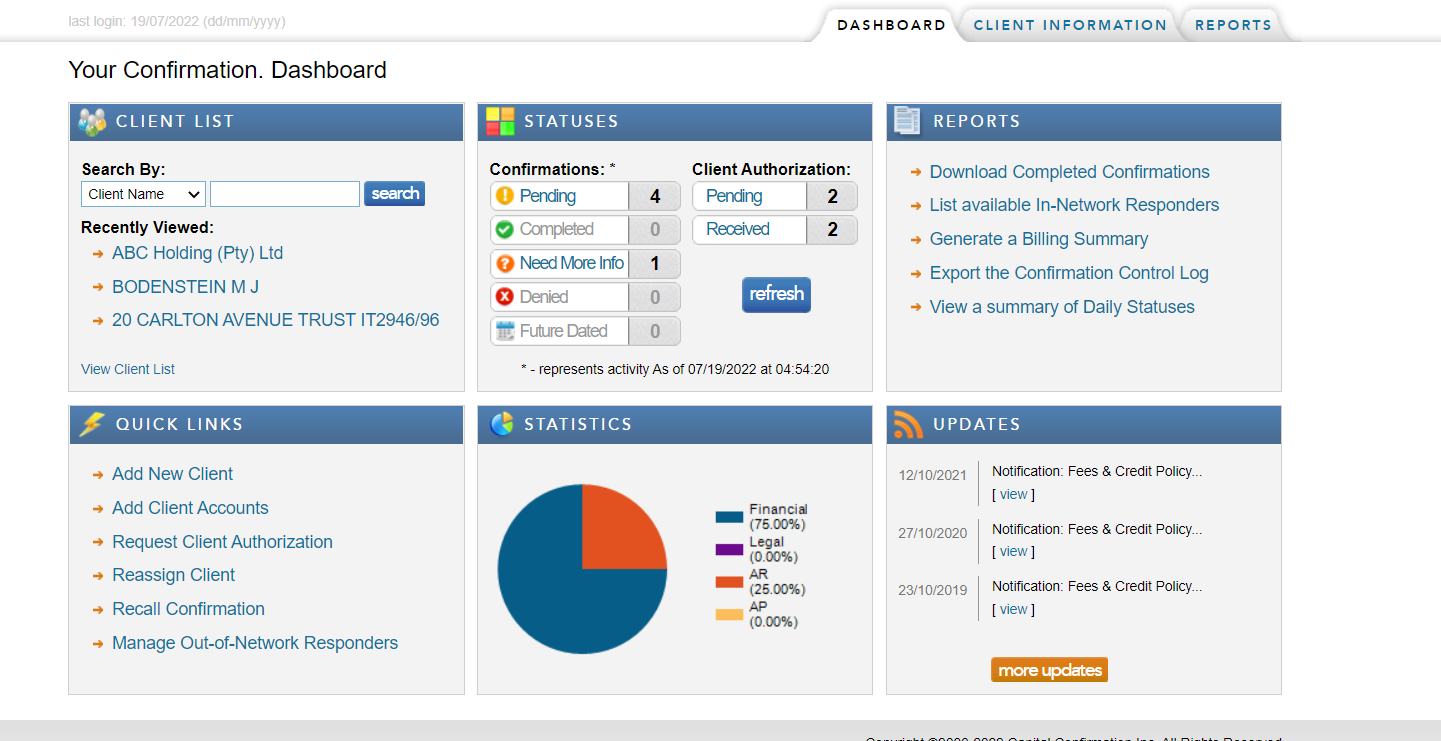
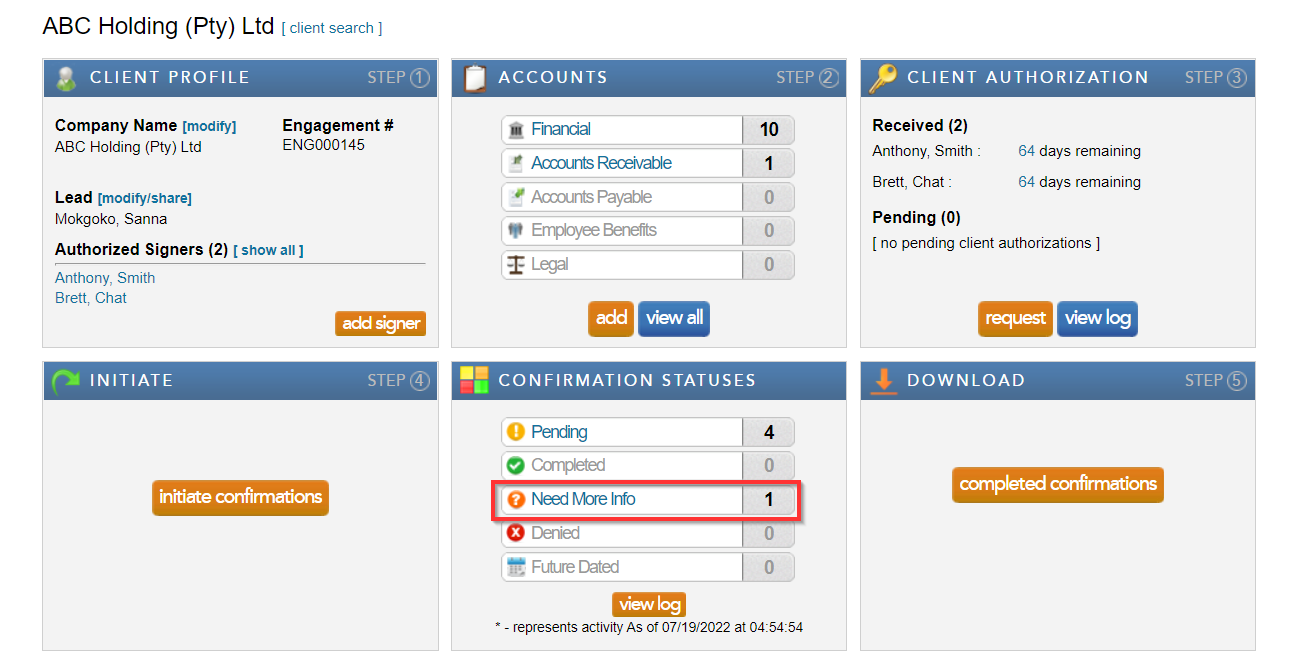
- Under the client information tab, navigate to Confirmation status and select Need more info
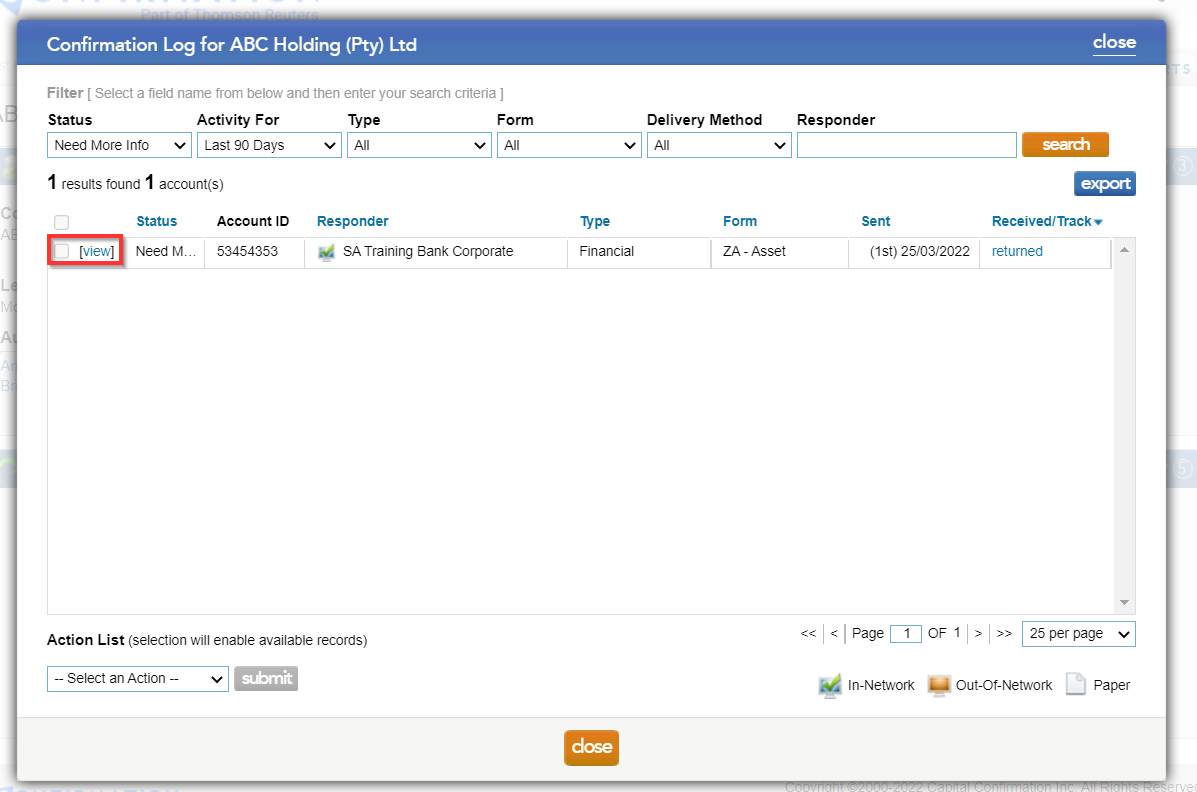
- On the list of accounts, select view
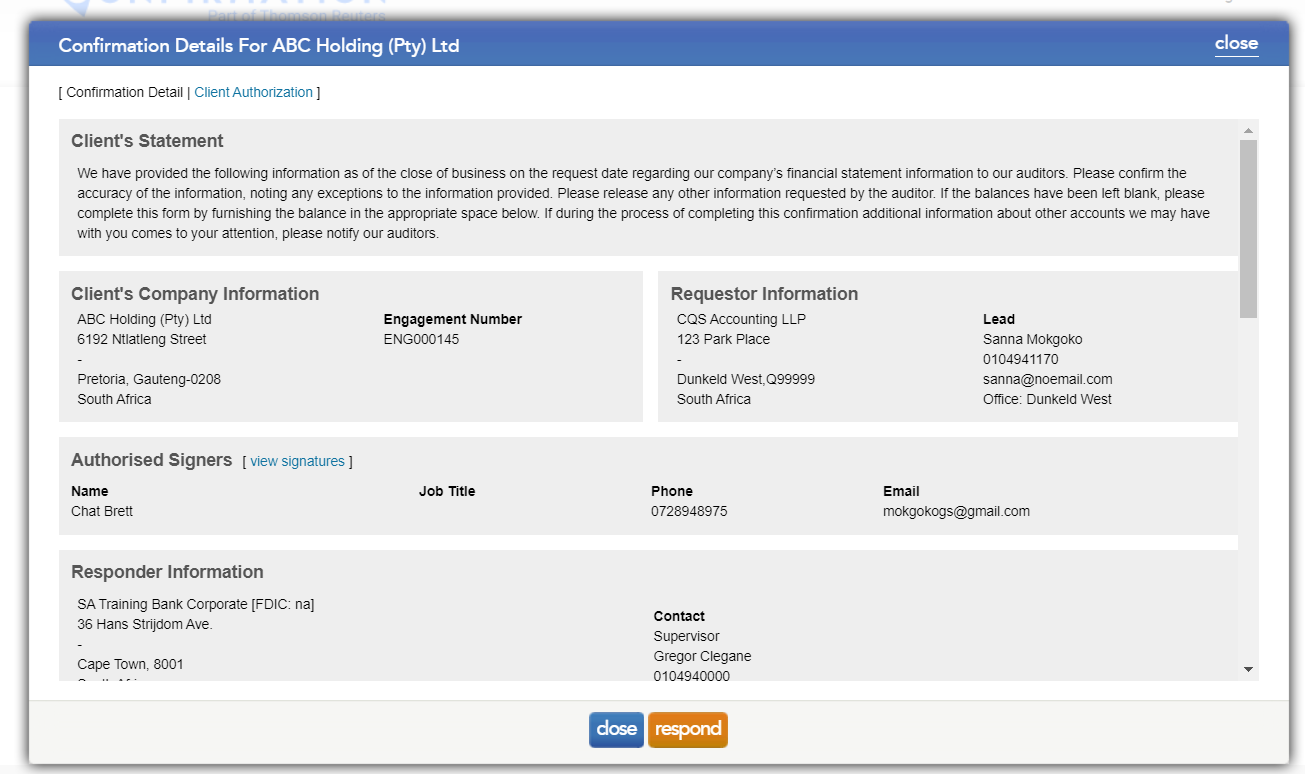
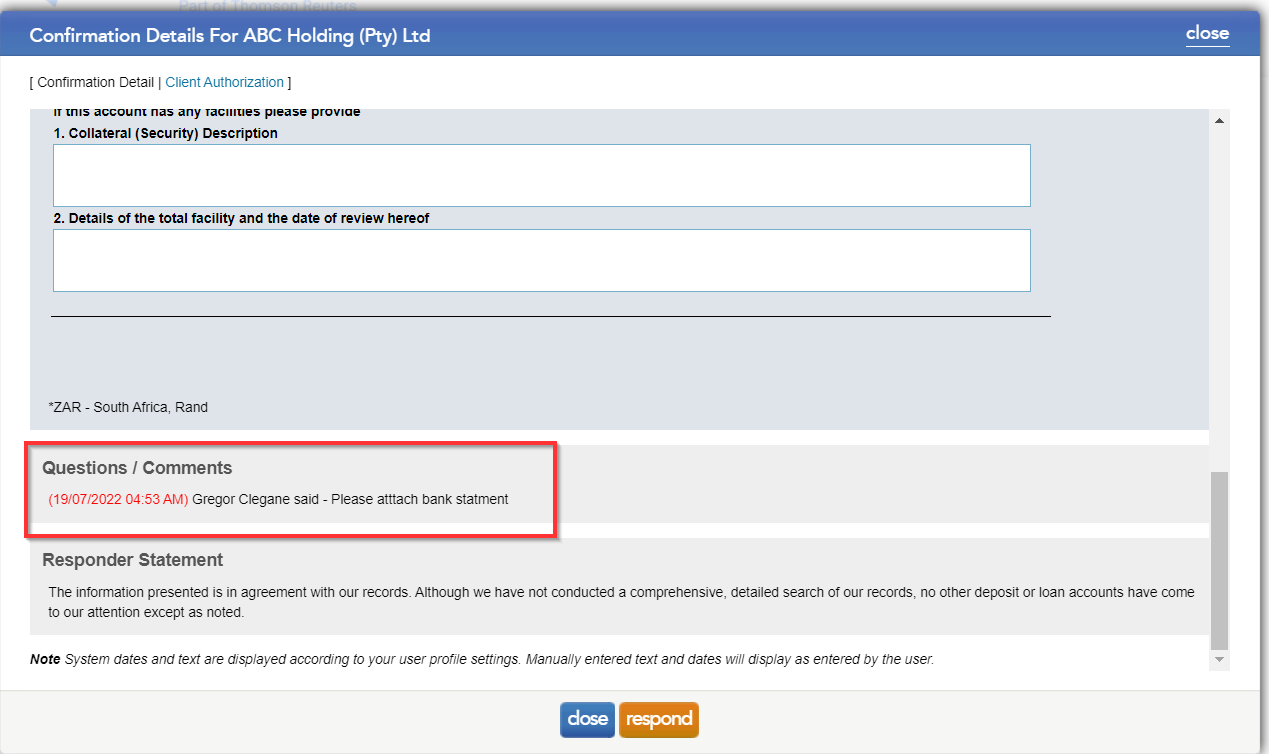
- To view what is required, please scroll to the question/comments section
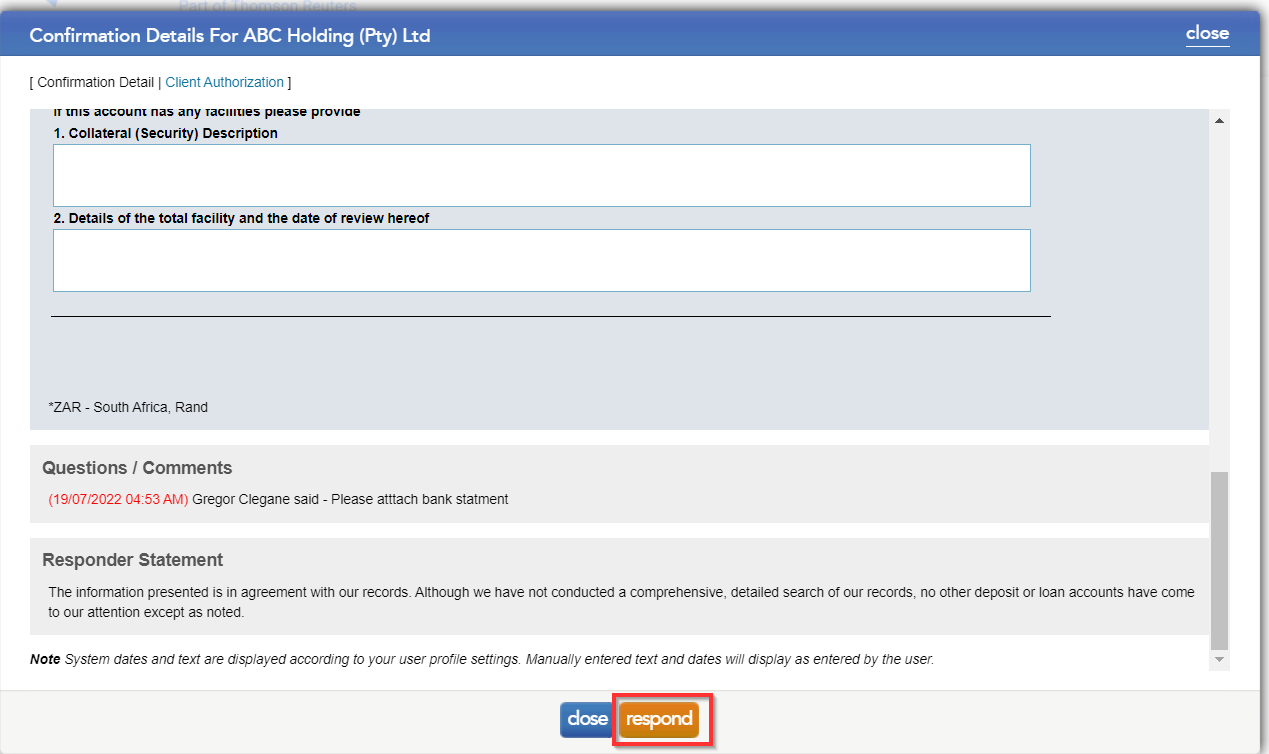
- Select the respond button
- You have an option to type in your response and attach up to 4 documents
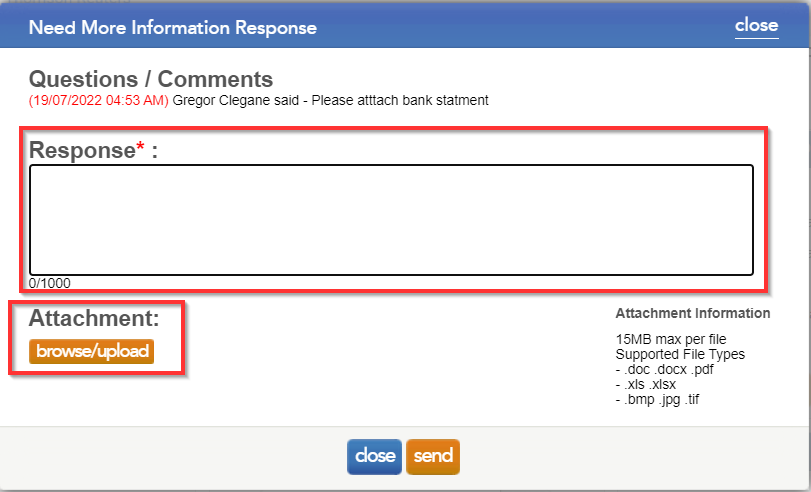
Once done click on send to return the request to the bank. Please be advised that no additional fees apply to this exchange of information.
Rate this article:
|vote=None|
Processing...
(Popularity = 0/100, Rating = 0.0/5)
Related Articles
Can I request more information from the Responder (Bank)?
Probe Audit | Important information on Probe MMX licensing (Probe Audit Premium+)
How do I update the Responder Instructions for my institution? (New Version of Confirmation)
Information & Resources on staying connected digitally to Confirmation
Probe Audit | Planning Risk Assessment | 11.50 Information system and control activities
view all...