When you are unable to initiate confirmation on Step 4, you must make sure the following has been done:
- A client profile has been established.
- Accounts have been added.
- You must be the lead auditor of the client profile.
- You have received authorisation from your client signer.
Answer:
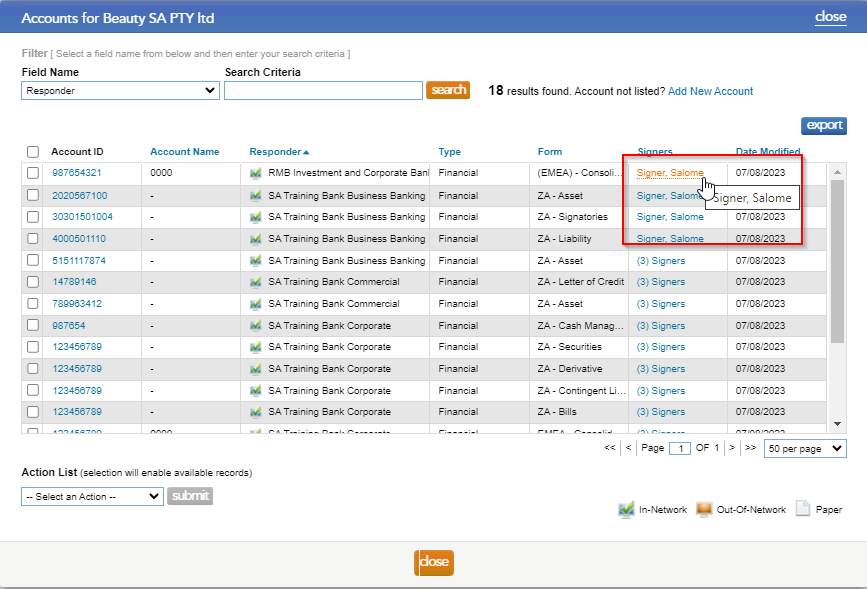
Should you receive the below results, kindly check on step 3: Client authorisation whether you have received authorisation from all signers, if not, please follow the below steps to reassign signers to the client forms:
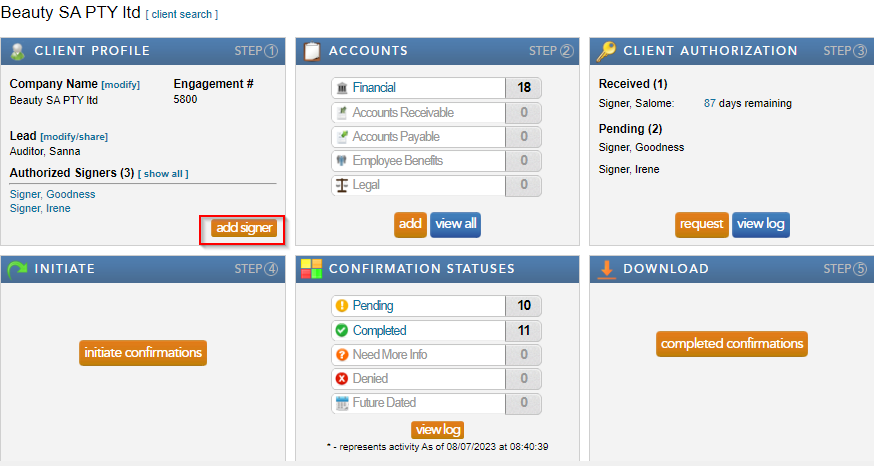
- Add a new signer by clicking “add signer” under the Client Profile block. Complete the required fields and select save.
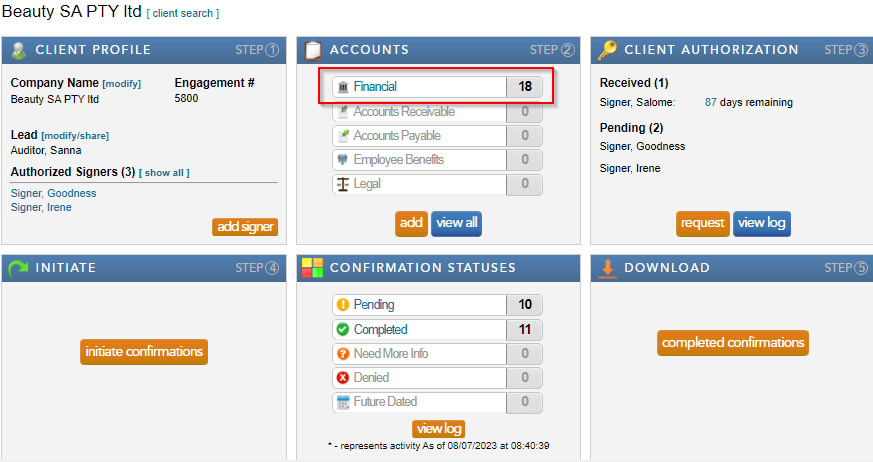
- Select “Financial” from the Accounts block.
- Select “Reassign” from the drop down “Action List.”
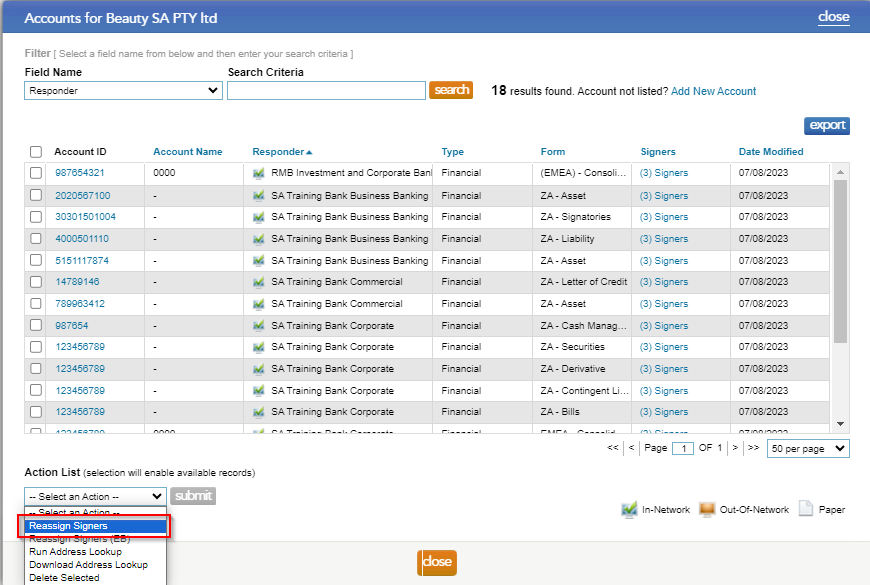
- Check the boxes to the left of the forms, that need to be reassigned, and click on the "select signer" button.

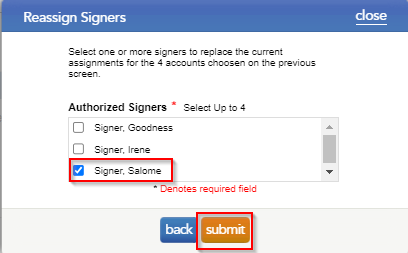
- Tick the signers that should be assigned to the form, and select "submit".
- By hovering over the signer name, users can view which signers are now attached to the form.
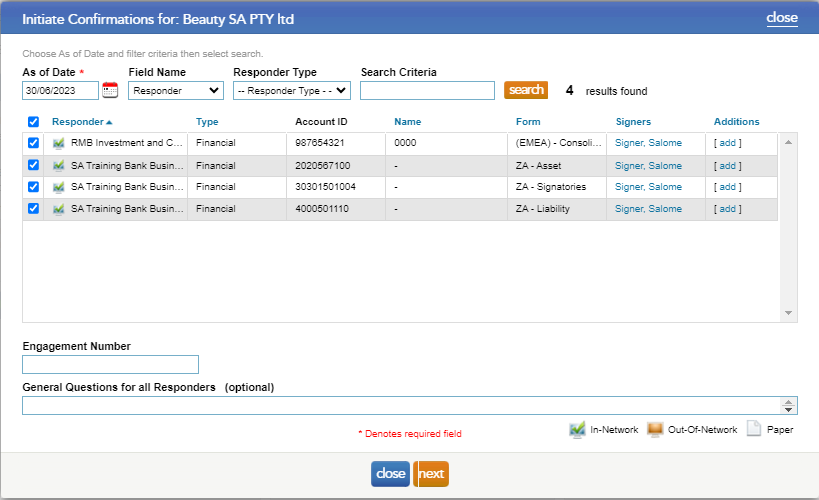
Therefore, go to step 4: Initiate Confirmations and select the as of date, the results will appear:
Rate this article:
|vote=None|
Processing...
(Popularity = 2/100, Rating = 0.0/5)
Related Articles
Caseware Working Papers | Getting Started | Importing a trial balance from an accounting package
How do I know the client signer has authorized the auditor to send requests? (New Version of Confirmation)
Unable to receive password or userID email
Caseware | Inconsistent Database Indices Detected | What do I do when Caseware Working Papers is unable to read the contents of a database index file (.CDX or DBF)?
view all...
Search Results
Investec Corporate and Institutional Banking South Africa Audit Confirmation Instructions
Investec Private Bank South Africa Audit Confirmation Instructions
RMB Investment and Corporate Banking South Africa Audit Confirmation Instructions
Investec Bank - Corporate Cash Manager (CCM) Audit Confirmation Instructions
ABSA Corporate Bank South Africa Audit Confirmation Instructions
view all...