Why can I not sign off(prepare) an item marked as ‘Not Relevant’?
Answer:
When you mark an item as Not relevant in SQM, you are confirming that the item has been considered but does not apply to your firm’s circumstances.
Although some items are classified as mandatory because they are required by the applicable quality management standards, or because they originate from network content, not every item will be relevant to every firm.
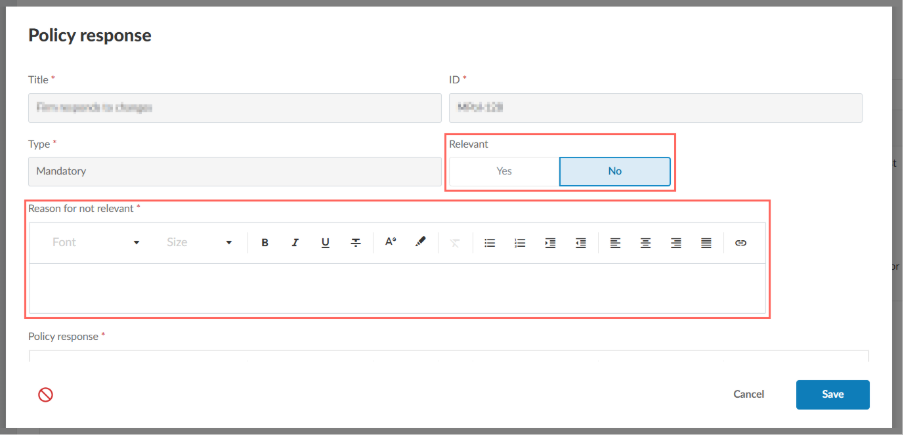
Once an item is marked as Not Relevant, SQM requires you to document the reason why it is not applicable to your firm. After this justification has been provided, no further action is required.
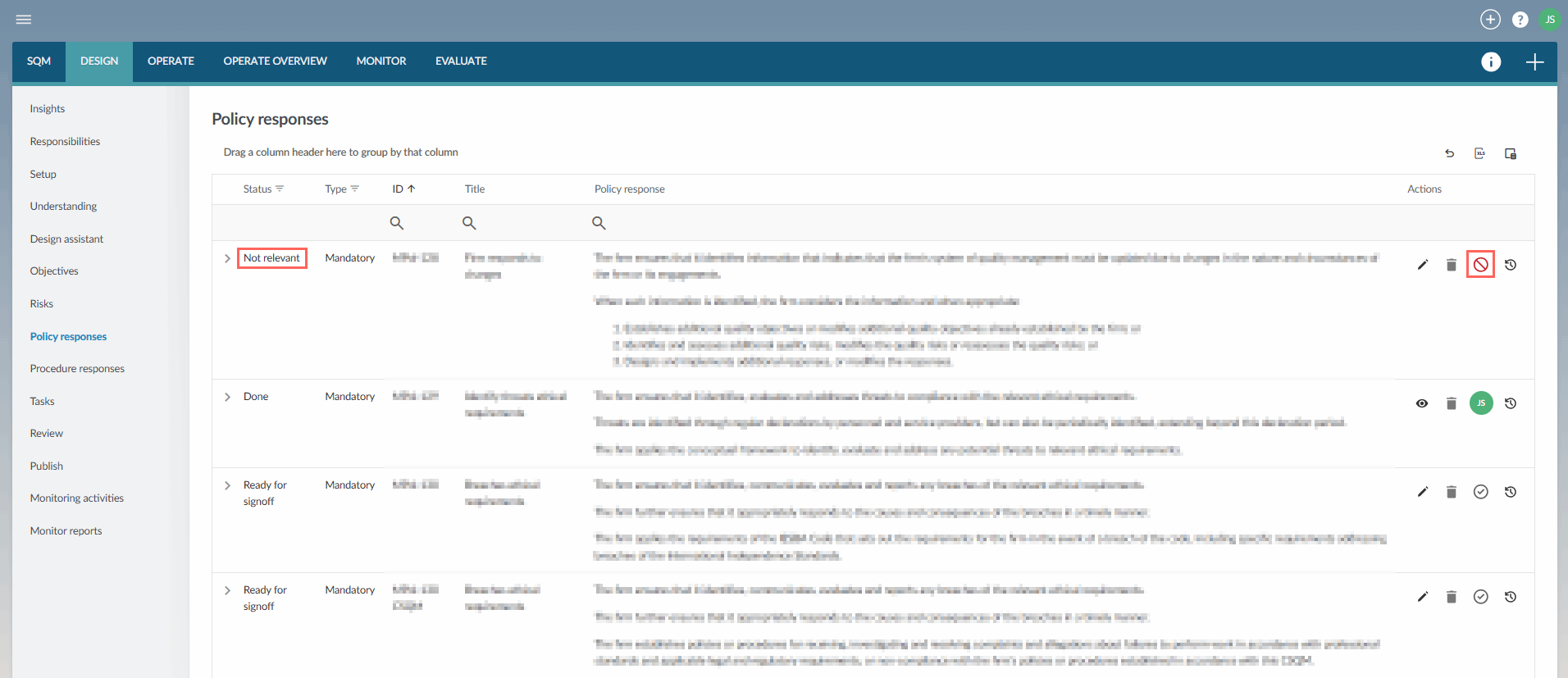
Items marked as Not Relevant cannot be signed off because they are not included in the final published System of Quality Management (SoQM) and therefore do not need to be implemented. Instead, the record of your assessment and rationale is retained within the DESIGN module as evidence that it was considered.
Marking an item as Not Relevant will not prevent your firm from publishing its SoQM.
Rate this article:
|vote=None|
Processing...
(Popularity = 0/100, Rating = 0.0/5)
Related Articles
Cloud App l How to include text areas for firm sign off in engagement letter
SQM How to | Design - Tasks
SQM How to | Design - Policy responses
SQM How to | Design - Procedure Responses
SQM How to | Design - Responsibilities
view all...