- Click on the “download confirmations” button in the Download block located in the client profile.
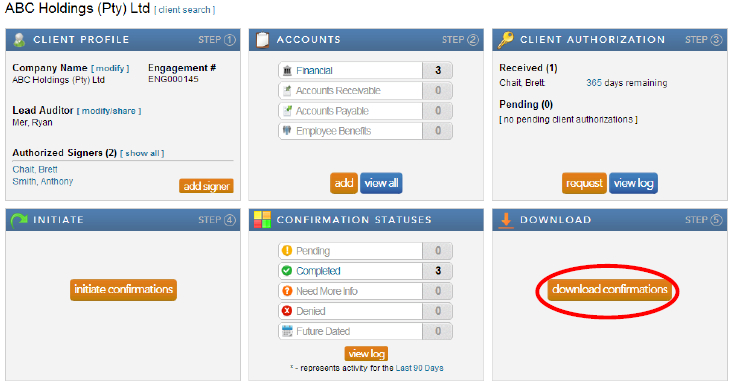
Note: When the confirmations have been completed and returned by the bank, a large orange button will appear in the Download block. This button provides a link to the Completed Confirmations report with default report parameters selected for the client.
- Complete the required information for each field and click “export” for the confirmation report and “download attachments” for any accompanying schedules the bank may have attached with the report.
Instructions:
Users have the option to either export one consolidated pdf report for all the completed confirmation forms for a client or to export each completed confirmation form individually.
Rate this article:
|vote=None|
Processing...
(Popularity = 39/100, Rating = 0.0/5)
Related Articles
View and Download Confirmations
What does the Completed Confirmation Report provide?
Reconfirming/Querying a Completed Confirmation
Confirmation Billing Guide (Effective 1 Nov 2025)
view all...
Search Results
ABSA Corporate Bank South Africa Audit Confirmation Instructions
Can I request more information from the Responder (Bank)?
How do I update the Responder Instructions for my institution? (New Version of Confirmation)
Recalling a Confirmation
Form No Longer Accepted By Responder
view all...