- Click on the “download confirmations” button in the Download block located in the client profile.
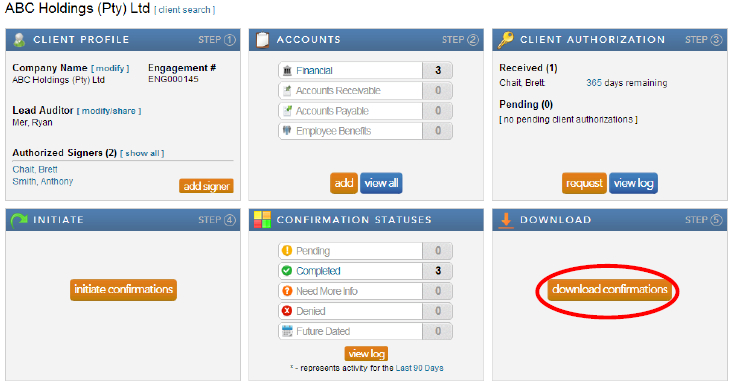
Note: When the confirmations have been completed and returned by the bank, a large orange button will appear in the Download block. This button provides a link to the Completed Confirmations report with default report parameters selected for the client.
- Complete the required information for each field and click “export” for the confirmation report and “download attachments” for any accompanying schedules the bank may have attached with the report.
Instructions:
Users have the option to either export one consolidated pdf report for all the completed confirmation forms for a client or to export each completed confirmation form individually.
Rate this article:
|vote=None|
Processing...
(Popularity = 12/100, Rating = 0.0/5)
Related Articles
What does the Completed Confirmation Report provide?
View and Download Confirmations
Reconfirming/Querying a Completed Confirmation
Caseware Working Papers | How to integrate Caseware Working Papers with your Cloud Instance
view all...
Search Results
Sending a Future Dated Request
Can I request for a future "As of Date"?
What does the Future Dated Confirmation Report provide? (New Version of Confirmation)
Caseware Time | How can I find the client contacts that are missing after sending a client batch email?
What if the Account ID requested was closed for the As of Date (New Version of Confirmation)
view all...