- Select the "Completed" link located under the Confirmation Statuses block in the client profile.
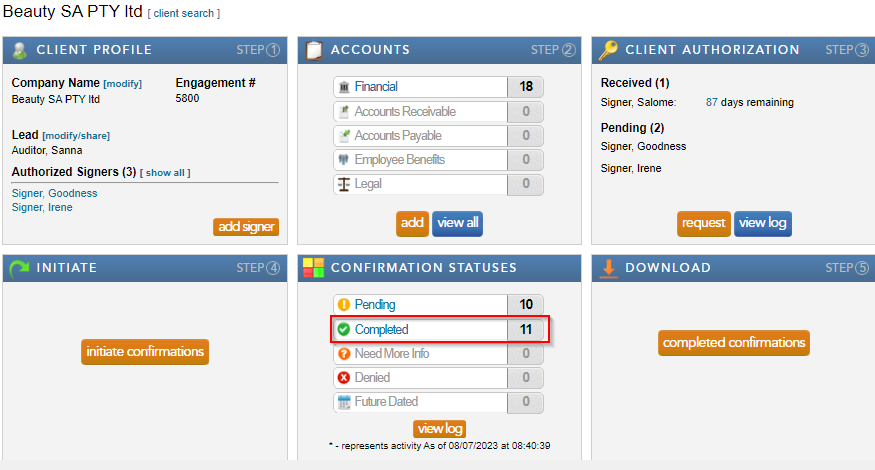
- Select “view” next to the completed confirmation in query, to open and view the completed confirmation.
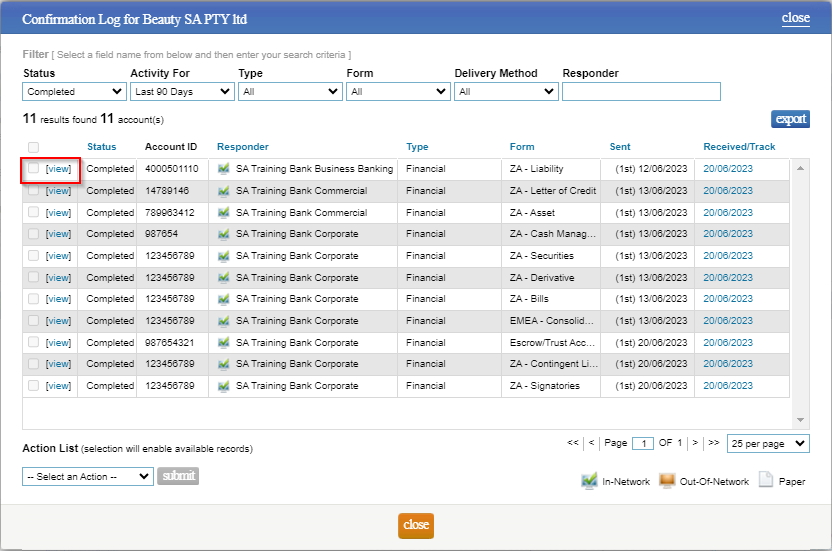
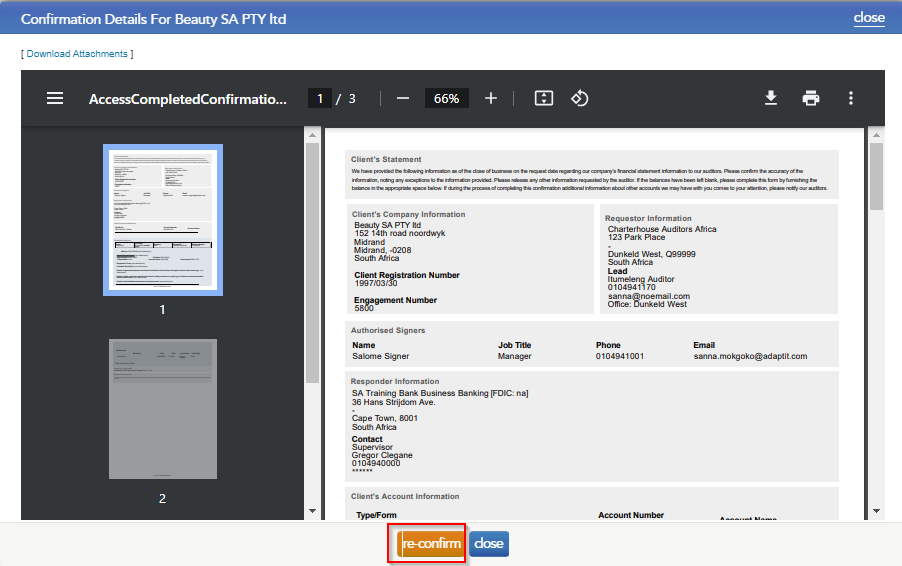
- Click “re-confirm” to query / re-confirm a request.
- A dialog box will appear to enter the relevant query for the bank. Click “send” and the confirmation will be resent to the bank as priority and will appear as pending in the confirmation statuses section.
Instructions:
Completed confirmations can be queried / reconfirmed if the auditor has tested the information provided in the certificate and would like to query the content provided. There is no charge for a query/re-confirmation as it forms part of the original request and will be sent to the bank as a priority. The bank will then address the query and respond with the necessary changes or comments.
Rate this article:
|vote=None|
Processing...
(Popularity = 8/100, Rating = 0.0/5)
Related Articles
Reconfirming a Confirmation
What does the Completed Confirmation Report provide?
Retrieving Completed Confirmations
Can I request more information from the Responder (Bank)?
view all...
Search Results
How to add a new mapping number (including a Flip map number)
How do I add / modify / remove flip account settings?
Caseware Working Papers | How to create a new Mapping Number in Caseware Working Papers
Accounts that flip in the lead sheets
Caseware Working Papers | How do I remove “Unnamed Mapping Number” after creating a new mapping number?
view all...