How do I assign Read-only licenses to staff in my organisation?
Instructions:
Benefits
Often when performing an assurance engagement users need access to the financial statements. Previously users with a paid financials licence could only view the financial statements while performing an assurance engagement. With this change to Caseware Cloud all users can get read only access to any SE app. This negates the need for all users to have a paid licence for all apps. They only need a paid licence for the SE apps they work in and can be allocated free view licences to all other SE apps.
Limitations
SE Plugin apps and Working Papers are currently not supported.
How do I assign Read-only licenses to staff in my organisation?
Staff can now be assigned read-only licenses to Cloud engagement apps. Read-only licenses allow users to view engagement content within an app, without consuming a paid license.
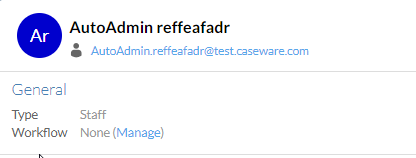
1. Navigate to the user profile
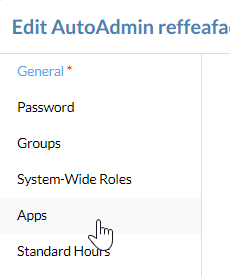
2. On the Apps tab, select Read-only for the relevant app
Rate this article:
|vote=None|
Processing...
(Popularity = 2/100, Rating = 0.0/5)
Related Articles
Caseware | Inconsistent Database Indices Detected | What do I do when Caseware Working Papers is unable to read the contents of a database index file (.CDX or DBF)?
Caseware Cloud | How to set up Azure to support Caseware Cloud Single Sign-On
Caseware Working Papers Network Licenses
What to do when a there is an error reading file or contents are corrupted upon opening a CaseView document
view all...
Search Results
Sending a Future Dated Request
Can I request for a future "As of Date"?
What does the Future Dated Confirmation Report provide? (New Version of Confirmation)
Caseware Time | How can I find the client contacts that are missing after sending a client batch email?
What if the Account ID requested was closed for the As of Date (New Version of Confirmation)
view all...