Scenario:
When you need to change the overall final materiality on the leadsheets.
Answer:
Note:
-
Ensure that all the lead sheets are closed before making any changes to the evaluation of misstatements(02.40).
-
Changes made on other documents like 02.40 affect other scripts that need to be updated before you can open the leadsheets.
-
Open document 02.40 Evaluation of misstatements and override the ‘overall materiality set during the planning stage’ and click on ‘save’.
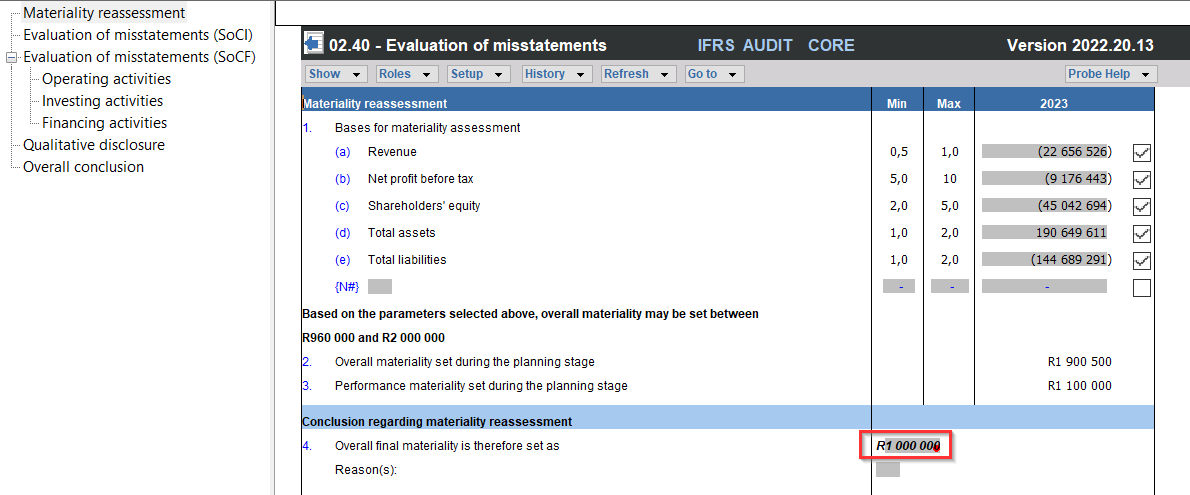
2. Open document 10.60 Overall materiality assessment, to refresh the changes made on document 02.40 (to update the scripts).
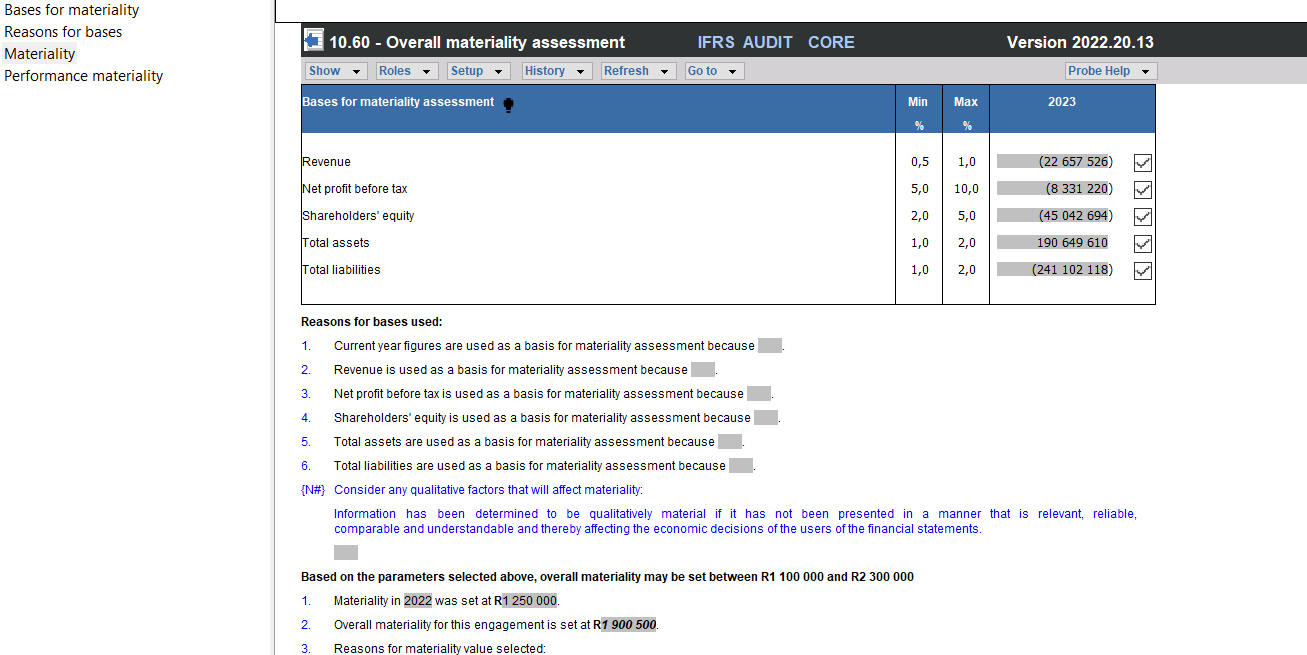
3. Open the lead sheets, and note that the amount changed.

Rate this article:
|vote=None|
Processing...
(Popularity = 0/100, Rating = 0.0/5)
Related Articles
Amounts not pulling through correctly to all Probe documents due to adjustments passed.
Caseware Working Papers | Introduction to Leadsheets
Caseware Time | How to Add a VAT amount on an Invoice?
ISAE Attestation | Latest release
view all...
Search Results
Privacy and Security Summary
Where to find information about Caseware’s security, privacy, and compliance practices?
XBRL | How to change security settings for Caseware and when iXBRL "hangs" on CIPC validation
ISO 27001 Certification
SOC 1 and SOC 2 Examinations
view all...