Scenario:
When you need to change the overall final materiality on the leadsheets.
Answer:
Note:
-
Ensure that all the lead sheets are closed before making any changes to the evaluation of misstatements(02.40).
-
Changes made on other documents like 02.40 affect other scripts that need to be updated before you can open the leadsheets.
-
Open document 02.40 Evaluation of misstatements and override the ‘overall materiality set during the planning stage’ and click on ‘save’.
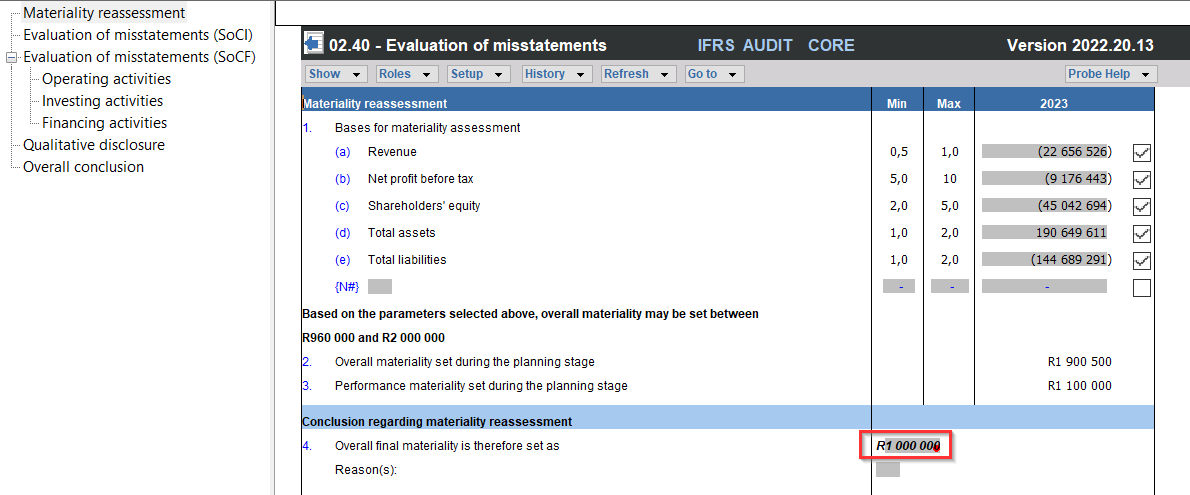
2. Open document 10.60 Overall materiality assessment, to refresh the changes made on document 02.40 (to update the scripts).
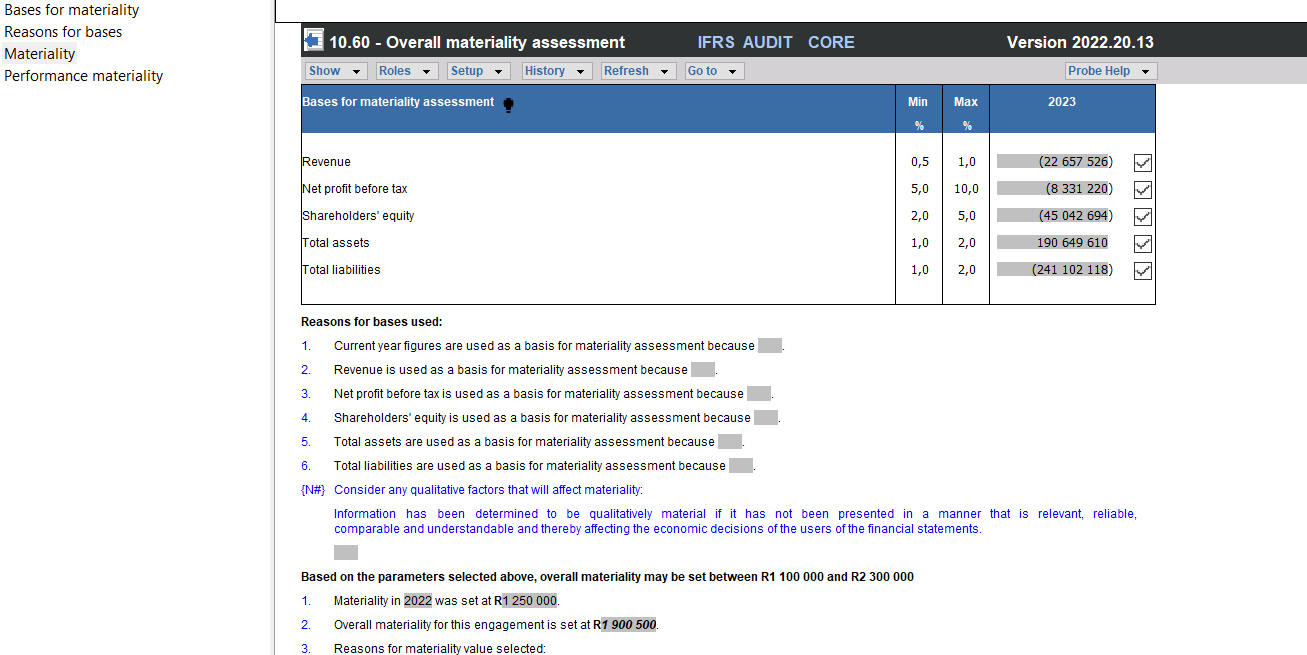
3. Open the lead sheets, and note that the amount changed.

Rate this article:
|vote=None|
Processing...
(Popularity = 0/100, Rating = 0.0/5)
Related Articles
Caseware Working Papers | Introduction to Leadsheets
Caseware Time | How to Add a VAT amount on an Invoice?
ISAE Attestation | Latest release
Probe MMX |Tips and Tricks Webinar 2 Help Protection Assertions Materiality
view all...
Search Results
How do I add a new user to my institution (New Version of Confirmation)
How do I update the Responder Instructions for my institution? (New Version of Confirmation)
What's New | Responders: New version of Confirmation 2025/26
Can I assign a confirmation request to myself? (New Version of Confirmation)
What do I do if I can't locate the Account ID or Client Name requested? (New Version of Confirmation)
view all...