Scenario:
When you need to change the overall final materiality on the leadsheets.
Answer:
Note:
-
Ensure that all the lead sheets are closed before making any changes to the evaluation of misstatements(02.40).
-
Changes made on other documents like 02.40 affect other scripts that need to be updated before you can open the leadsheets.
-
Open document 02.40 Evaluation of misstatements and override the ‘overall materiality set during the planning stage’ and click on ‘save’.
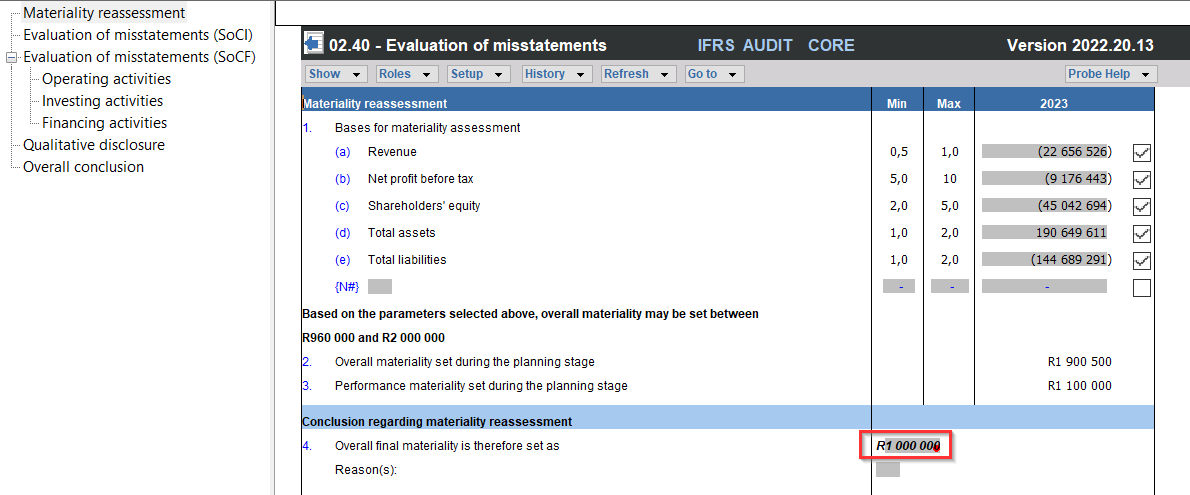
2. Open document 10.60 Overall materiality assessment, to refresh the changes made on document 02.40 (to update the scripts).
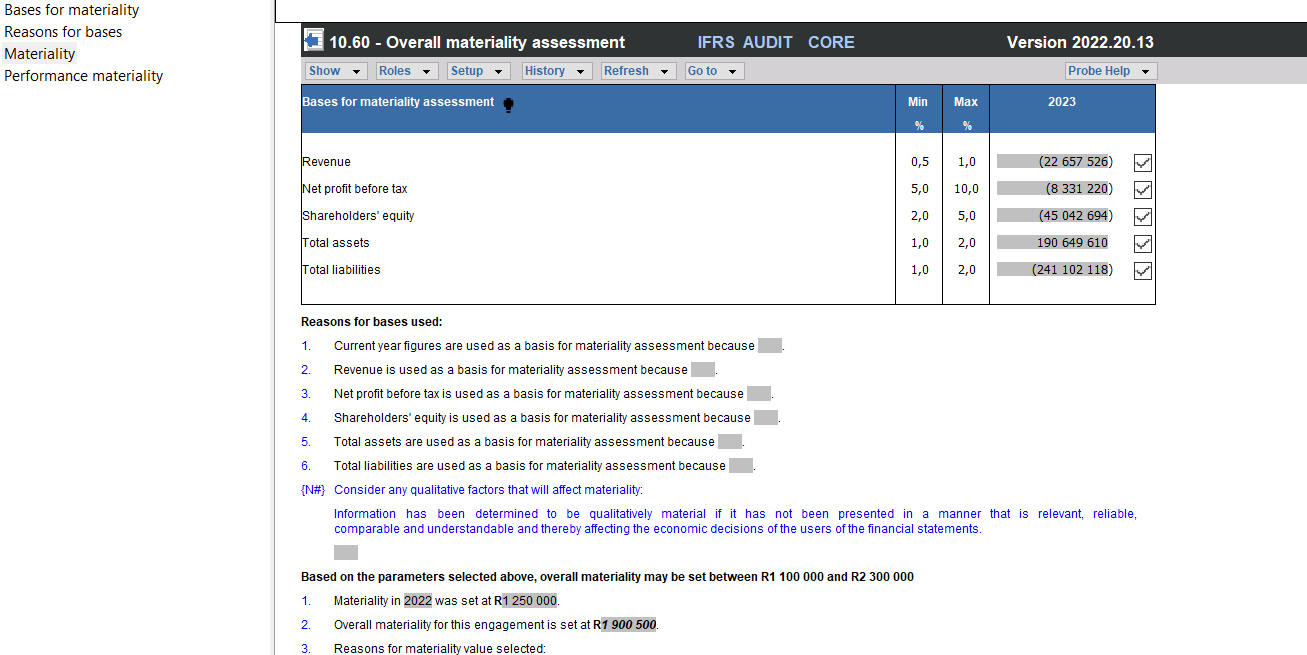
3. Open the lead sheets, and note that the amount changed.

Rate this article:
|vote=None|
Processing...
(Popularity = 0/100, Rating = 0.0/5)
Related Articles
Amounts not pulling through correctly to all Probe documents due to adjustments passed.
Caseware Working Papers | Introduction to Leadsheets
Caseware Time | How to Add a VAT amount on an Invoice?
Probe | Amounts not pulling through or pulling through incorrectly
view all...
Search Results
Caseware Cloud | How to set up Azure to support Caseware Cloud Single Sign-On
Caseware Working Papers | Create an engagement file that is synced on Caseware Cloud for the next period (roll forward)
Caseware Cloud | How an Administrator can configure Single Sign-On for their firm
Check system and file history
What mobile operating systems are supported?
view all...