What are the features included in Probe Audit Premium+?
Instructions:
Watch the video for detailed guidance on the feature above, then read the summary below for a concise overview.
The following describes the feature included in Probe Audit Premium+.
1. Insert a paragraph
Additional paragraphs can be inserted after any paragraph in the document. Simply right-click on the
paragraph and then click on INSERT PARAGRAPH.
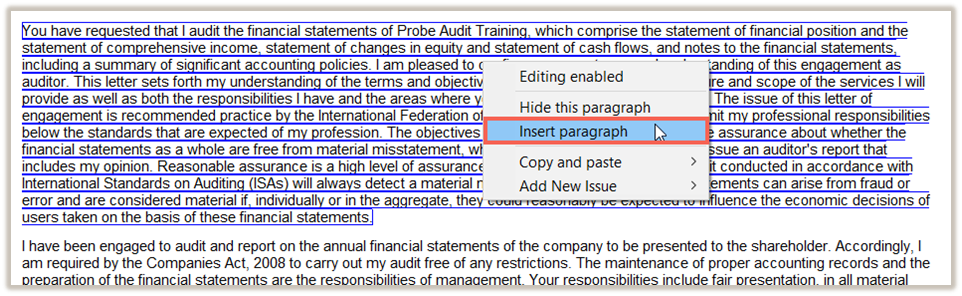
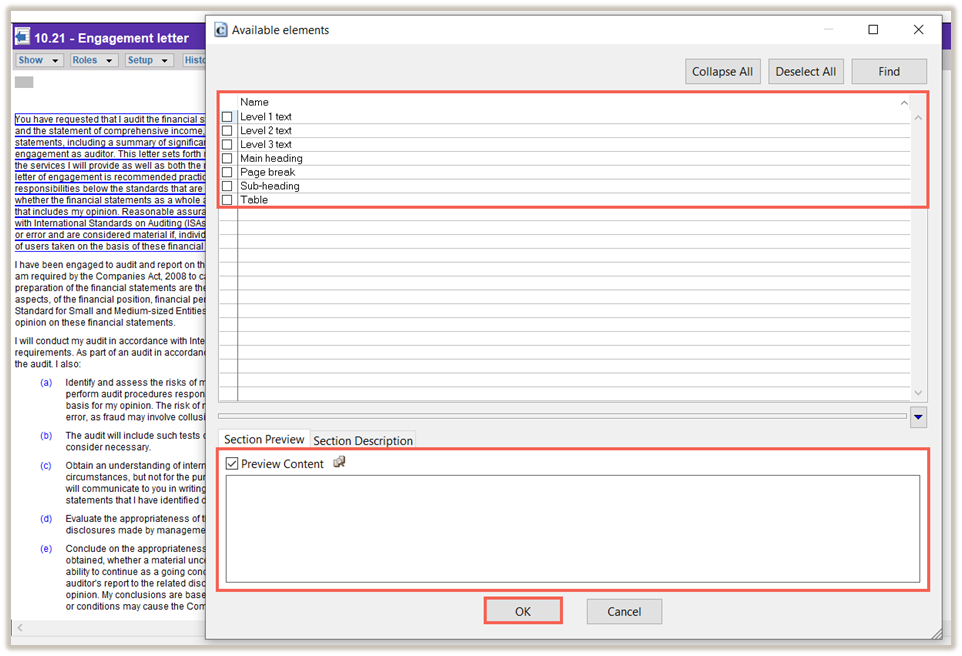
A new dialog will be displayed where you can choose the type of paragraph to be inserted, with a preview
of the paragraph at the bottom of the dialog. After you have selected the type of paragraph to be inserted,
click on OK.
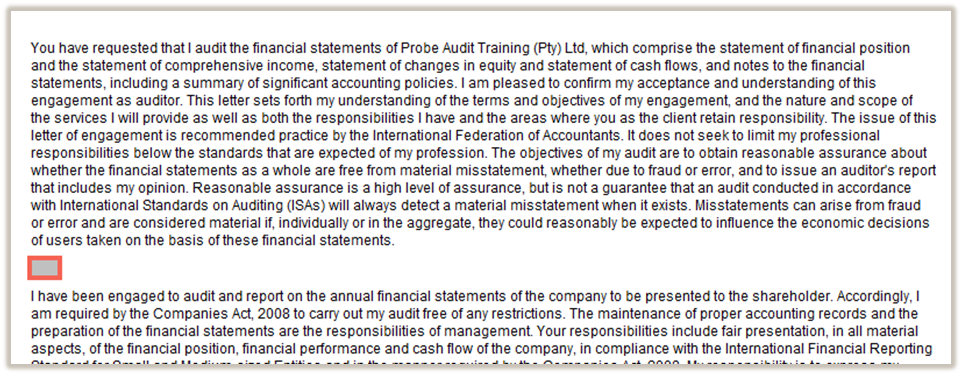
The paragraph will be inserted after the paragraph that you right-clicked on.
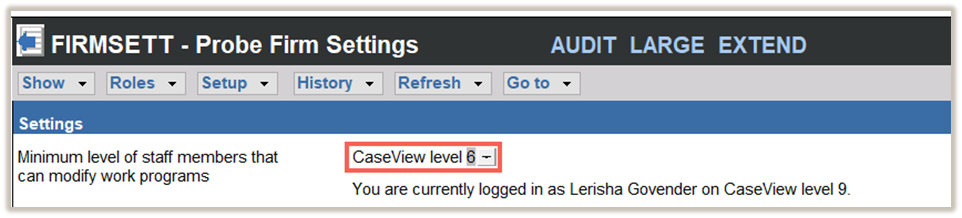
If the INSERT PARAGRAPH selection is disabled, it means that you are on a lower CaseView user level
than set by the Firm in Probe Firm Settings.
2. Delete a paragraph
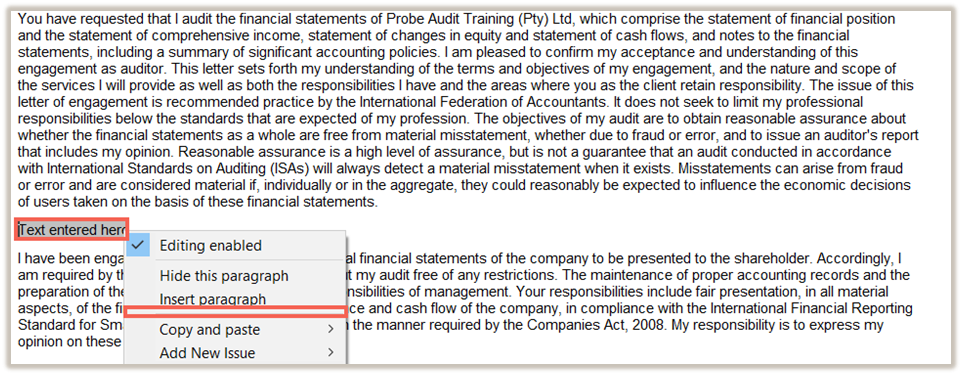
To delete a paragraph, right-click on the paragraph that you have inserted and click DELETE PARAGRAPH
You can only delete rows that you or another users have inserted and will not be able to delete any preprogrammed Probe Audit Premium+ content.
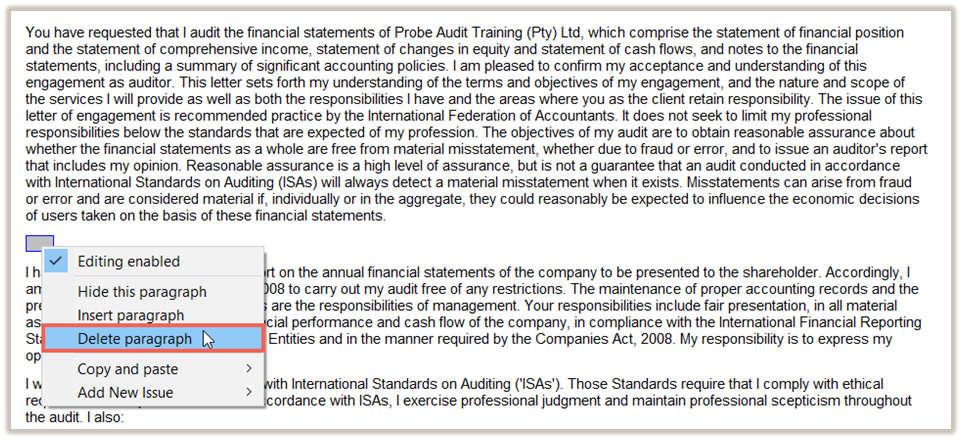
NOTE: if the DELETE A PARAGRAPH option is disabled, it means that you are on a lower CaseView user level than set by the Firm in Probe Firm Settings.
The DELETE PARAGRAPH option will not show if there is any text in the paragraph that you are trying to
delete – the paragraph must be cleared before it can be deleted.
Rate this article:
|vote=None|
Processing...
(Popularity = 0/100, Rating = 0.0/5)
Related Articles
Probe Audit | 10.20 - Engagement Evaluation
Probe Audit | 10.21 - Engagement Letter
Audit International 26.1 Release Notes
IFRS for SME (Incl. XBRL) | Release July 2024 | Version 2024.01.01
view all...
Search Results
Editing the Company Registration Number
What is the client registration number?
XBRL Lite | Version number (IFRS) 2023.05.01, 2024.05.01 & (SME) 2023.04.01, 2024.04.01
Can my client signer give authorisation to multiple companies at the same time?
Editing Authorised Signer Details
view all...