The following describes the feature included in Probe Audit Premium+.
Instructions:
Watch the video for detailed guidance on the feature above, then read the summary below for a concise overview.
F10 - RECORD A RISK OR EVENT
The RECORD BUTTON enables you to record risks or events.
In some scenarios you can choose which risk or event to record, while other scenarios will automatically record a specific risk or event.
In all instances, the items are recorded using the RECORD BUTTON.
You can record as many items as needed.

1. Record a risk
To record a risk, click on the RECORD BUTTON in the document and select the type of risk to record from the menu.
Risks can be recorded at financial statement level or at assertion level.
At financial statement level, the options include Inherent, Fraud or Control risks.
At assertion level inherent risks can be recorded for any of the applicable sections.
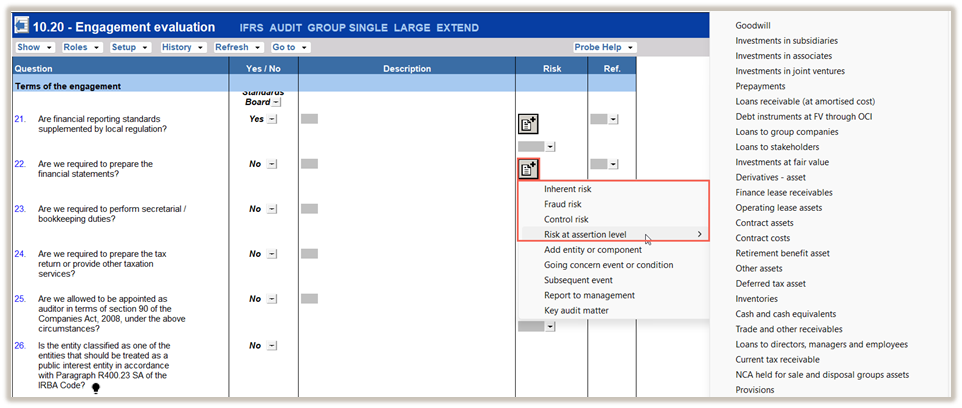
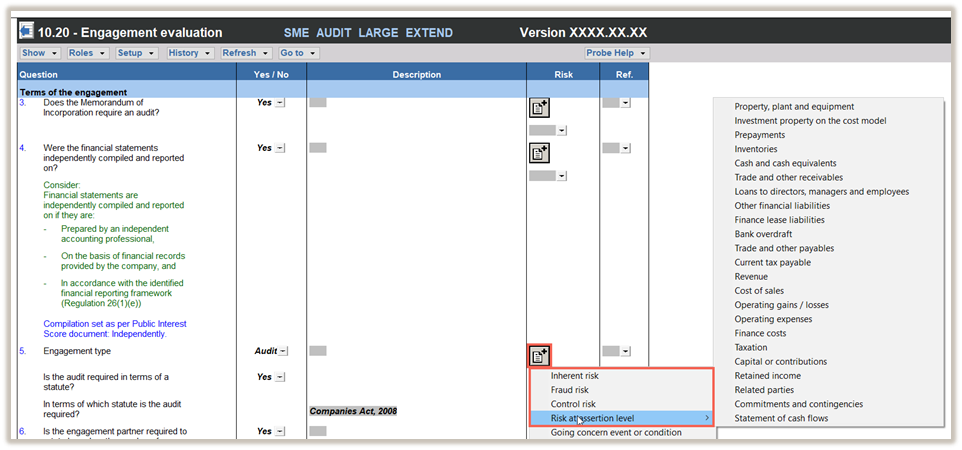
After recording your risk, click SUBMIT to submit your risk.
Individual risks are recorded and reflected and can be edited in the relevant risk assessment documents.
These are:
2. Record an event
To record an event, click on the RECORD BUTTON in the document.
Click on the type of event you want to record.
The types of events include
The relevant record events screen will open where you can record your event.
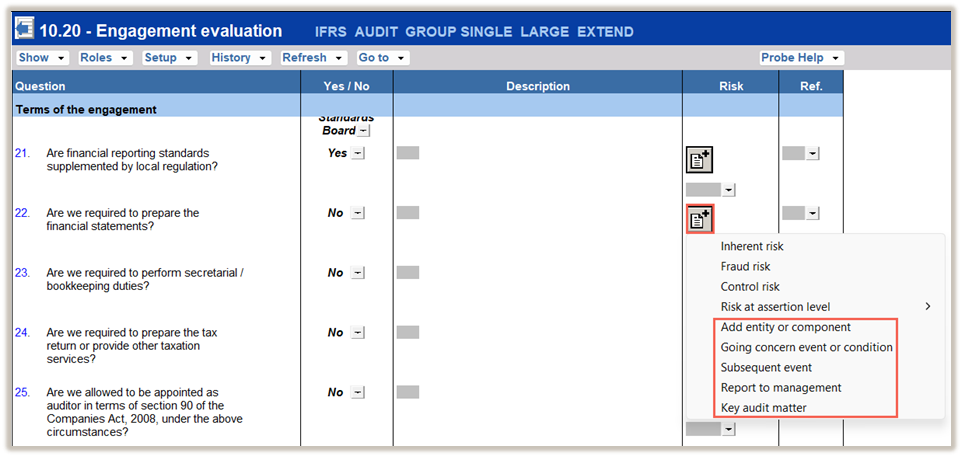
After recording your event, click SUBMIT to submit your event.
Individual events are recorded and reflected and can be edited in the relevant documents, which are:
Rate this article:
|vote=None|
Processing...
(Popularity = 0/100, Rating = 0.0/5)
Related Articles
Probe Audit | 10.53 - Understanding accounting estimates
Probe Audit | Planning Risk Assessment | 11.50 Information system and control activities
Probe Audit | 10.20 - Engagement Evaluation
Probe Audit | 10.55 - Understanding the information technology environment (IT)
view all...
Search Results
Changing Client Signers on Forms
Adding Financial Forms to a Client Profile
Adding Client Signers
How do I know the client signer has authorized the auditor to send requests? (New Version of Confirmation)
Editing Financial Forms in a Client Profile
view all...