Why is my Cloud Installer not showing any products?
Answer:
If your Cloud Installer is showing no products available please check the following things:
Step 1: Confirm your active licence period
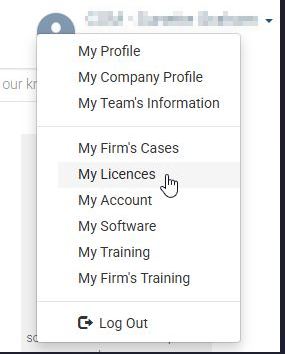
To check the above you need to have valid login details to the Caseware Community. Upon a successful login you will select the dropdown next to your avatar and choose My Licences
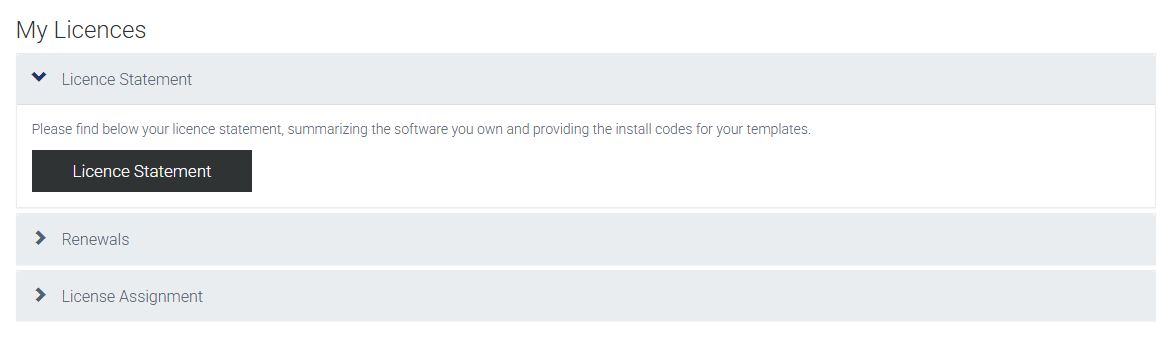
Once you have selected My Licences you will be able to expand the Licence Statement section. Select the Licence Statement Button
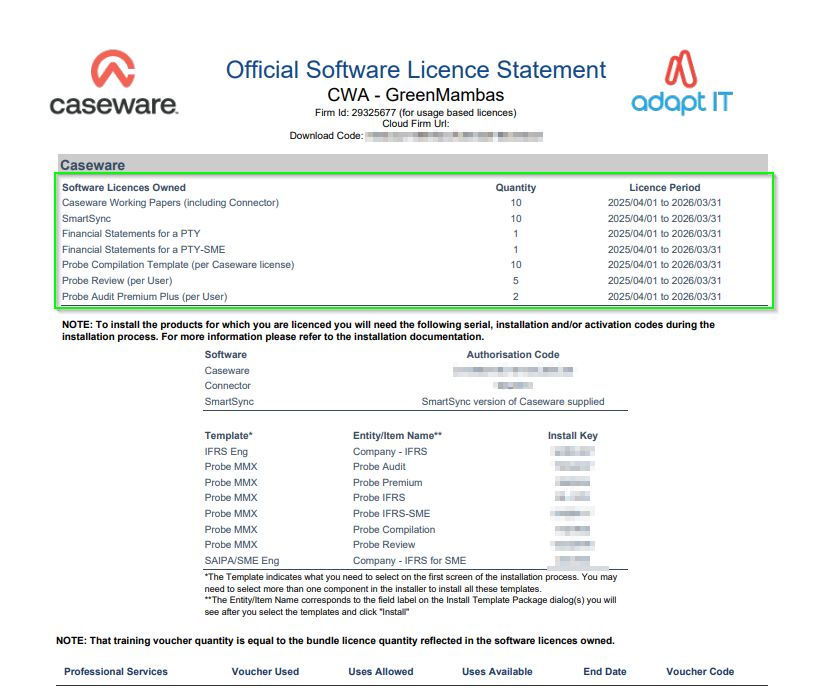
Please note the Licence Period will be displayed at the top of the Software Licence Statement for all your active licences. Ensure the Licence Period end date is in the future for example: 2025-04-01(start) till 2026-03-31(end)
Step 2: Confirm there are no pending Renewals
Select the dropdown next to your avatar and choose My Licences
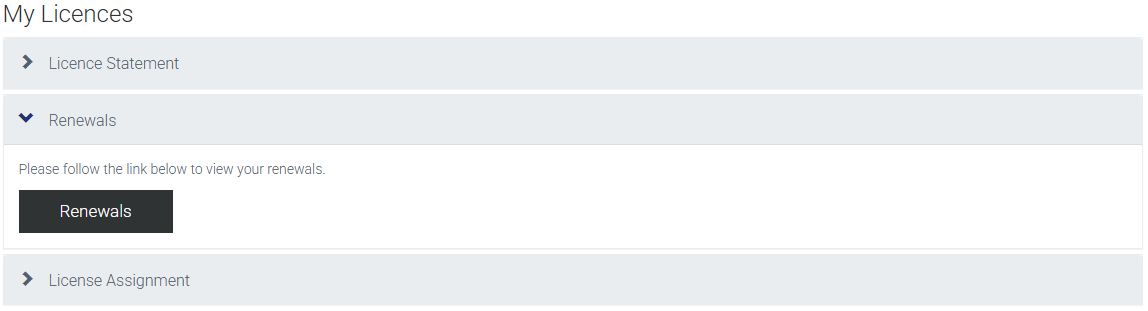
Once you have selected My Licences you will be able to expand the Renewals section. Select the Renewals Button. Ensure there is no pending Renewals
You can contact your Sales Account Manager should your licence end date be in the past or alternatively you can Caseware Support
Rate this article:
|vote=None|
Processing...
(Popularity = 0/100, Rating = 0.0/5)
Related Articles
How to download install and register Caseware Working Papers software
Caseware Working Papers | Getting Started | Download install and register Caseware Working Papers
Caseware Working Papers | Getting Started | Download install and register Caseware Working Papers New
Cloud App | How to customise display options, formatting and settings for your firm template
Caseware Cloud | How to set up Azure to support Caseware Cloud Single Sign-On
view all...