How to include text areas for firm sign-off in engagement letter
Answer:
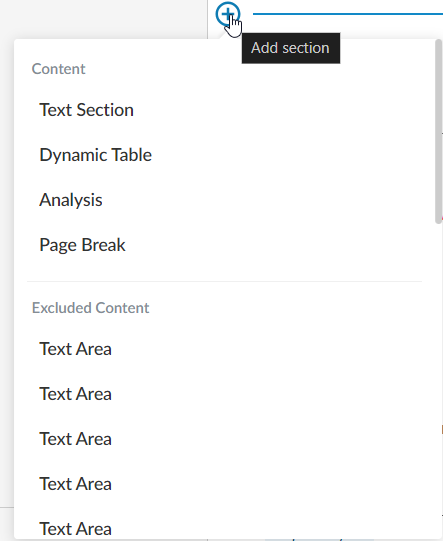
You can add additional text areas to in order to add content for the firm.
To add a text area:
- Click on the Add section (+) at the end of the last paragraph and select “Text section”.
- Add content per screenshot below into each text area (Text Area 1):

To add “Select Staff” dropdown click on the “Insert Staff Placeholder” in the edit ribbon.

- Add a new text area, and add the following content for engagement partner (Text Area 2):

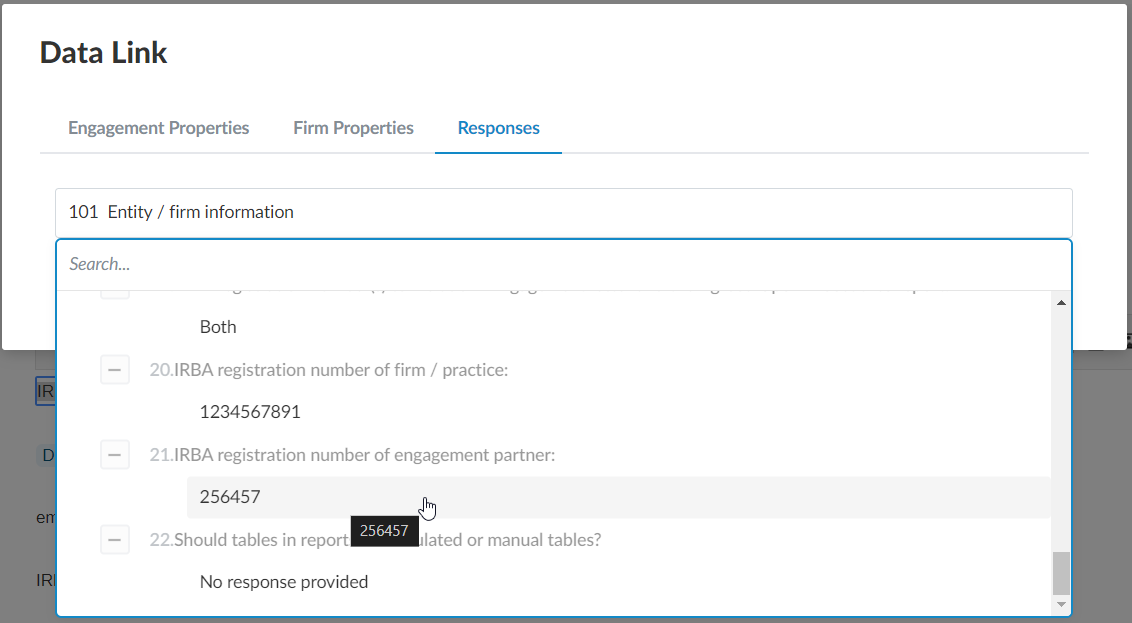
To automate the registration number, click on the “Insert Formula” in edit ribbon and insert response from document 101 – Entity / firm information
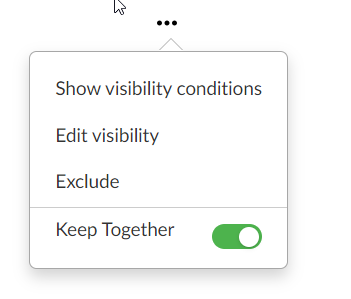
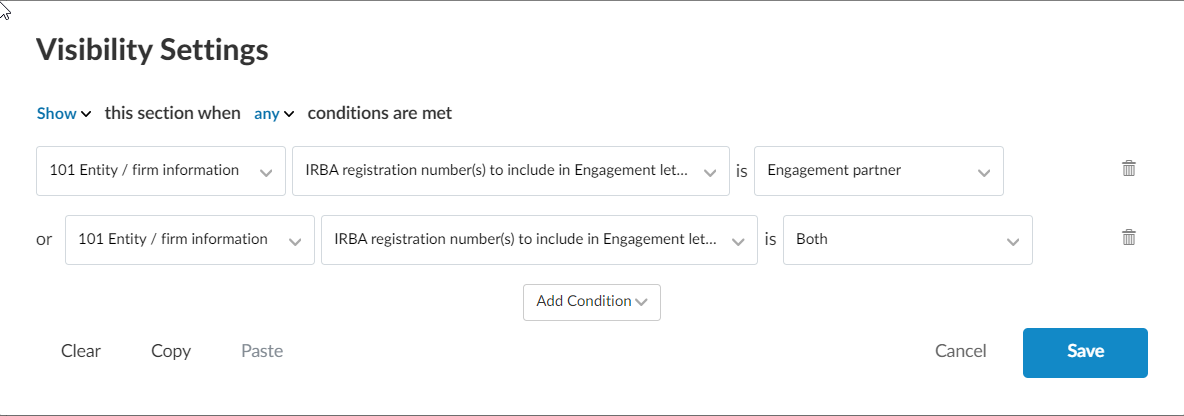
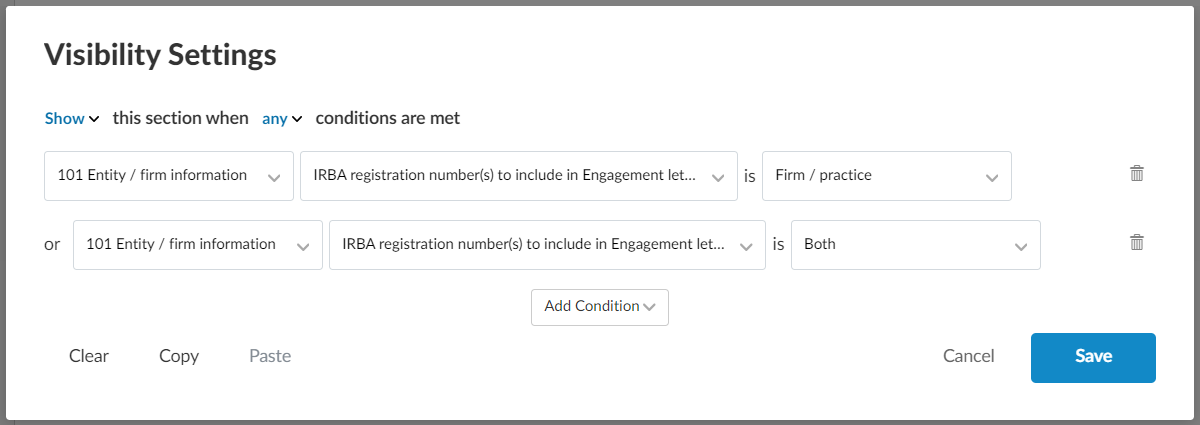
Add the following visibility conditions for this procedure by clicking on (…) and then “Edit visibility”
- Add a new text area and add the following content (Text Area 3):

To add the date placeholder click on “Insert Date Placeholder” on the edit ribbon

- Add a new text area and add the following content (Text Area 4):

To automate the firm name, click on “Insert formula” on the edit ribbon and then “Firm Properties”, click on Firm name.
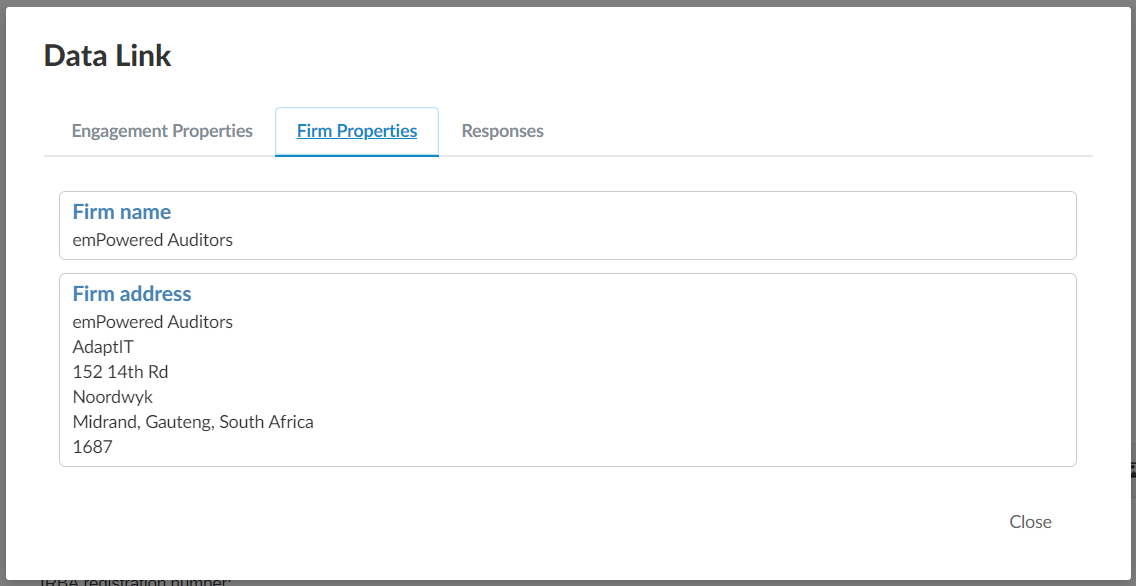
- Add a new text area, and add the following content, please note this is different to step 3 as this relates to firm/ practice (Text Area 5):

To automate the registration number, click on the “Insert Formula” in edit ribbon and insert response from document 101 – Entity / firm information
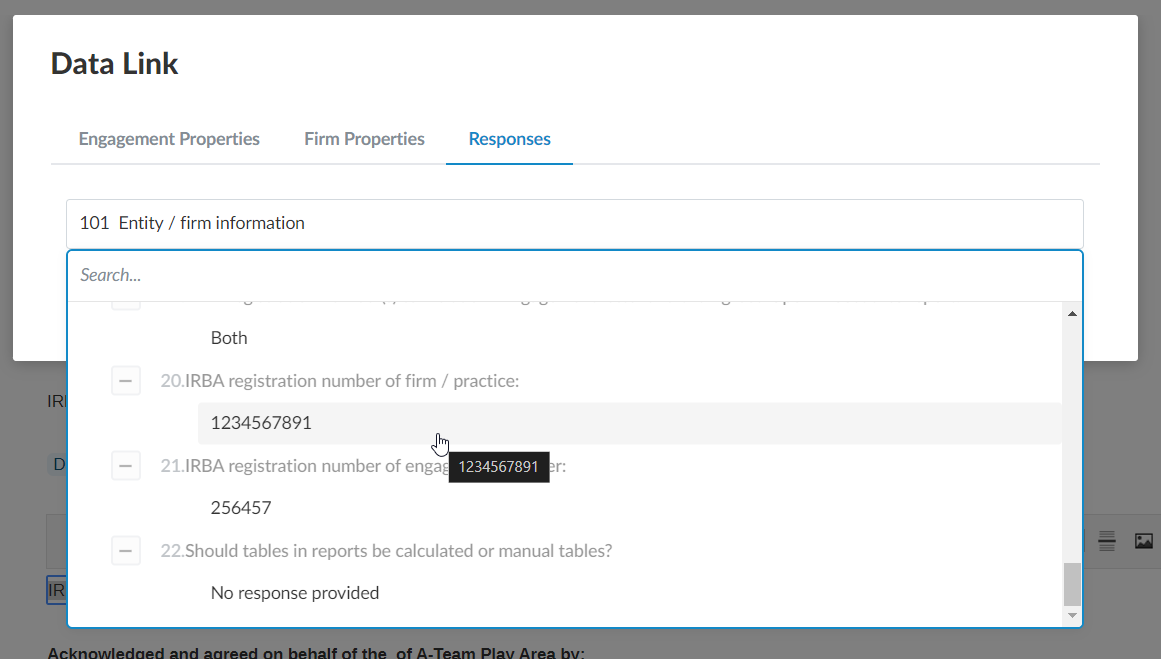
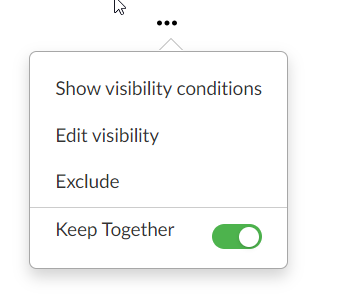
Add the following visibility conditions for this procedure by clicking on (…) and then “Edit visibility”
Rate this article:
|vote=None|
Processing...
(Popularity = 13/100, Rating = 0.0/5)
Related Articles
ISAE Attestation | Latest release
ISAE Attestation | Sampling
Cloud App | Inserting a logo / letterhead in the Firm Template
ISAE Attestation | How do I know if I need to select a sample?
view all...
Search Results
Why is the confirmation locked to another clerk (New Version of Confirmation)
ABSA Corporate Bank South Africa Audit Confirmation Instructions
Reassigning Client Profiles to Different Audit Users
Citibank South Africa Audit Confirmation Instructions
Nedbank Corporate Banking - Loans and Other Liabilities Audit Confirmation Instructions
view all...