How to include text areas for firm sign-off in engagement letter
Answer:
You can add additional text areas to in order to add content for the firm.
To add a text area:
- Click on the Add section (+) at the end of the last paragraph and select “Text section”.
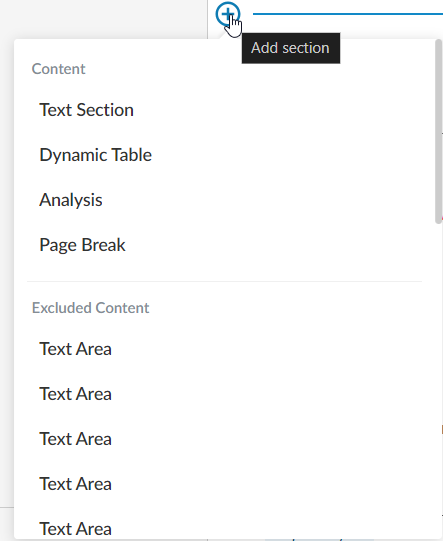
- Add content per screenshot below into each text area (Text Area 1):

To add “Select Staff” dropdown click on the “Insert Staff Placeholder” in the edit ribbon.

- Add a new text area, and add the following content for engagement partner (Text Area 2):

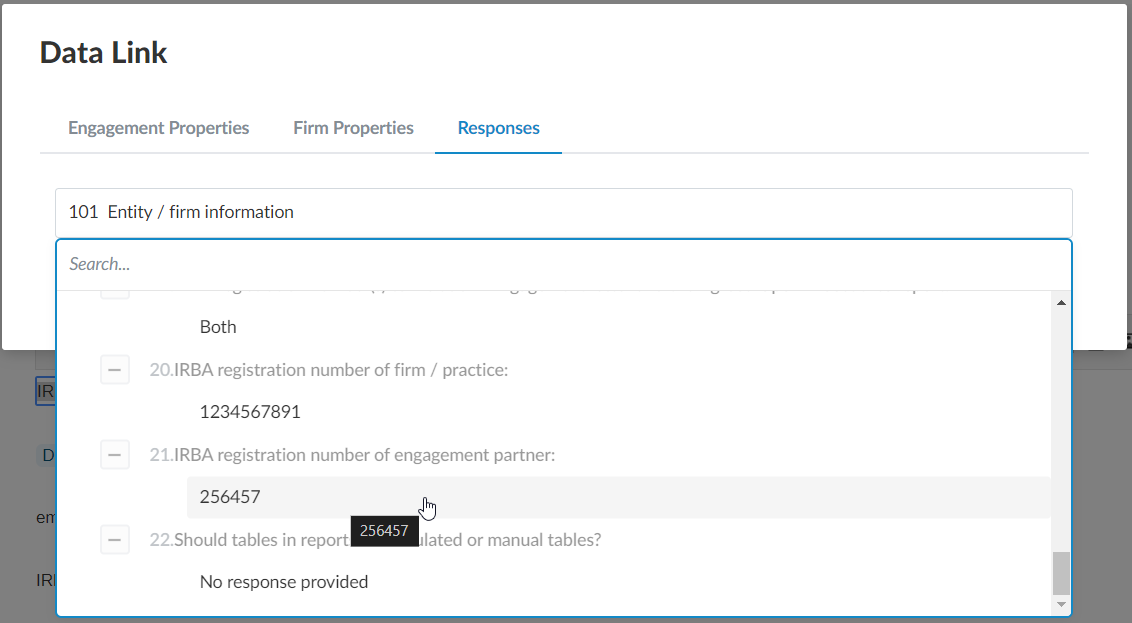
To automate the registration number, click on the “Insert Formula” in edit ribbon and insert response from document 101 – Entity / firm information
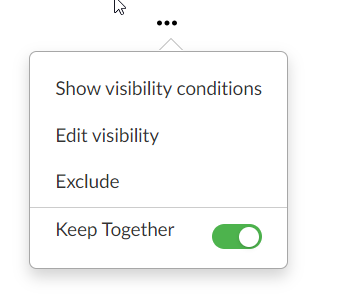
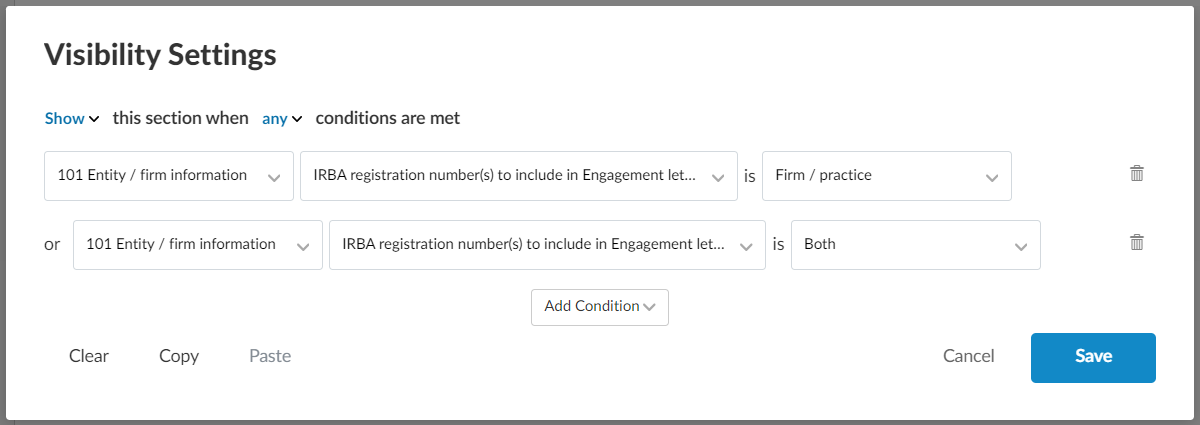
Add the following visibility conditions for this procedure by clicking on (…) and then “Edit visibility”
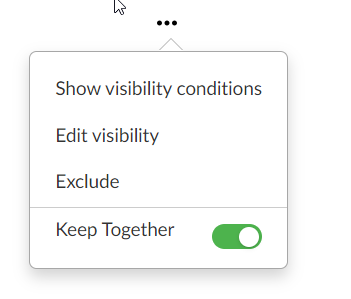
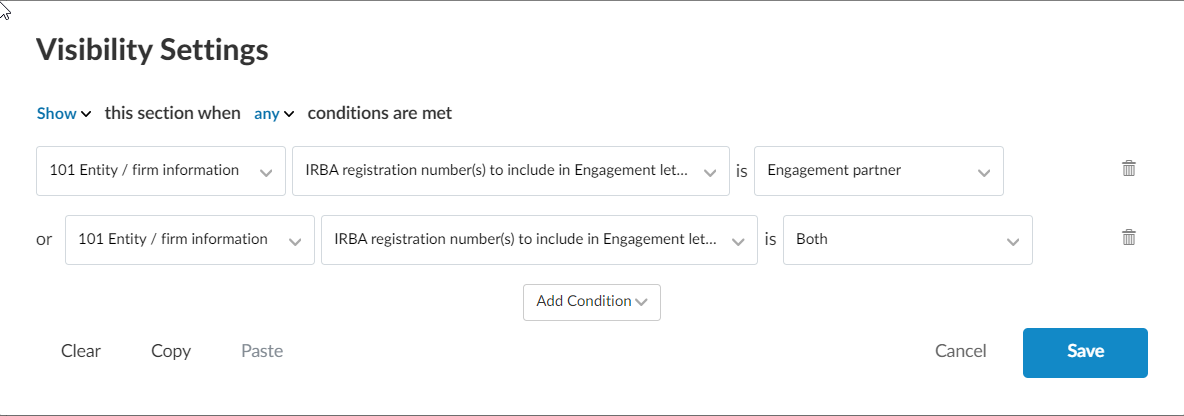
- Add a new text area and add the following content (Text Area 3):

To add the date placeholder click on “Insert Date Placeholder” on the edit ribbon

- Add a new text area and add the following content (Text Area 4):

To automate the firm name, click on “Insert formula” on the edit ribbon and then “Firm Properties”, click on Firm name.
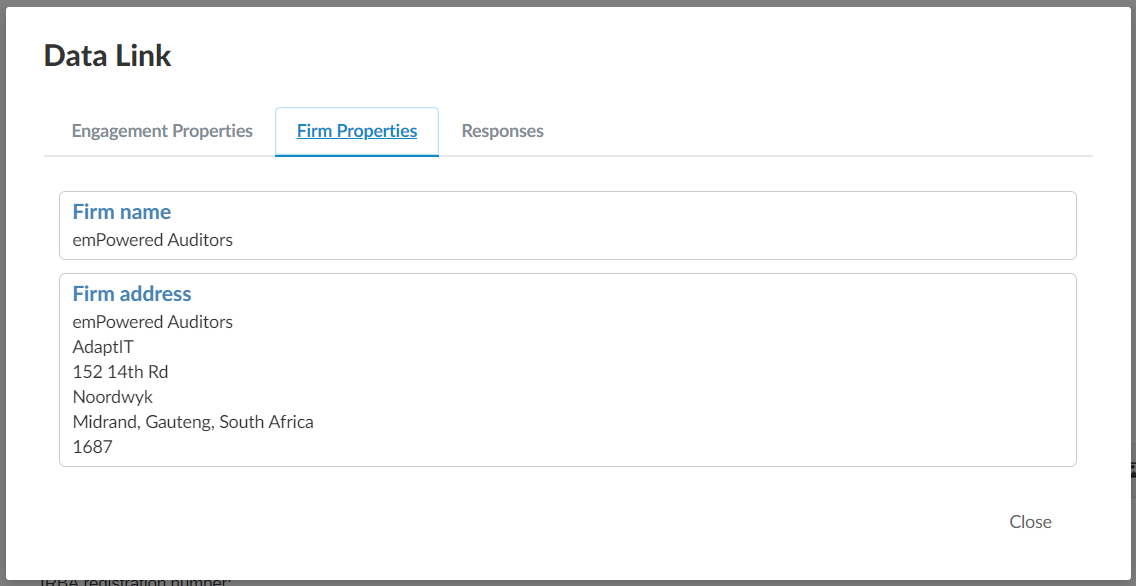
- Add a new text area, and add the following content, please note this is different to step 3 as this relates to firm/ practice (Text Area 5):

To automate the registration number, click on the “Insert Formula” in edit ribbon and insert response from document 101 – Entity / firm information
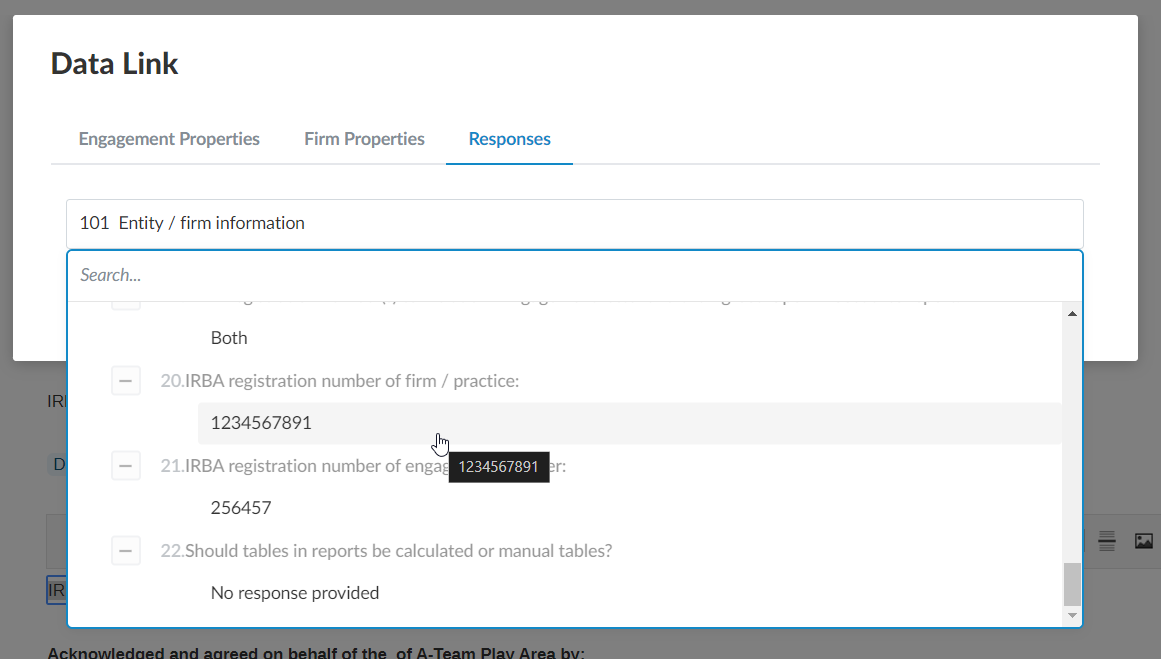
Add the following visibility conditions for this procedure by clicking on (…) and then “Edit visibility”
Rate this article:
|vote=None|
Processing...
(Popularity = 14/100, Rating = 0.0/5)
Related Articles
ISAE Attestation | Latest release
ISAE Attestation | Latest release
ISAE Attestation | Sampling
ISAE Attestation | How do I know if I need to select a sample?
view all...
Search Results
How do I add a new user to my institution (New Version of Confirmation)
What's New | Responders: New version of Confirmation 2025/26
How do I update the Responder Instructions for my institution? (New Version of Confirmation)
How do I remove an inactive clerk or supervisor (New Version of Confirmation)
How do I search for a past confirmation? (New Version of Confirmation)
view all...