How to configure the general settings so that the IA Governance application functionalities and content are customised to your language and region.
Instructions:
The General page under the SETUP module allows you to define the basic information that shapes how your IA Governance application is generated. The selections you make here determine the default content, language, and regional context that appear throughout the rest of the application.
Objective
The objective of SETUP | General is to provide the IA Governance application with the required settings that will determine the default content that will appear in the application and in which language the information will be displayed.
Page position
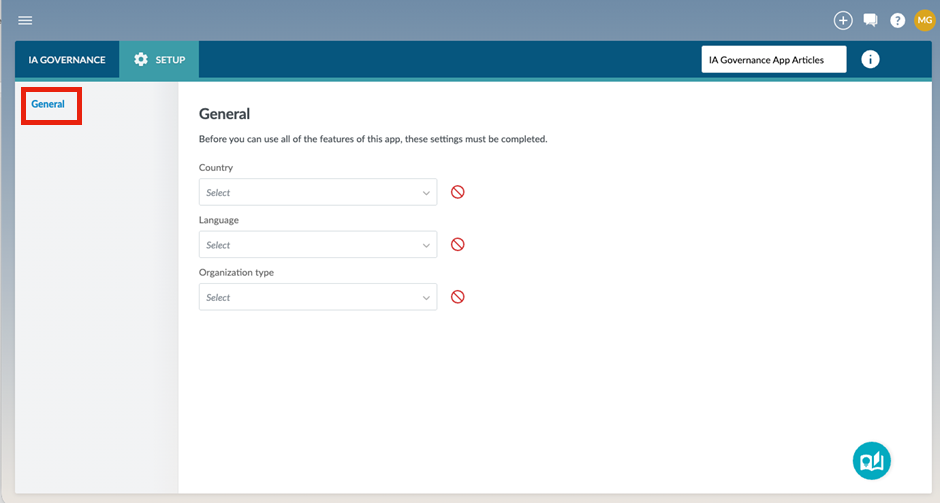
SETUP | General can be found on the sidebar within the SETUP module of the IA Governance app.
Page content
Note that the first time the application is accessed for a specific entity, functionalities will be restricted until the required options within SETUP | General are completed.
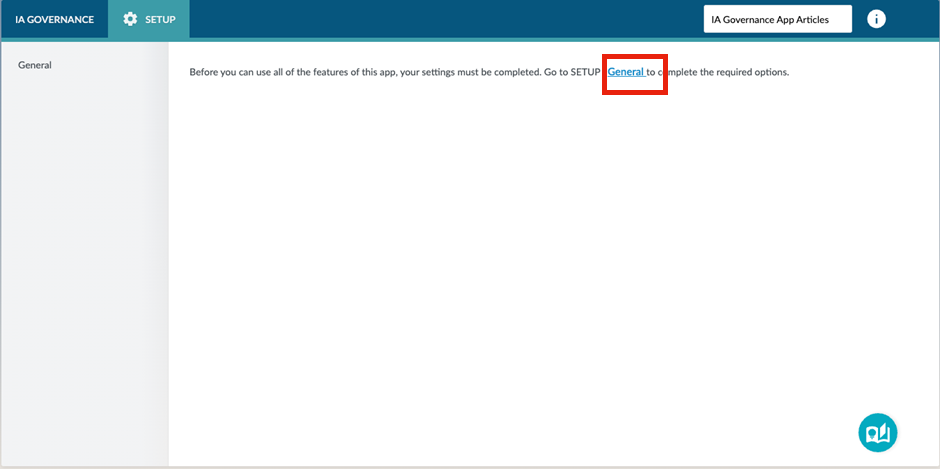
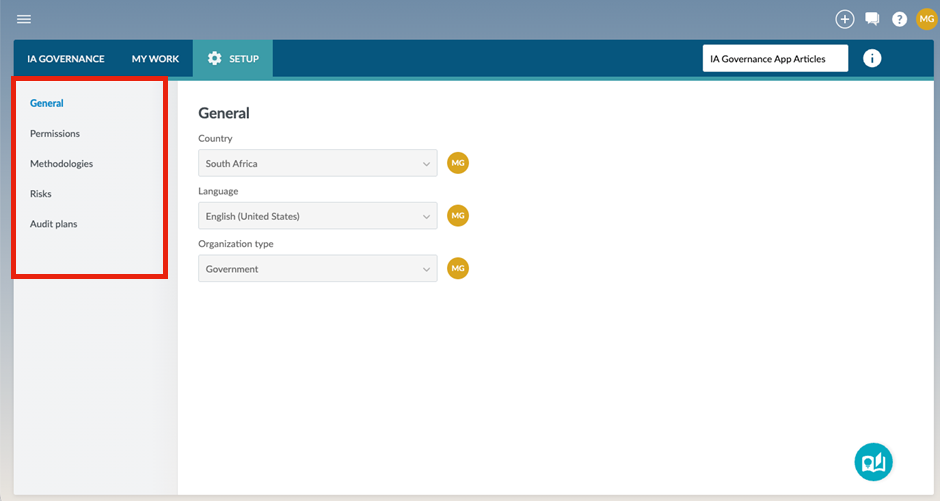
The following screen will be displayed after selecting General:
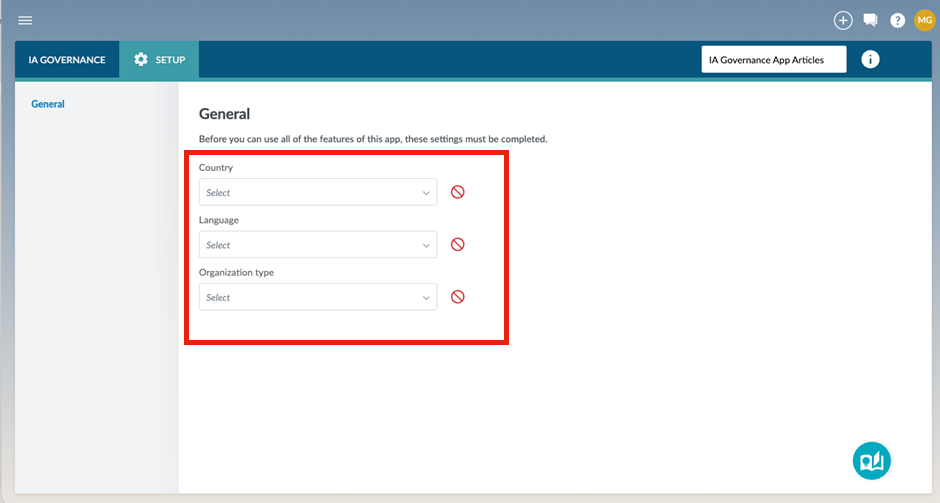
There are 3 selections on this page that must be made before any of the other features of the app can be used.
Country
Select the country where the organisation’s head office is based.
Language
The language selection will determine what language the application’s templates and content will be displayed in.
Organisation Type
Different templates are relevant to different types of organisations. Selecting the type of organisation has an impact on the templates and methodologies that will be available within the app.
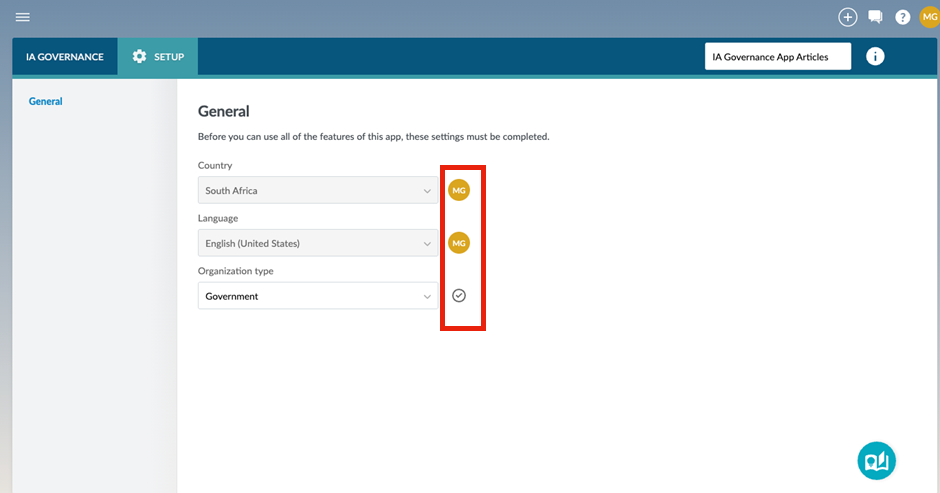
Note: making the selection will enable the ability to sign-off on the right-hand side of the selection. Note that selections that have not been signed off will have a grey tick mark to the right hand side of the selection.
When all 3 selections have been signed off, the rest of the options under SETUP become available.
Page outcomes
After setting up the General aspects of the entity, some functionalities for the rest of the IA Governance application will become available. Full functionality and all features will only be available after permissions have been granted.
Features
The following features are available on this page:
Rate this article:
|vote=None|
Processing...
(Popularity = 1/100, Rating = 0.0/5)
Related Articles
IA Governance | SETUP - Permissions
IA Governance | SETUP - Methodologies
Getting started with IA Governance
Firm Template | Document Configuration Header
view all...
Search Results
Privacy and Security Summary
Where to find information about Caseware’s security, privacy, and compliance practices?
XBRL | How to change security settings for Caseware and when iXBRL "hangs" on CIPC validation
ISO 27001 Certification
SOC 1 and SOC 2 Examinations
view all...