How do I capture and maintain the key definitions and glossary terms used by the internal audit function, so that terminology remains consistent across the IA Governance app and aligned to the organisation's preferred wording?
Instructions:
The DRAFT MANUAL| Key definitions section provides a structured glossary of the core internal audit terms used within the organisation and across the IA Governance app. This glossary supports consistent interpretation of key concepts by internal audit staff, management, and stakeholders, and ensures that commonly used terms are aligned to the organisation’s internal audit methodology, governance framework, and professional standards.
Objective
The objective of DRAFT MANUAL | Key definitions is to provide a consistent and organisation-aligned glossary of terms used by the Internal Audit Function within the IA Governance app. This ensures that internal audit staff, management, and oversight bodies interpret key concepts consistently, and that terminology remains aligned to the organisation’s internal audit methodology, governance framework, and the Standards.
Page position
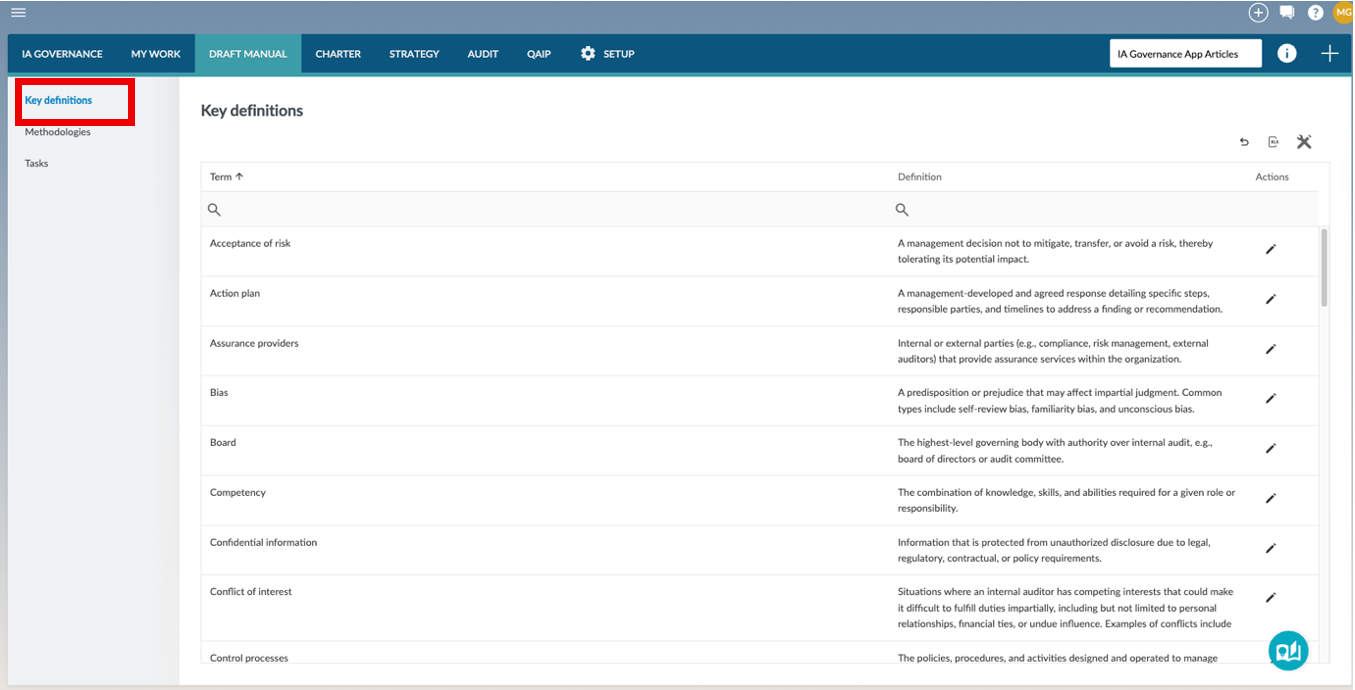
DRAFT MANUAL | Key definitions can be found on the sidebar within the DRAFT MANUAL module of the IA Governance app.
Page content
The Key definitions section within the DRAFT MANUAL module provides a centralised glossary of terms used by the IAF within the organisation and across the IA Governance app. This page allows users to define, maintain, and standardise terminology to support consistent understanding and application of internal audit concepts, methodologies, and governance-related terminology. Key definitions can be updated as terminology evolves, ensuring that the language used throughout the IA Governance app remains accurate, relevant, and consistently applied across internal audit activities. The page displays a simple table with three columns:
- Term – The word or phrase being defined
- Definition – The explanation of the term.
- Actions – Options to edit or delete the definition
Adding a Key definition
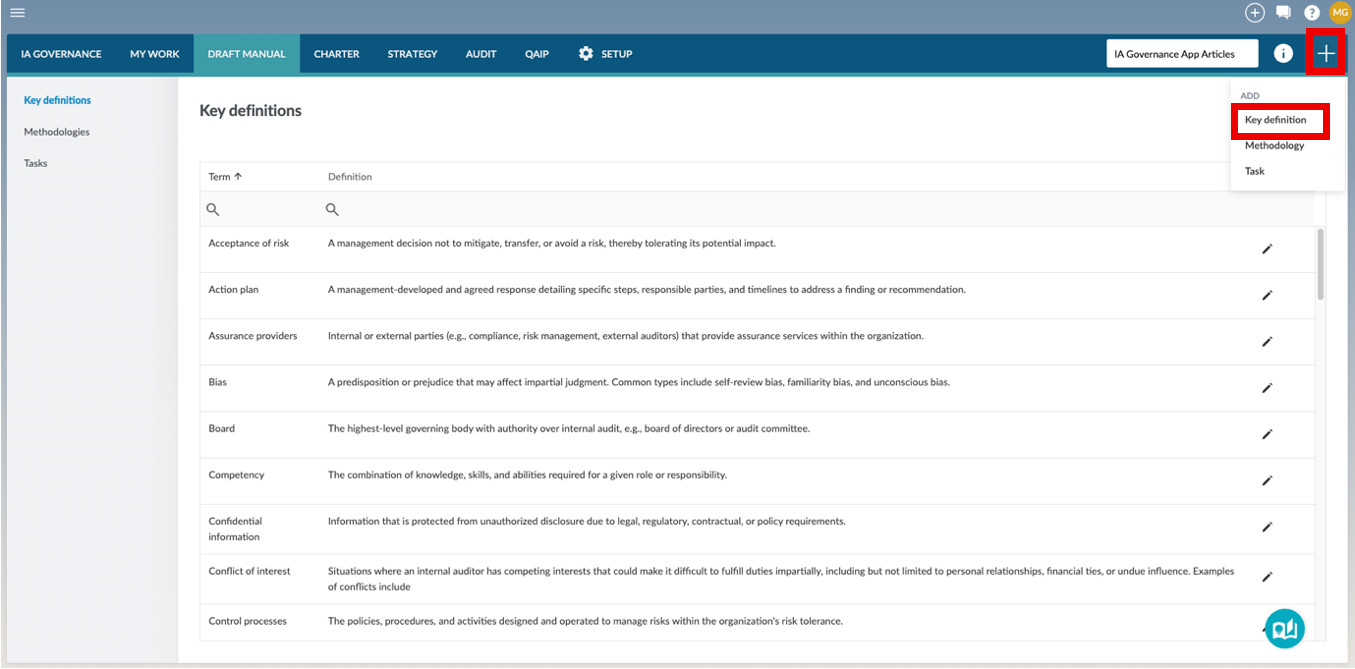
To add a definition, select the + button in the top right-hand corner of the screen and then Key definition from the drop-down menu that appears.
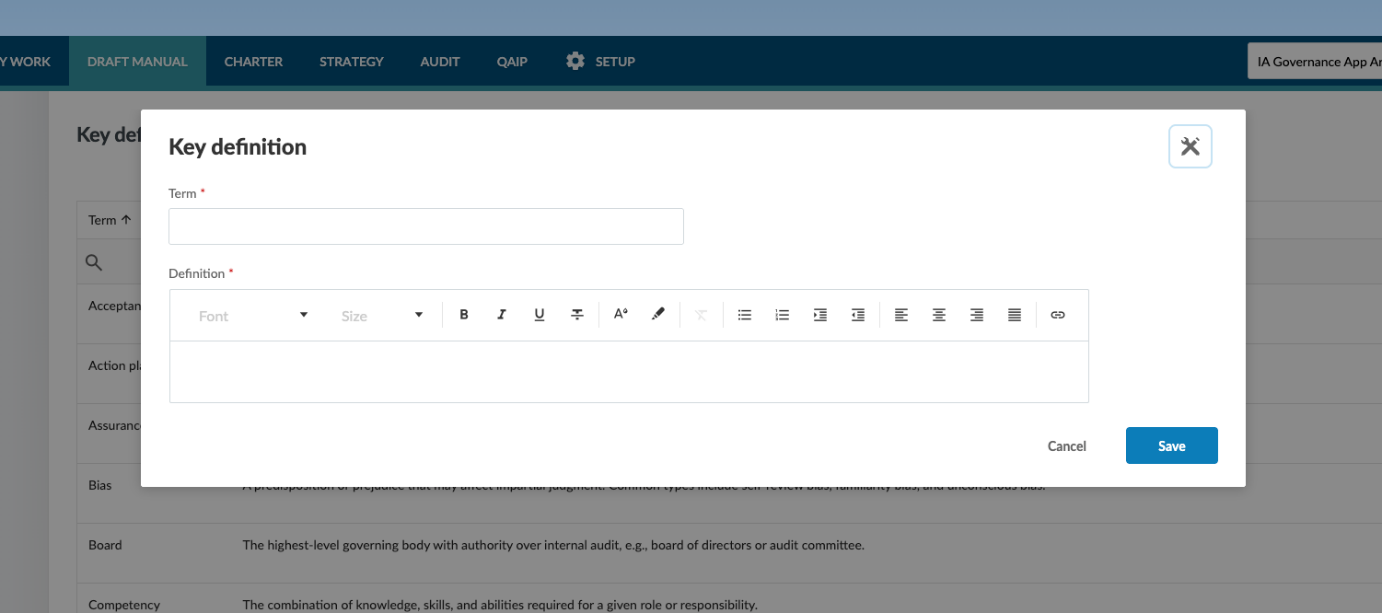
A dialog will appear where you must complete two fields:
- Term – Enter the word or phrase. Each term must be unique.
- Definition – Enter the explanation using the editor, allowing you to format the text clearly.
Note: Both fields are required before you can save the definition.
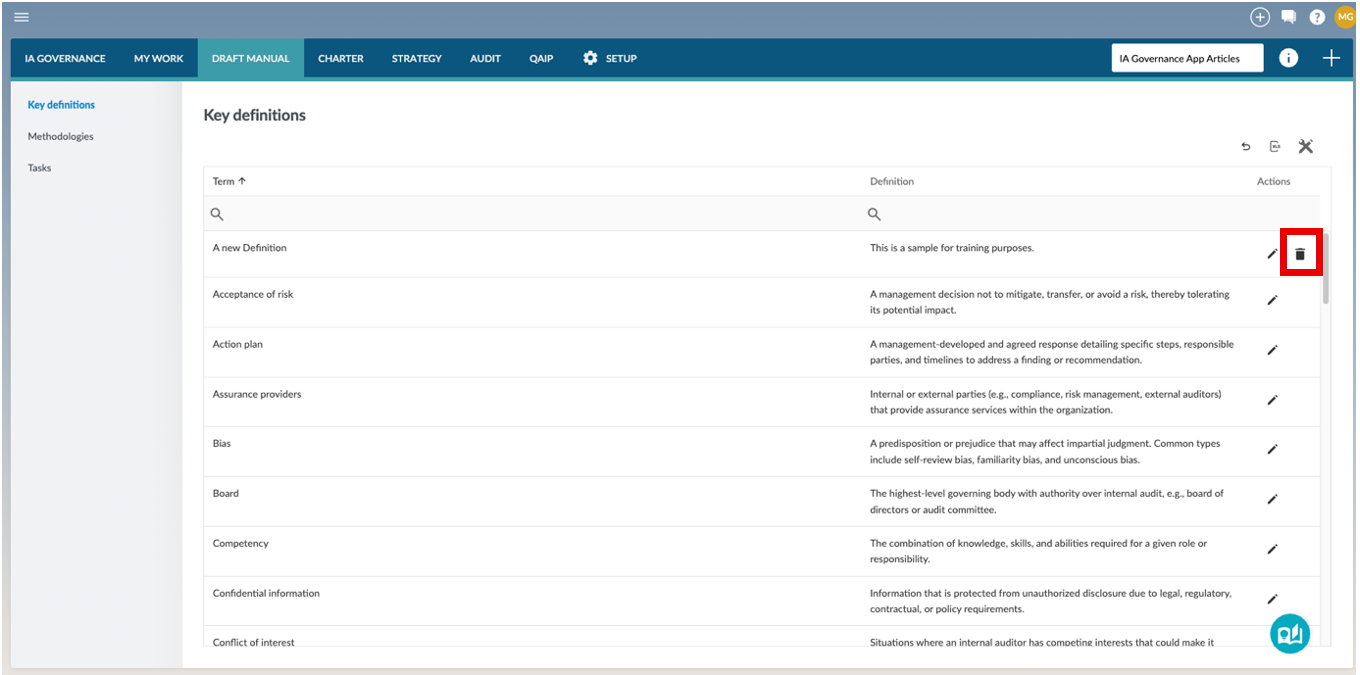
The new definition is identifiable through the delete icon that appears next to the definition. Only user-created definitions can be deleted by selecting the delete icon. Pre-defined definitions can only be edited.
Editing a Key definition
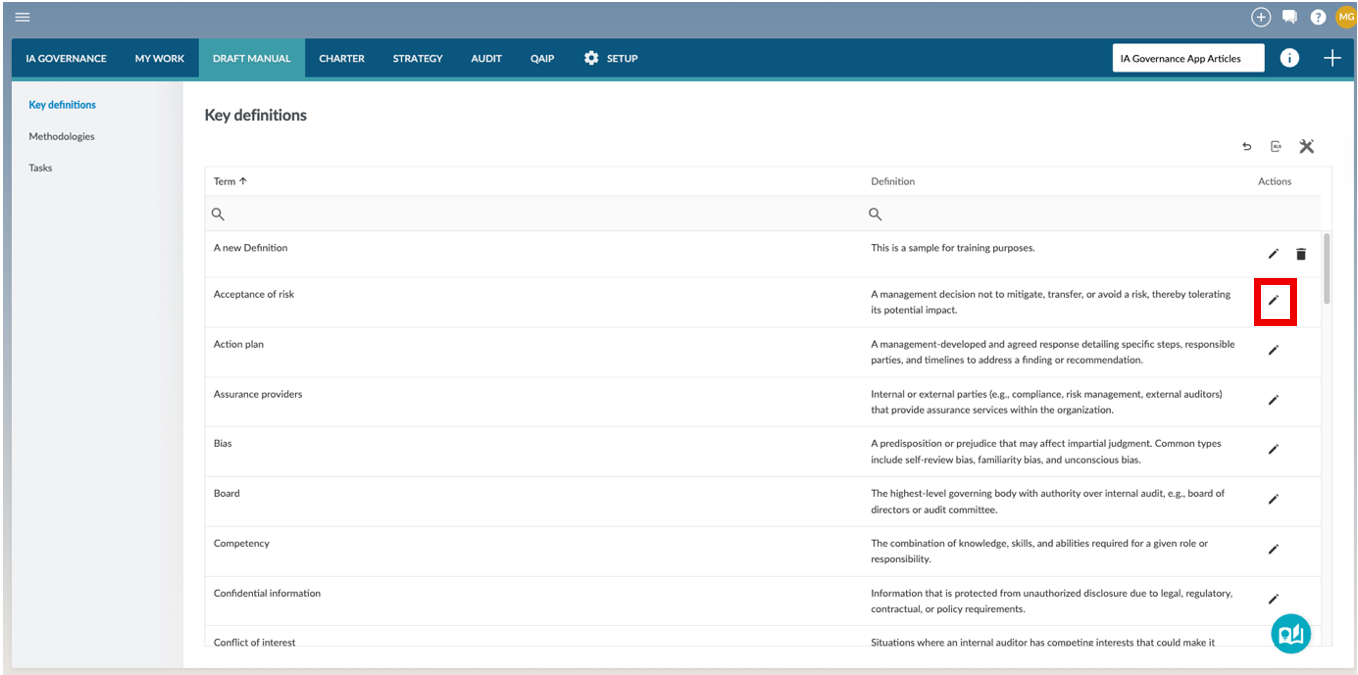
To edit an existing key definition, select the edit button in the Actions column.
This opens up a dialog where you can edit the Term or Definition.
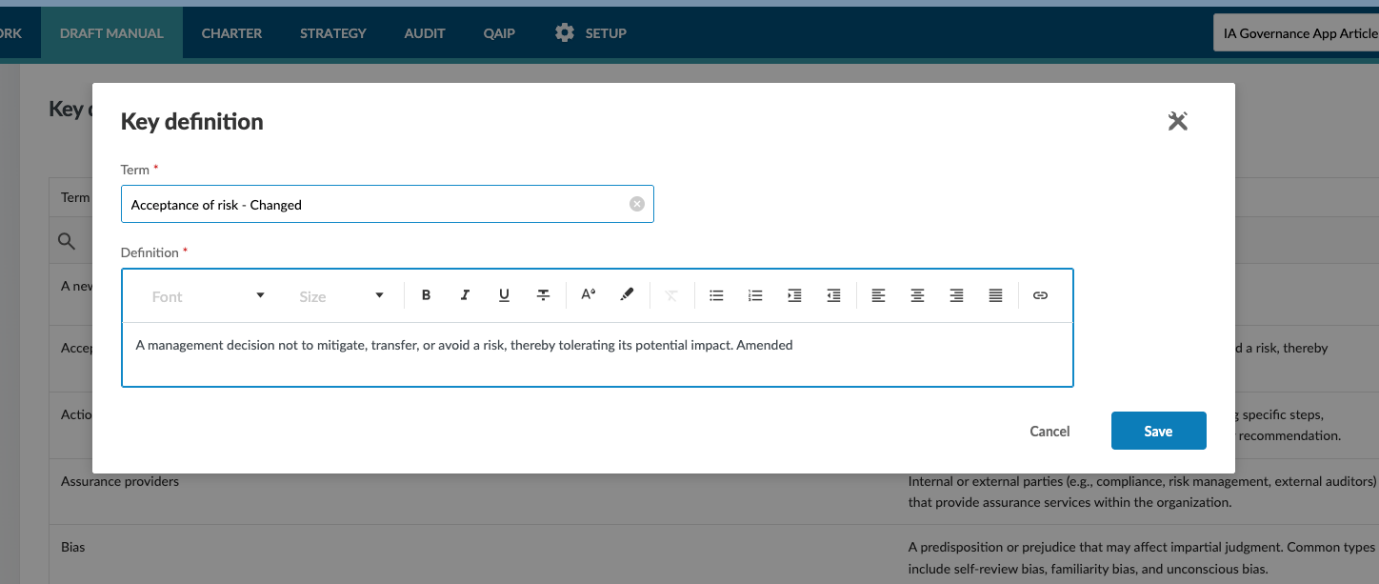
Once edited, pressing the Save button will save the amendments and return the user to the overview page of the Key definitions.
Page outcomes
Maintaining key definitions provides a centralised glossary that promotes consistent interpretation and application of internal audit terminology across the IA Governance app and the organisation. This supports clear communication, alignment in audit documentation and processes, and a shared understanding of internal audit concepts among internal audit staff, management, and oversight stakeholders, ensuring terminology remains consistent with organisational practices and relevant professional standards.
Features
The following features are available on this page:
- Review tools
- Working with tables
- Export data to Excel
Rate this article:
|vote=None|
Processing...
(Popularity = 0/100, Rating = 0.0/5)
Related Articles
Caseware IDEA Tutorials:Duplicate Key Exclusion
IA Governance | SETUP - Methodologies
Audit International 26.1 Release Notes
Audit International 25.1 Release Notes
view all...
Search Results
Investec Corporate and Institutional Banking South Africa Audit Confirmation Instructions
Investec Private Bank South Africa Audit Confirmation Instructions
RMB Investment and Corporate Banking South Africa Audit Confirmation Instructions
Investec Bank - Corporate Cash Manager (CCM) Audit Confirmation Instructions
ABSA Corporate Bank South Africa Audit Confirmation Instructions
view all...