How do I monitor the progress of audit engagements and track outcomes such as findings, recommendations, and follow-up actions within the IA Governance app?
Instructions:
The AUDIT | Status Report provides a dashboard view of the progress and outcomes of audit activities within the Internal Audit Function. It presents key metrics and visual summaries of audit engagements, including their status, completion rates, and outstanding follow-up actions, enabling users to monitor audit execution and performance at a glance.
Objective
The objective of AUDIT | Status Report is to provide a centralised and visual overview of audit activity progress, enabling the Internal Audit Function to track the status of engagements, monitor completion, and identify outstanding follow-up actions requiring attention.
Page position
AUDIT | Status Report can be found on the sidebar within the AUDIT module of the IA Governance app.
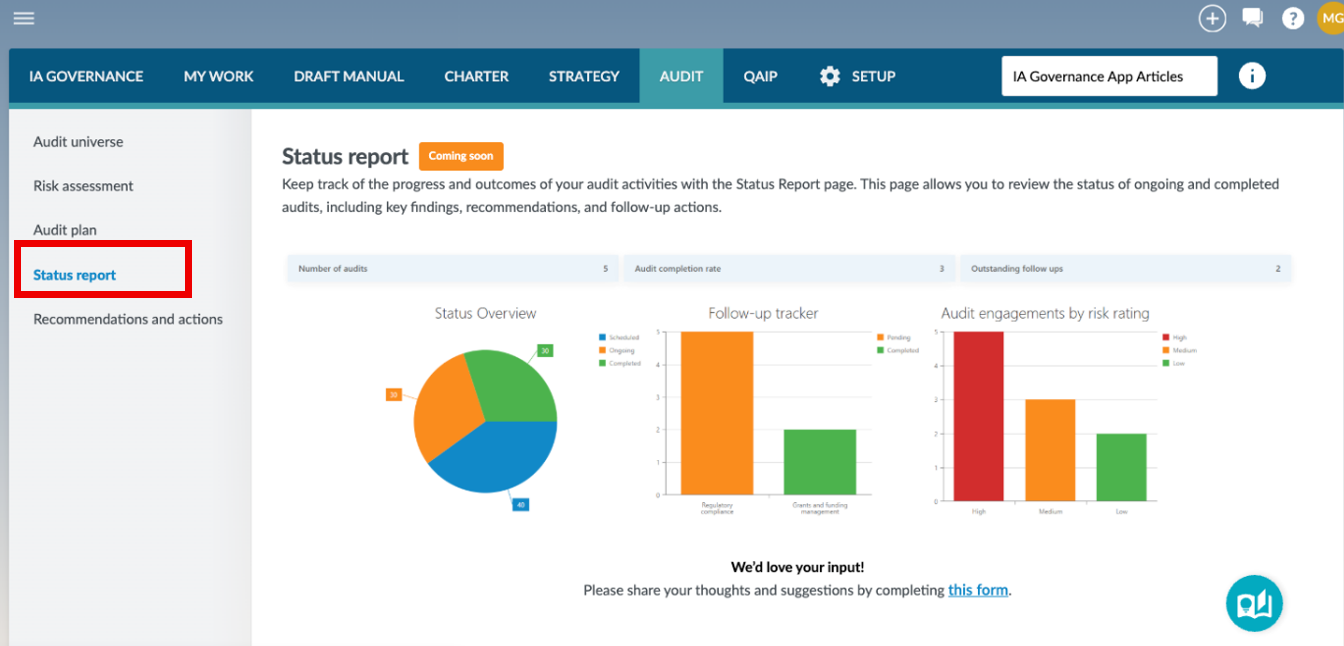
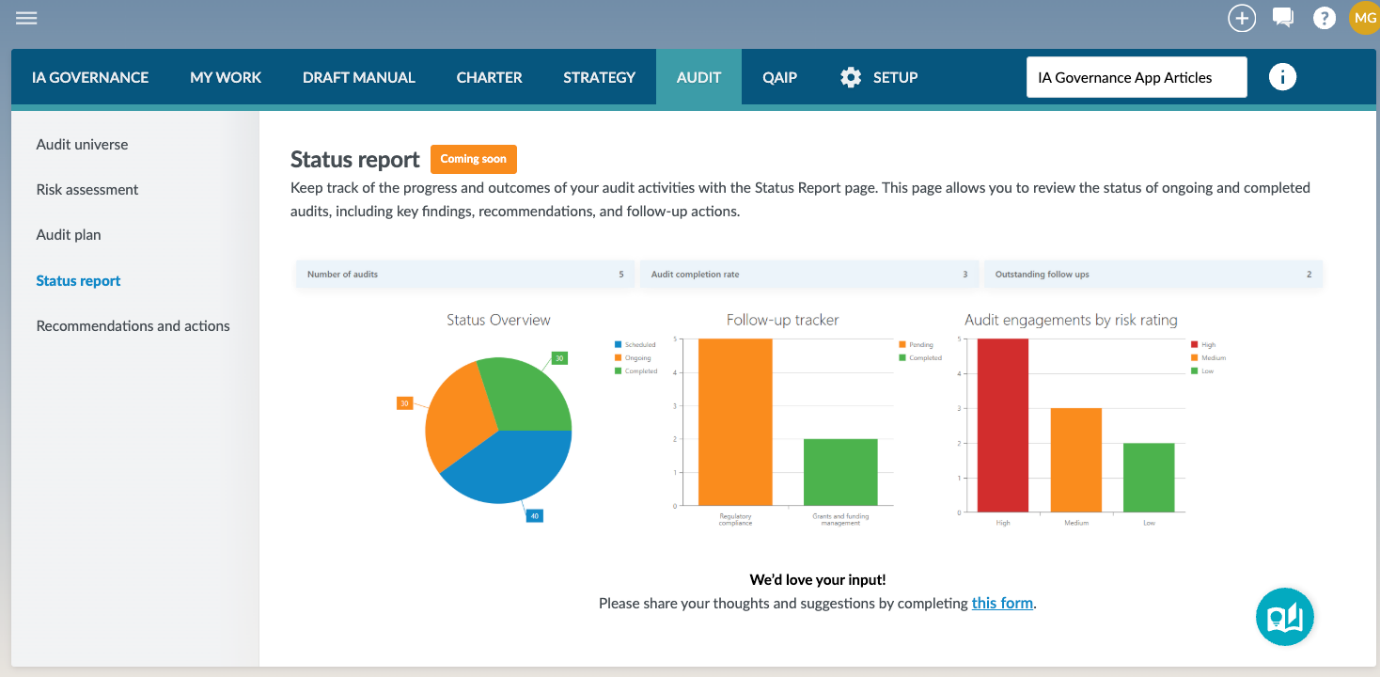
The Status report page provides a dashboard-style overview of audit activity, displaying key metrics and visualisations that reflect the progress and outcomes of audit engagements.
At the top of the page, summary indicators provide a quick view of:
- Number of audits – Total audit engagements tracked
- Audit completion rate – Progress of audits completed versus planned
- Outstanding follow-ups – Number of actions that remain unresolved
Below the summary indicators, the page displays visual charts that provide further insight into audit activity:
- Status overview – Displays the distribution of audit engagements by status (e.g. scheduled, ongoing, completed)
- Follow-up tracker – Shows the status of follow-up actions (e.g. pending vs completed) across auditable areas
- Audit engagements by risk rating – Displays the number of audit engagements categorised by risk level (e.g. high, medium, low)
These visualisations enable users to quickly identify trends, bottlenecks, and areas requiring attention.
Page outcomes
Using the Status report page enables the Internal Audit Function to monitor the progress, performance, and outcomes of audit activities through a consolidated dashboard view. This supports timely identification of delays, outstanding follow-ups, and high-risk areas, enabling more effective oversight, decision-making, and reporting on the execution of the audit plan.
Features
The following features are available on this page:
Rate this article:
|vote=None|
Processing...
(Popularity = 0/100, Rating = 0.0/5)
Related Articles
What is Caseware Internal Audit?
Citibank South Africa Audit Confirmation Instructions
HSBC Bank South Africa Audit Confirmation Instructions
HSBC Bank Mauritius Limited Audit Confirmation Instructions
view all...
Search Results
Where are the User Agreement and Privacy Policy located?
ISAE Attestation | How to create a new engagement
ABSA Private, Wealth and Retail Banking South Africa Audit Confirmation Instructions
Investec Private Bank South Africa Audit Confirmation Instructions
How to Register a New User on Confirmation.com
view all...