How to get a new version from Library
Answer:
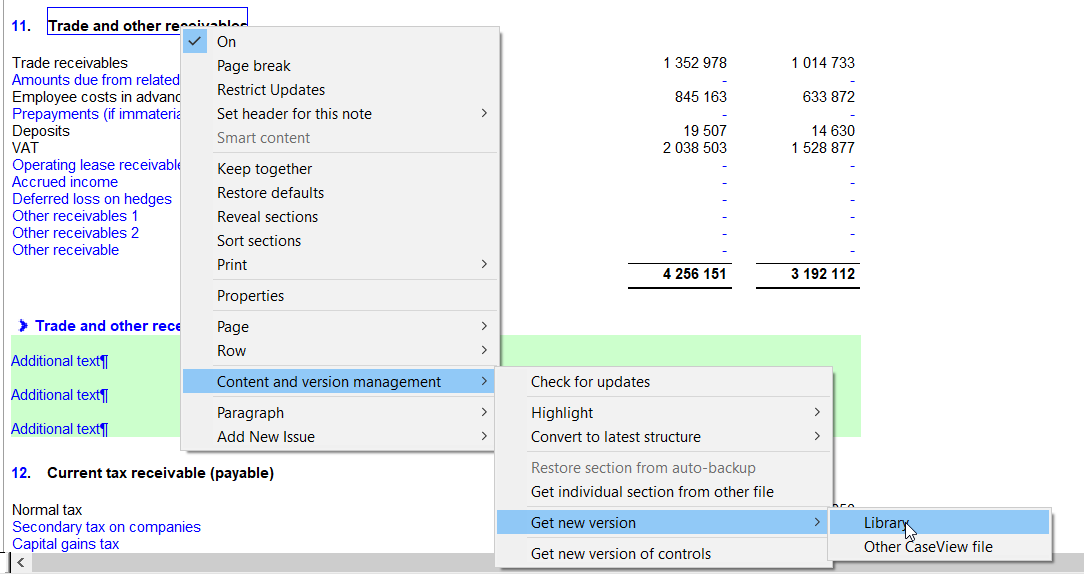
1. Right click on the blue header for the Statement |Get new version |Library
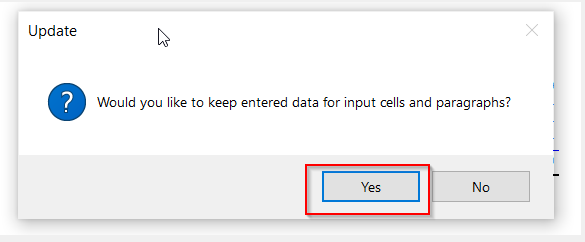
2. Select Yes to keep entered data for input cells (if there are input cells on the section)
3. On the visual merge screen, click on OK
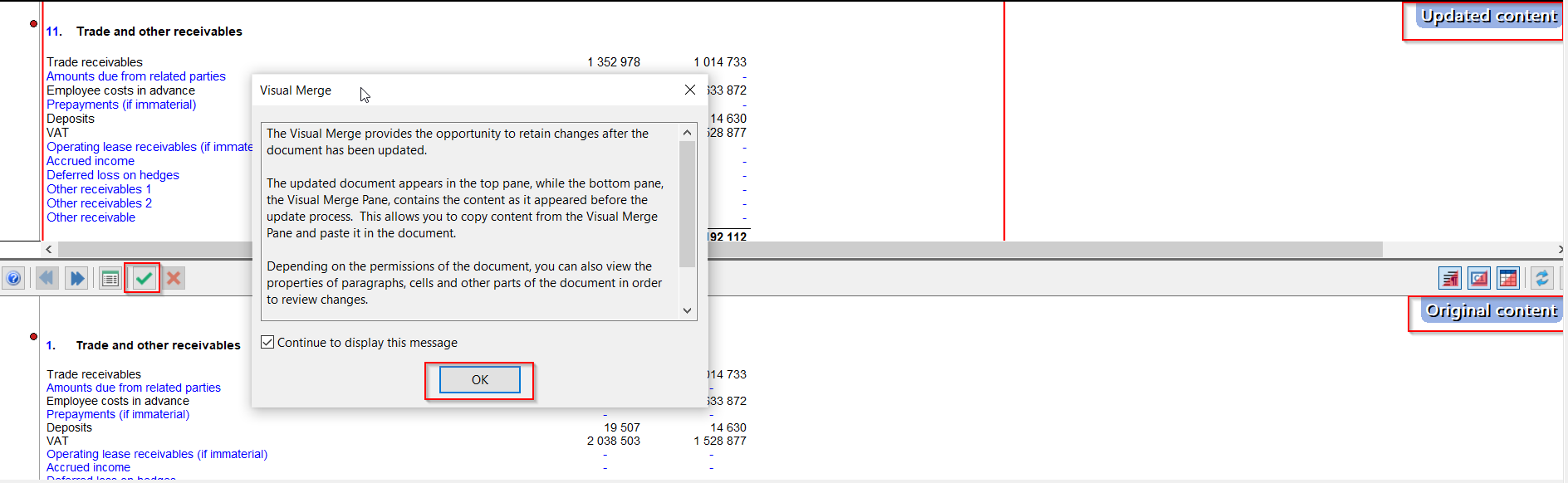
4. The screen will split it up into two, on the bottom half of the screen click on the green icon to accept and then click on yes to proceed
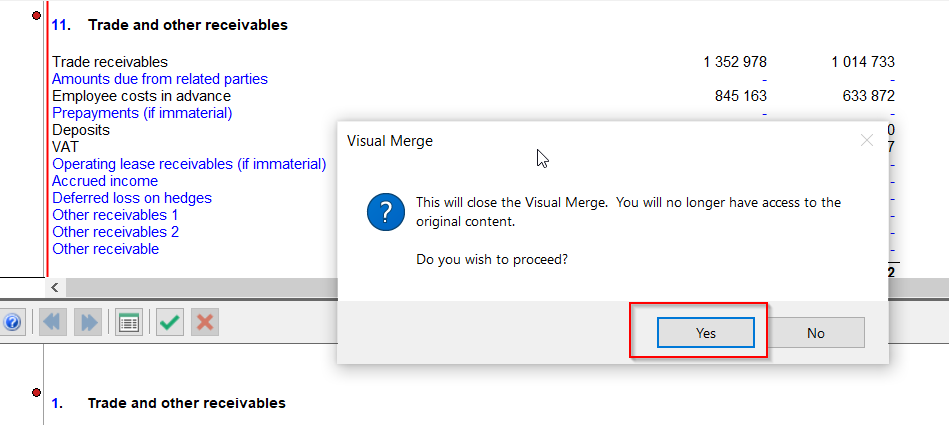
5. The note is now updated and will show “Updated content” on the top right
Rate this article:
|vote=None|
Processing...
(Popularity = 1/100, Rating = 0.0/5)
Related Articles
How to get a new version from another CaseView file
How do I add a new user to my institution (New Version of Confirmation)
Can I assign a confirmation request to myself? (New Version of Confirmation)
How do I update the Responder Instructions for my institution? (New Version of Confirmation)
view all...
Search Results
Firm Wide Credit Card
Confirmation Billing Guide (Effective 1 Nov 2025)
Confirmation Billing Guide (Effective 1 Nov 2025) - Africa territories excluding South Africa
What billing methods can I use to pay for confirmations?
How to set up a form for responders in South Africa?
view all...