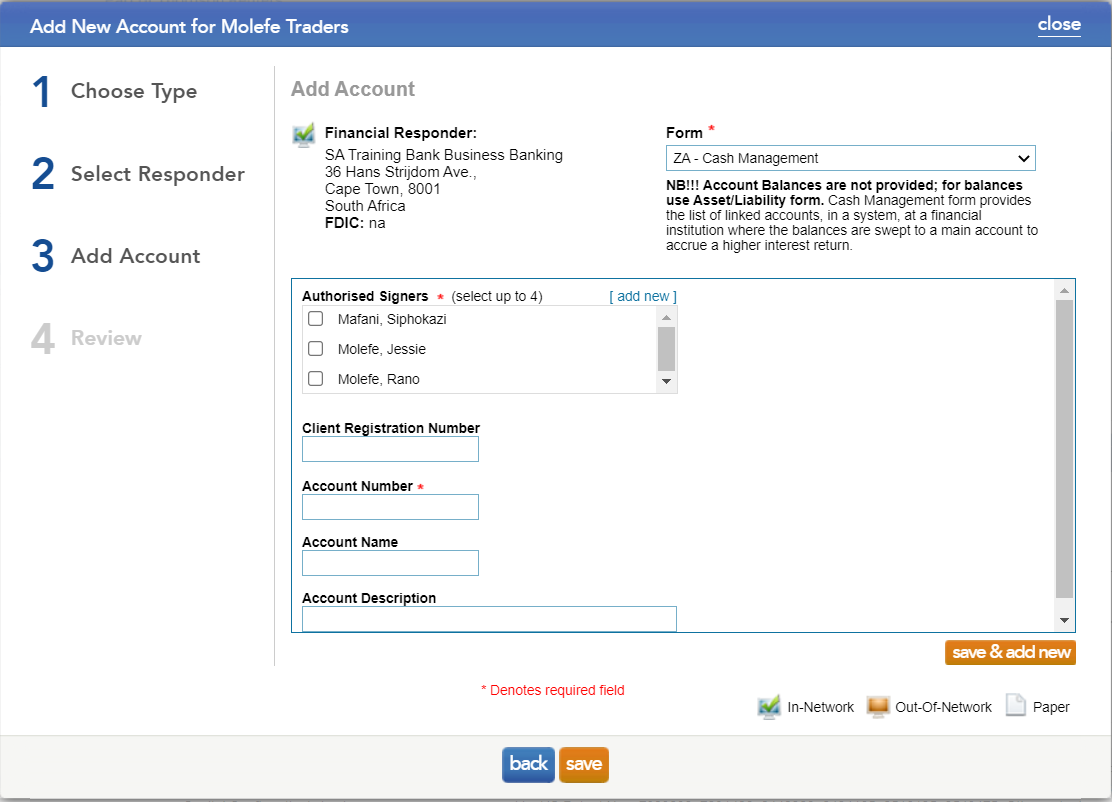
The ZA-Cash Management form provides a list of linked accounts, in a system, at a financial institution where the balances are swept to a main account to accrue a higher interest return.
It is important to note that account balances are not provided on this form. Balances can be obtained by sending either the ZA-Asset or ZA-Liability form.
By referring to the bank instructions, users will be able to determine what type of accounts they will need to send for the ZA-Cash Management form.
Instructions:
Auditor Setup of the ZA-Cash Management form
The following image provides a detailed description on what is required for the different fields.
Completed ZA-Cash Management form
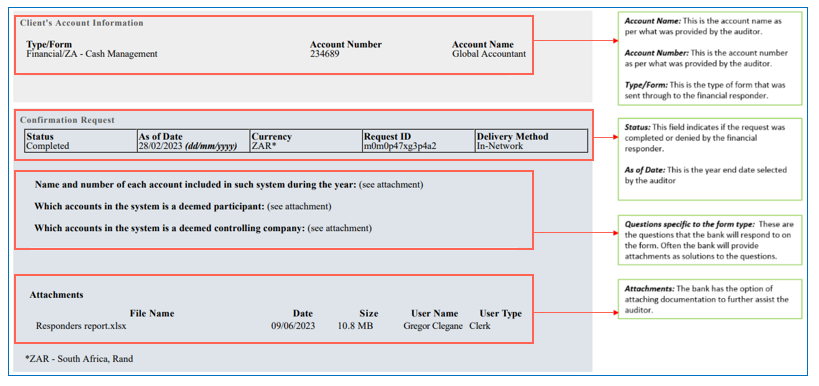
The below image describes what the ZA-Cash Management form will look like once the bank has completed the form. The image also highlights where the auditor needs to focus on to obtain the information they require to complete their audit.
Rate this article:
|vote=None|
Processing...
(Popularity = 2/100, Rating = 0.0/5)
Related Articles
How to set up a form for responders in South Africa?
How do I set up a Consolidation/Group figures in Caseware Working Papers?
Investec Bank - Corporate Cash Manager (CCM) Audit Confirmation Instructions
User Profile for Bank Users Set Up
view all...
Search Results
Can I access Confirmation.com from my mobile device?
What mobile operating systems are supported?
Can I request for a future "As of Date"?
XBRL | How to change security settings for Caseware and when iXBRL "hangs" on CIPC validation
XBRL Lite | How to create a new file when using XBRL Lite
view all...