Executive summary
The GRAP 2025.10.01 will update users’ Caseware files with the changes included in the 2025 iXBRL taxonomy update.
Included in this release is the GRAP Accounting and Disclosure Checklist - the first of three versions, with automated features planned for 2026. This checklist is designed to streamline your GRAP reporting process and support the finalisation of annual financial statements. It includes an integrated compliance component to help ensure full alignment with GRAP requirements.
In order to apply the new 2025 iXBRL taxonomy to your Caseware file you will also be required to install the latest release of Caseware Working Papers (Version 2025.00.0091).
Contents
1. GRAP 2025.10.01
1.1. GRAP Accounting and Disclosure Checklist
1.1.1. Launch the Disclosure Checklist
1.1.2. Navigating in the Disclosure Checklist
1.1.3. Compiling the Disclosure Checklist
2. iXBRL Changes
2.1. Taxonomy
2.2. Mandatory page
2.1. Other
3. Caseware Working Papers 2025.00.091 (Release 2)
1. GRAP 2025.10.01
1.1. GRAP Accounting and Disclosure Checklist
1.1.1. Launch the Disclosure Checklist
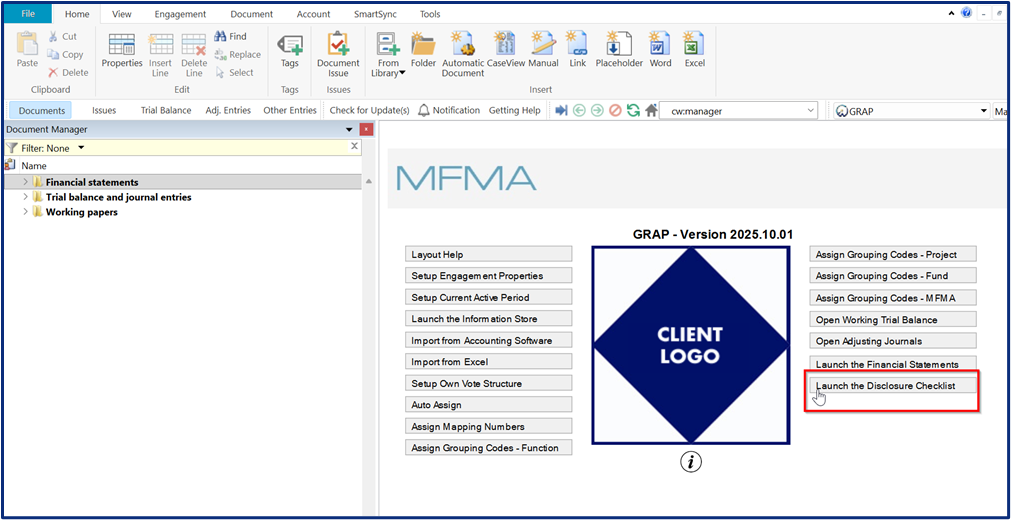
From the Menu, click on “Launch the Disclosure Checklist”.
1.1.2. Navigating in the Disclosure Checklist
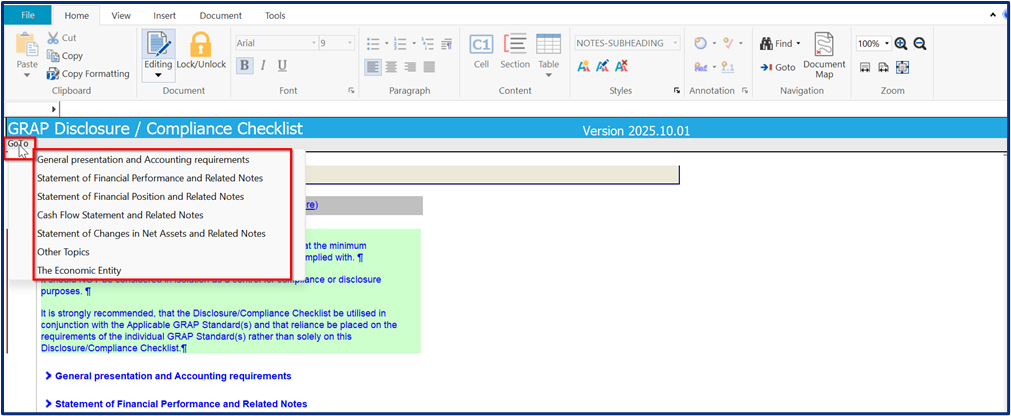
On the header, there is a “Go To” which you can use to navigate to the respective section of your choice.
1.1.3. Compiling the Disclosure Checklist
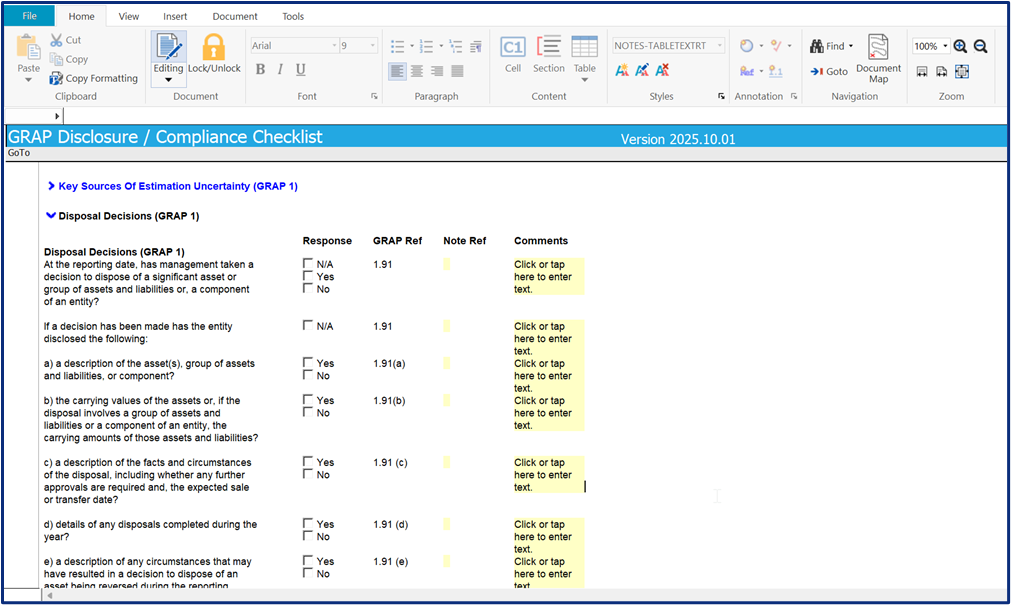
The checklist is per National Treasury requirements. It includes all the required questions and checks, grouped by category.
Included is a “Comments” section on each question to allow for additional information.
2. iXBRL changes
2.1 Taxonomy
The taxonomy was not updated to align with the latest CIPC XBRL Taxonomy 2025 IFRS Data Model, as the latest data model adopted IFRS 18 and IFRS 19 and deprecated the IAS 1 taxonomy. This taxonomy will be adopted when IFRS 18 and IFRS 19 compliance is effective and is adopted.
2.2 Mandatory page
The following improvements were made to assist with the successful validation:
- Amend ‘Select 'true' if the Annual financial statements independently compiled and reported on. If not, select 'false'’ to be ‘Select 'true' if Annual Financial Statements have not been audited but is independently compiled or reviewed’
- Add Independent Reviewer Name and Date of Independent review of Annual Financial Statements to be on with this selection.
2.3 Other
2.3.1. Period settings
Ensure that the period settings are set to yearly before validation.

2.3.2. Update process
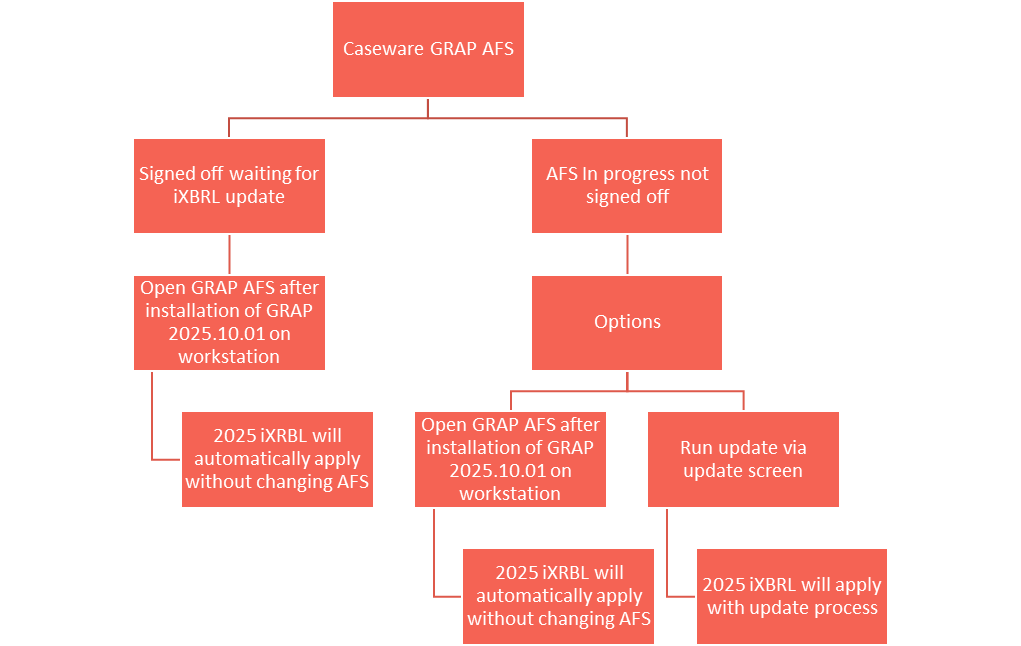
Users have two options to apply the 2024 iXBRL Taxonomy to their Caseware file.
3. Caseware Working Papers 2025.00.091(Release 2)
The following describes the features and fixes included in Working Papers 2025 and related products.
3.1 Features
This release includes the following new features:
- Chromium Embedded Framework (CEF) has been updated to version 131 to stay in line with the latest updates
- You can now export journal entry transfers to a format that is highly compatible with Xero, allowing for a more efficient import process
- CSS is now supported when printing to the iXBRL file format
- Installation - You will be required to fill in a username and email on installation
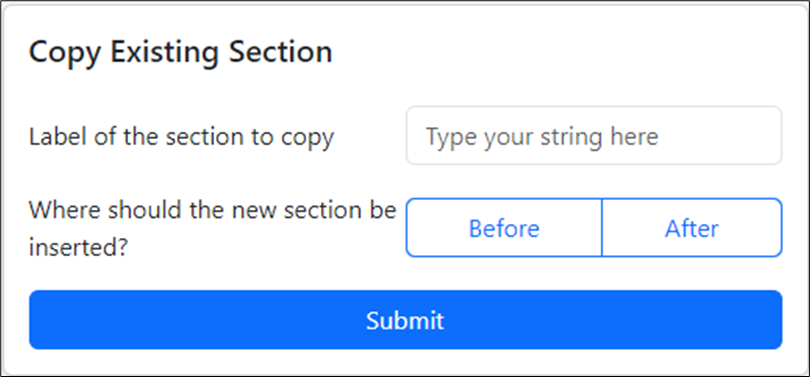
- The copy existing section method lets you specify if you want to insert the existing section before or after the relative section. This is only available to users when they have the firm template guide in their file.
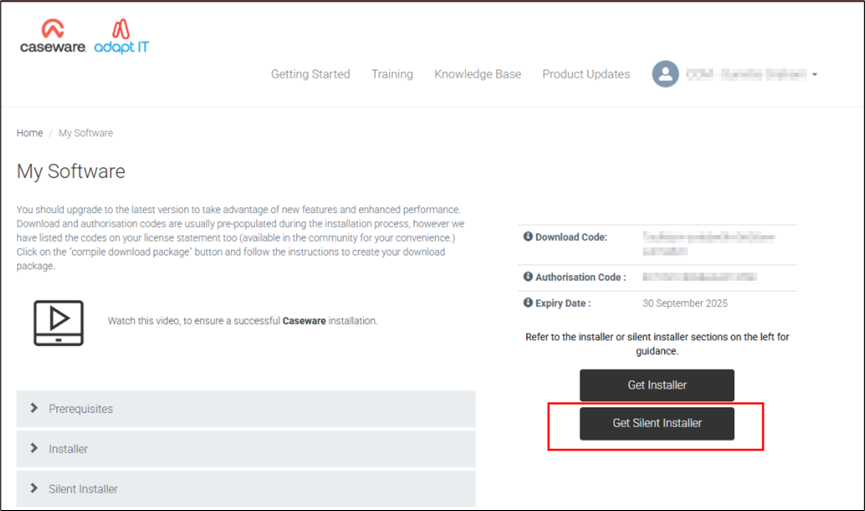
- The cloud installer lets you self-serve and generate a silent install
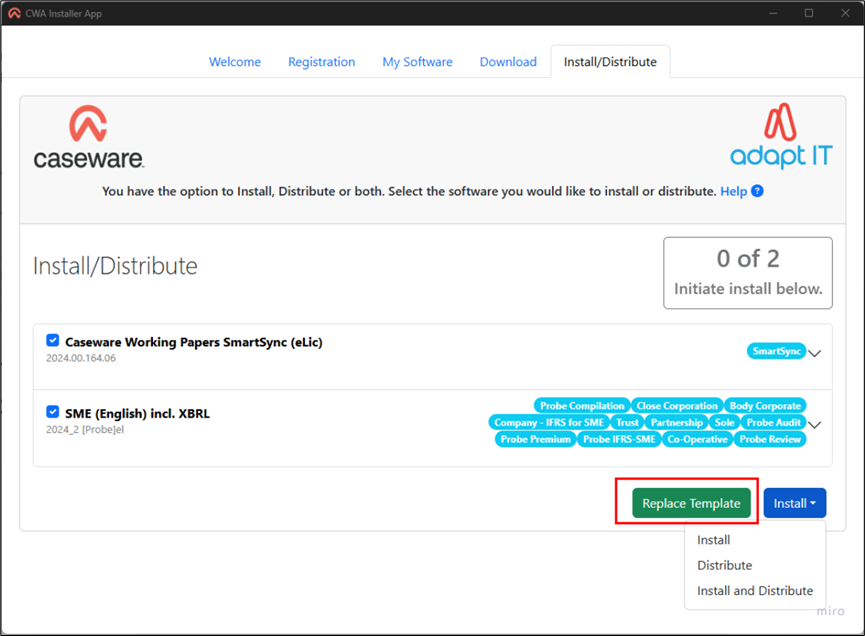
- The cloud installer now lets you add your customised firm template to the distributable for your firm
3.2 Fixes
This release includes fixes to the following issues:
- Published Working Papers engagements that are pending lockdown do not show the correct lockdown status (P) on Caseware Cloud
- The document modification time does not account for time zone differences, resulting in erroneous sync conflicts
- The multi-year view of the trial balance does not calculate prior year balances correctly
- Caseware AiDA occasionally fails to summarize the active PDF document
- A conversion error prevents Xero trial balance data from being imported into Working Papers
- The CaseView calculation editor does not display ampersands correctly
- Large values do not round correctly in certain graph types
- CaseView documents open slower if the engagement is published to an on-premises SmartSync Server
All Caseware Working Papers 2025 Templates require Caseware 2025 to be installed.
If you are a firm champion, you will have access to your unique download package by accessing the My Software page and clicking on the download packager icon top right. If you are responsible for managing updates and have not received login details for the Caseware Africa Success Community, click on Login top right and then choose the Register Now option.
If this is not successful contact our admin team at info@casewareafrica.com
To find out more about the previous releases, refer to the below:
Rate this article:
|vote=None|
Processing...
(Popularity = 3/100, Rating = 0.0/5)
Login to access this download.
Release Notes
For more detailed information on these and other enhancements to the software, please go through our Release Notes.
Download Release Notes
Related Articles
GRAP Latest Release Version 2025.10.02
Caseware Working Papers | GRAP XBRL, what is the deal?
GRAP | How to import mSCOA from your accounting software
GRAP | How can support assist you during your Year End reporting
view all...
Search Results
Investec Corporate and Institutional Banking South Africa Audit Confirmation Instructions
Investec Private Bank South Africa Audit Confirmation Instructions
RMB Investment and Corporate Banking South Africa Audit Confirmation Instructions
Investec Bank - Corporate Cash Manager (CCM) Audit Confirmation Instructions
ABSA Corporate Bank South Africa Audit Confirmation Instructions
view all...