This FAQ explains how to update the New Standards and Interpretations note in the GRAP annual financial statements (AFS) template following updates announced by the Accounting Standards Board (ASB).
Instructions:
- Why does the note need to be updated?
After the GRAP template was released, the ASB announced effective dates for new Standards and Interpretations, as well as additional new Standards. These updates were not included in the original GRAP template. - When should the note be updated?
Update the New Standards and Interpretations note after finalising the GRAP AFS to ensure the disclosure is complete and reflects the latest applicable information. -
How do I update the effective dates?
- Open the financial statements.
- Navigate to the New Standards and Interpretations note.
- Review the standards and interpretations listed in the note.
- Update the effective dates where required.
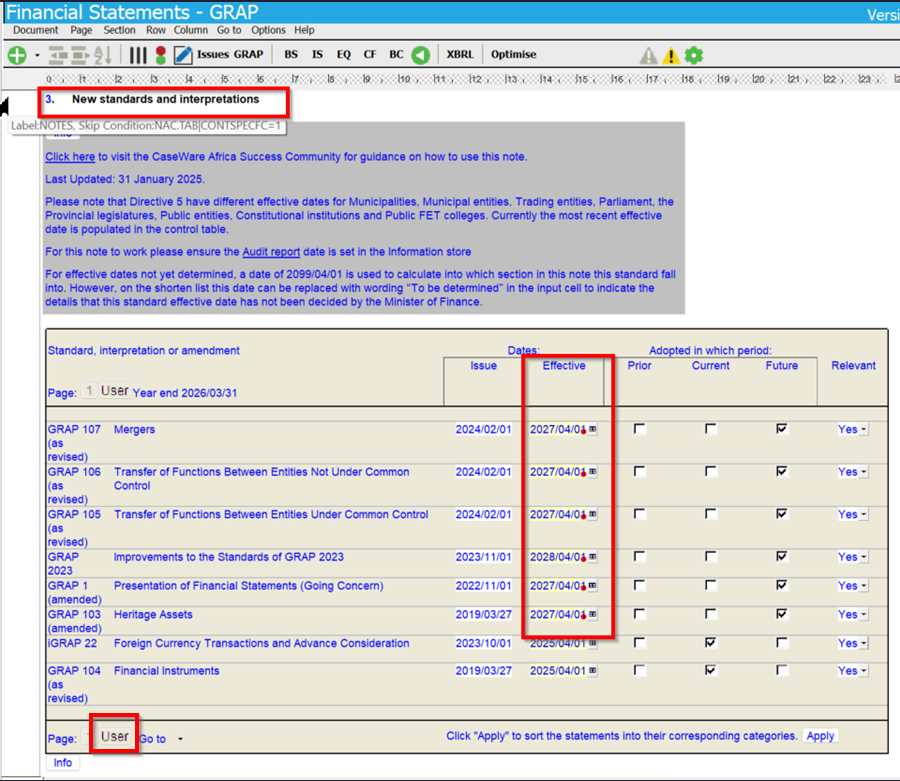
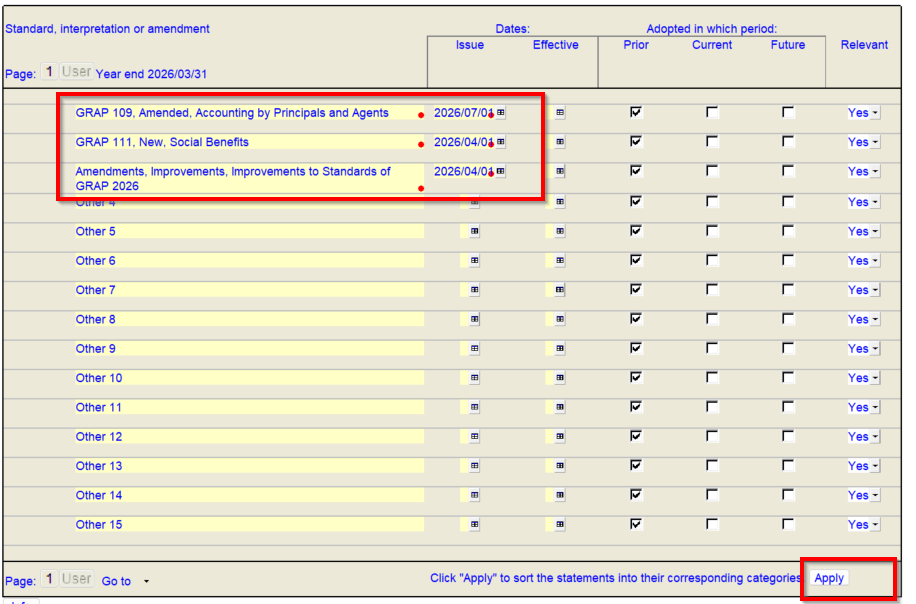
4. How do I add new standards that are not already listed?
- Go to the bottom of the New Standards and Interpretations note.
- Click User.
- When the table appears, add the new standards in the Other columns.
- Insert the relevant effective dates for each new standard.
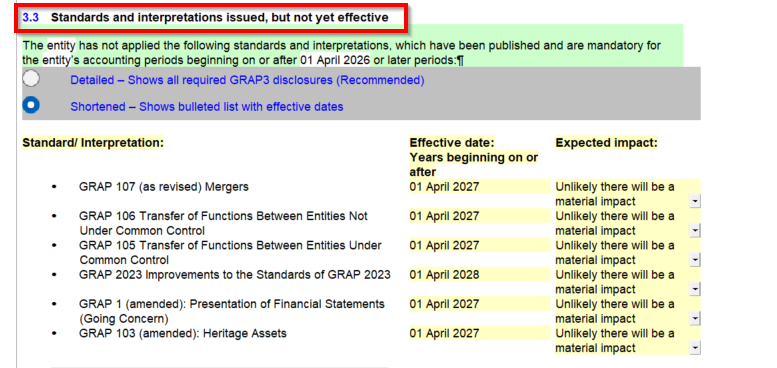
5. What final check should I perform?
Before completing the AFS, make sure the relevant notes have been turned on so that all applicable disclosures are included.
Rate this article:
|vote=None|
Processing...
(Popularity = 0/100, Rating = 0.0/5)
Related Articles
view all...