This article will provide guidance on creating new mapping numbers and changing mapping number descriptions in you firm template.
Instructions:
Change mapping number descriptions
- Go to Account | Assign mapping numbers from the Caseware Menu.
- Highlight the relevant mapping number and select ‘Properties’ from the right-click context menu.
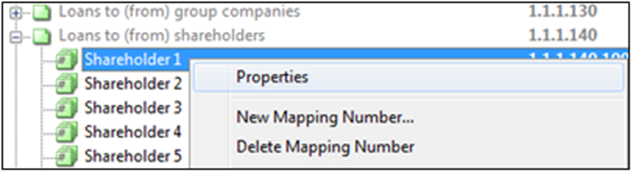
- Change the description in the ‘Name’ field.
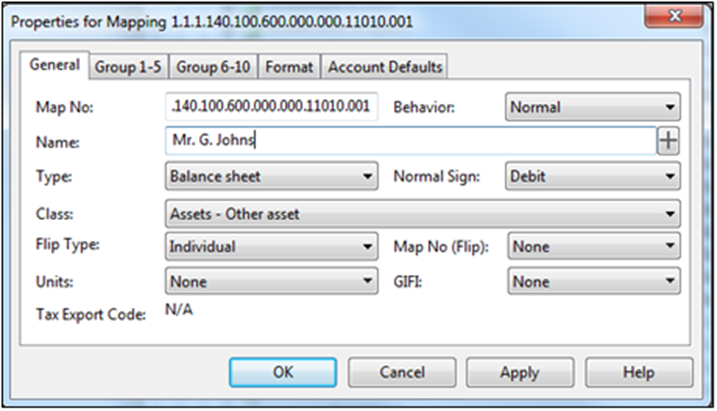
- Make a copy of the new name (CTRL+C) and click on the located next to the ‘Name’ field. Replace the name in the extended description with what the copied name (CTRL+V).
- Copy and paste the name in the second line after the piping. Please note only change the first two descriptions.
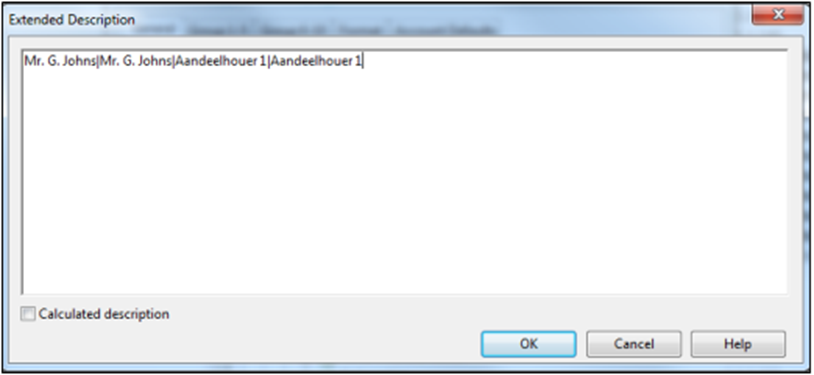
- Click on “OK” when done.
- Click on “Apply” and “OK” to continue.
Creating a new mapping number
- In Caseware, select on Account | Assign Mapping Number.
- Drilldown to the section where the additional mapping number(s) should be created i.e. Loans to/from shareholders.
- Right-click on the last mapping number within the selected mapping Company and select ‘New Mapping Number’. The mapping should be a “long” mapping number.
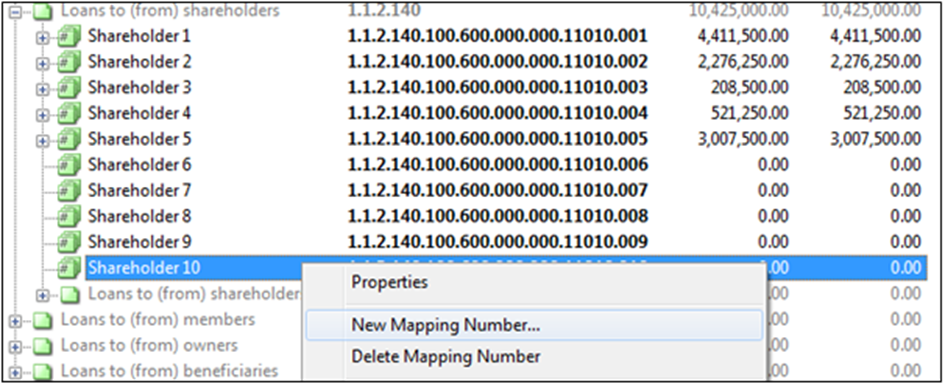
- On the New Mapping Number dialogue, enter a name for the new mapping number. Ensure that the option for Behavior is set to Normal.
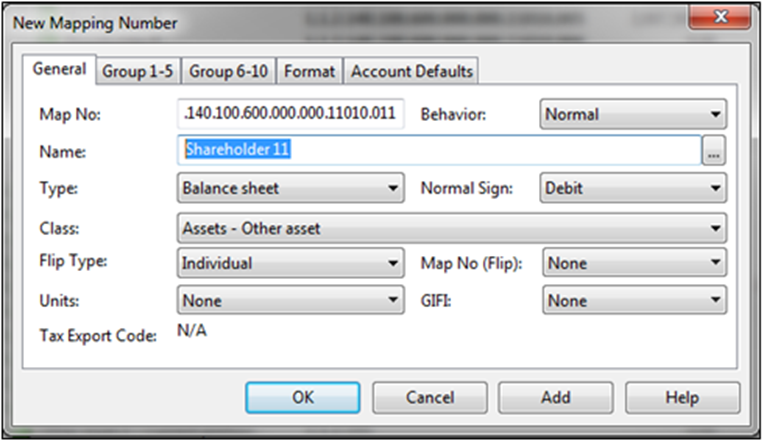
• Complete the extended description. Enter the description twice, separated with a pipe (|).
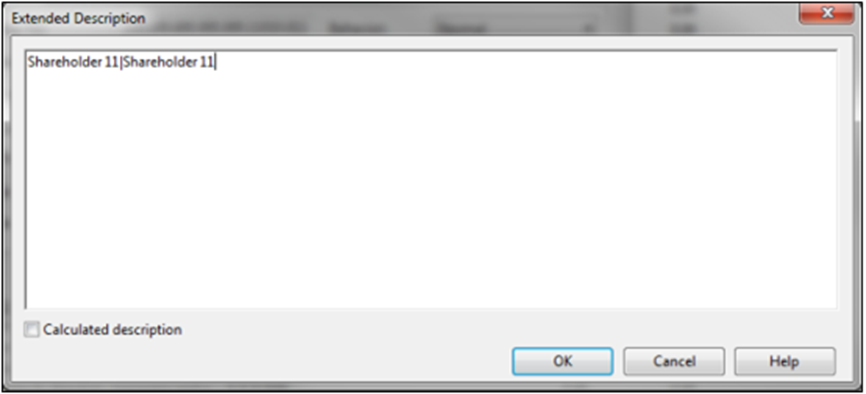
- Click on “OK” when done.
- Click on “Add” to if more mapping numbers needs to be created or click on “OK” to continue.
The mapping number(s) might not be seen immediately. Click on “Apply” and “OK” on the Assign Mapping dialogue. When the user re-enters the Assign Mapping dialogue, the new mapping number(s) will be available.
Link the mapping number to the financial statements
Once a mapping number has been created, it needs to be linked to the relevant table in the financial statements.
⚠ It is NOT recommended that new mapping numbers are created for income statement items as this will not reflect on the Statement of Comprehensive Income.
Rate this article:
|vote=None|
Processing...
(Popularity = 23/100, Rating = 0.0/5)
Related Articles
How do I quickly copy Mapping Accounts in Schedules?
How to add a new mapping number (including a Flip map number)
Audit International | Companies Amendment Acts Mapping Guide
Probe Audit | Companies Amendment Acts Mapping Guide
view all...
Search Results
Closed Account Confirmation for Bank Users
Probe | Completing a work program
Citibank South Africa Audit Confirmation Instructions
Reconfirming/Querying a Completed Confirmation
Financial Statements | iXBRL | How do I complete the submission to CIPC, after exporting to the document manager?
view all...