How to minimise time spent by turning documents on or off
Instructions:
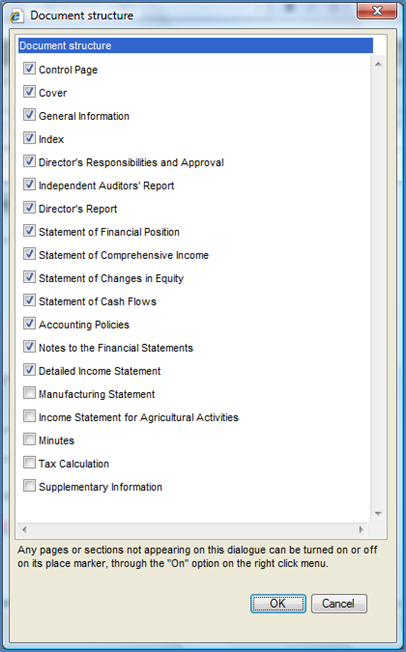
Minimise time spent on turning documents on or off. Select the documents you will include most often in the client’s financial statements. In the financial statements, from the Freeze Pane menu, select Document | Configuration | Document Structure.
Rate this article:
|vote=None|
Processing...
(Popularity = 16/100, Rating = 0.0/5)
Related Articles
Firm Template | Document Manager
Firm Template | Format Document
Firm Template | Document Configuration Header
Firm Template | Configuration Footer
view all...
Search Results
What is a User Id?
Password for Bank Users
User Profile for Bank Users Set Up
What if the Account ID requested was closed for the As of Date (New Version of Confirmation)
What do I do if I can't locate the Account ID or Client Name requested? (New Version of Confirmation)
view all...