How to minimise time spent by turning documents on or off
Instructions:
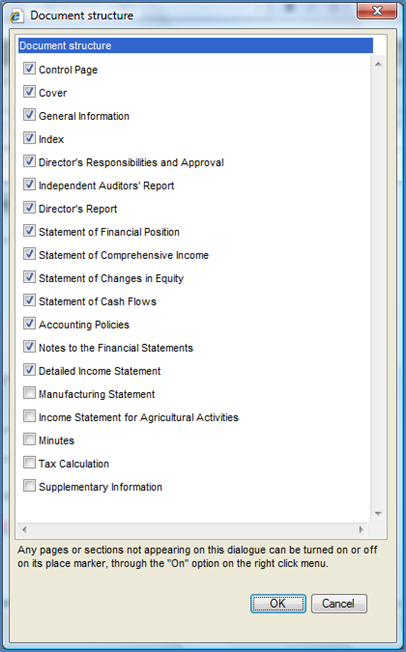
Minimise time spent on turning documents on or off. Select the documents you will include most often in the client’s financial statements. In the financial statements, from the Freeze Pane menu, select Document | Configuration | Document Structure.
Rate this article:
|vote=None|
Processing...
(Popularity = 6/100, Rating = 0.0/5)
Related Articles
Firm Template | Format Document
Firm Template | Document Configuration Header
Firm Template | Document Manager
Firm Template | Configuration Footer
view all...
Search Results
Privacy and Security Summary
Where to find information about Caseware’s security, privacy, and compliance practices?
XBRL | How to change security settings for Caseware and when iXBRL "hangs" on CIPC validation
ISO 27001 Certification
SOC 1 and SOC 2 Examinations
view all...