How to minimise time spent by turning documents on or off
Instructions:
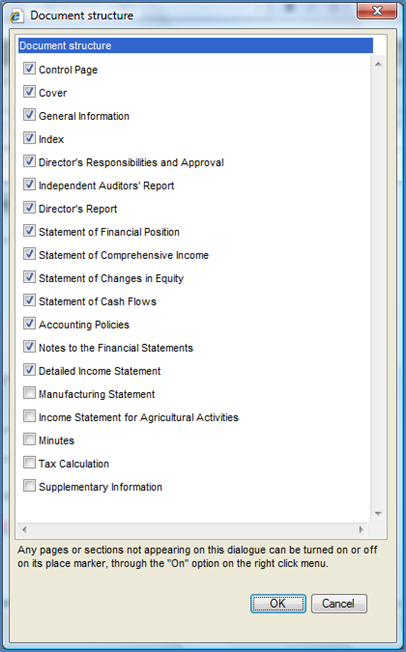
Minimise time spent on turning documents on or off. Select the documents you will include most often in the client’s financial statements. In the financial statements, from the Freeze Pane menu, select Document | Configuration | Document Structure.
Rate this article:
|vote=None|
Processing...
(Popularity = 5/100, Rating = 0.0/5)
Related Articles
Firm Template | Document Manager
Firm Template | Document Configuration Header
Firm Template | Format Document
Firm Template | Configuration Footer
view all...
Search Results
Guide ZA-Cash Management Form
Firm Template Guide Latest Version
Guide ZA-Liability Form
Guide ZA-Asset form
Probe | How do I fix the error “knowledge library not found” when inserting a step in the work program?
view all...