How does Easy Extract and Easy Import work?
Instructions:
Easy Extract and Import Overview
We have created a comprehensive and easy way for you to extract and import data into IDEA.
Use the Easy Extract tool can be used to extract data from any accounting package/ERP that uses a SQL database. Examples include Sage 300 and Syspro. This extracted data can then be easily imported into Caseware IDEA.
This is our envisaged process of using the Easy Extract and Import tools.
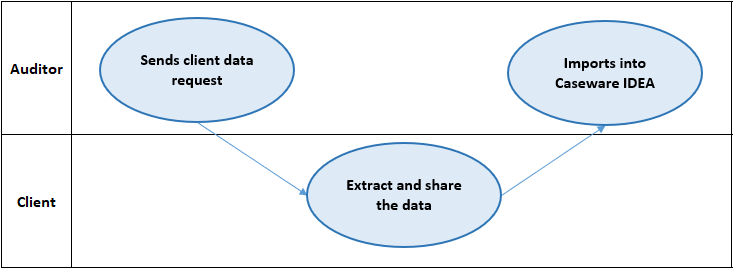
Details on Extracting the data can be found in the Extract How To guide .
Details on Importing the data can be found in the Import How To guide .
Rate this article:
|vote=None|
Processing...
(Popularity = 13/100, Rating = 0.0/5)
Related Articles
Easy Extract
Easy Import
Easy Add-ons User Guide
Easy Integrate
view all...
Search Results
Caseware Working Papers | Getting Started | Download install and register Caseware Working Papers
How to download install and register Caseware Working Papers software
Caseware Working Papers | Performing a multiple Year-End-Close
Caseware Working Papers | What to do when opening a CaseWare Working Papers file and you get an Error 2 – File not found error?
Caseware Working Papers | Getting Started | Download install and register Caseware Working Papers New
view all...