To see why your confirmation(s) is denied, please follow the steps below.
Instructions:
To view the reason why a Confirmation.com users' audit certificate has been denied by a responder, users can follow two methods.
Notification Email
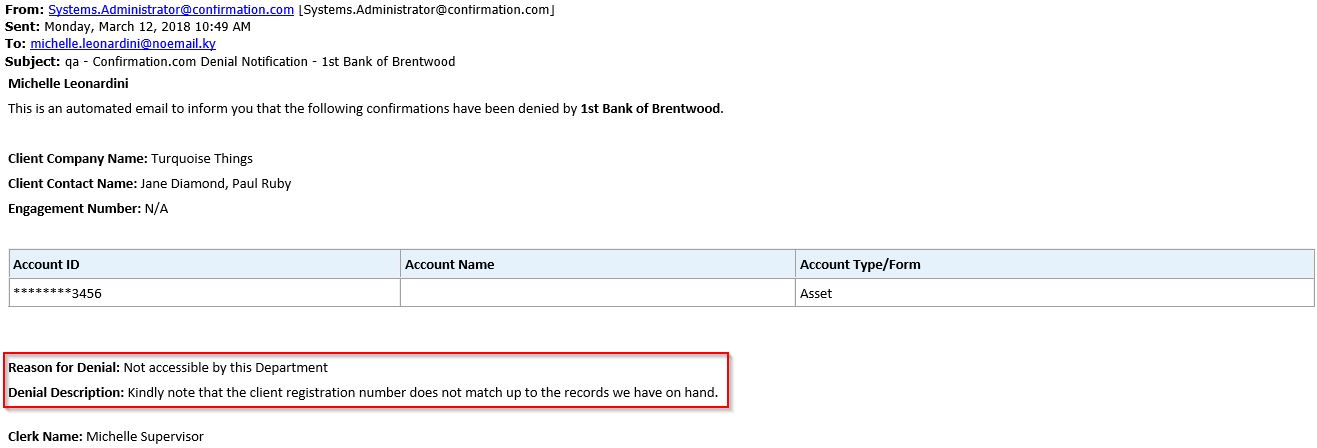
- Open the Denial Notification email and scroll down to the Denial Description.
View the Denied Request
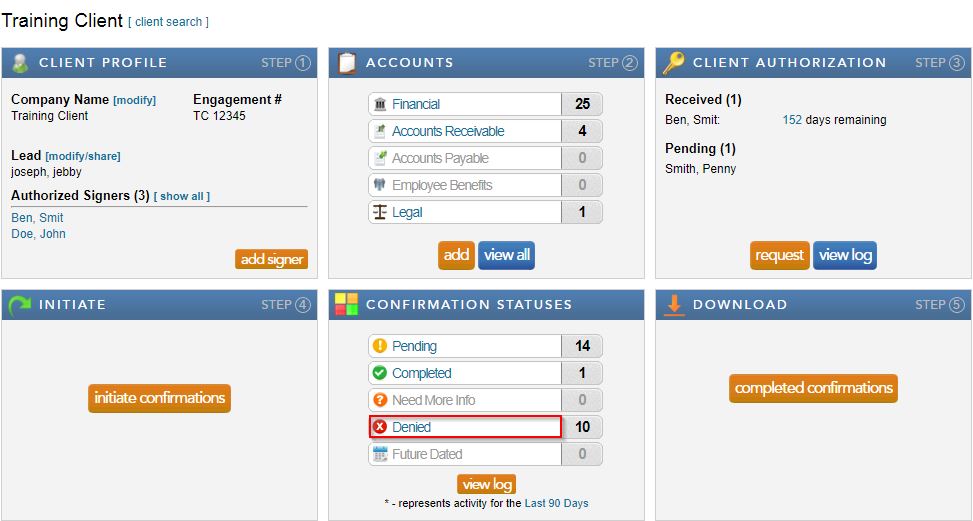
- Select Denied from the client profile.
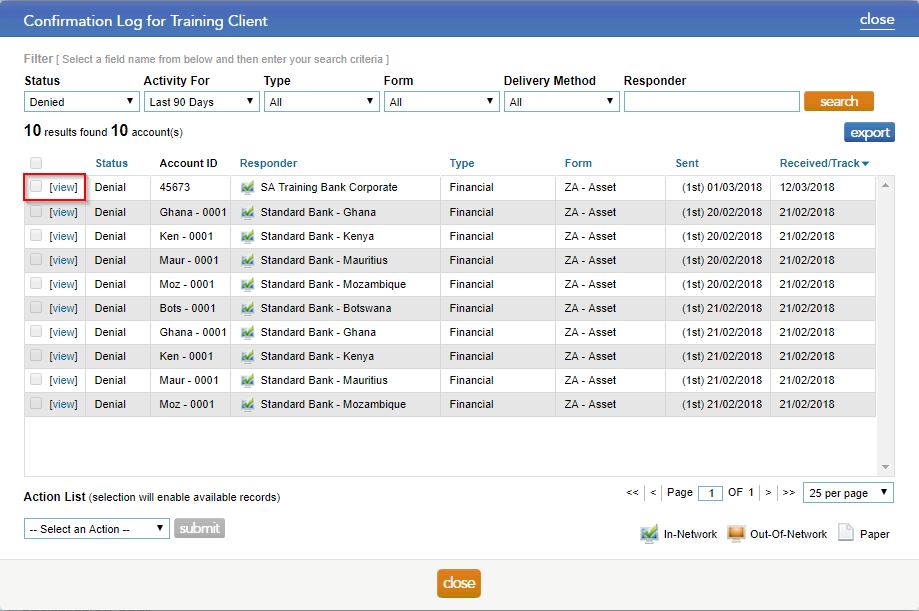
- Select view to open the denied certificate.
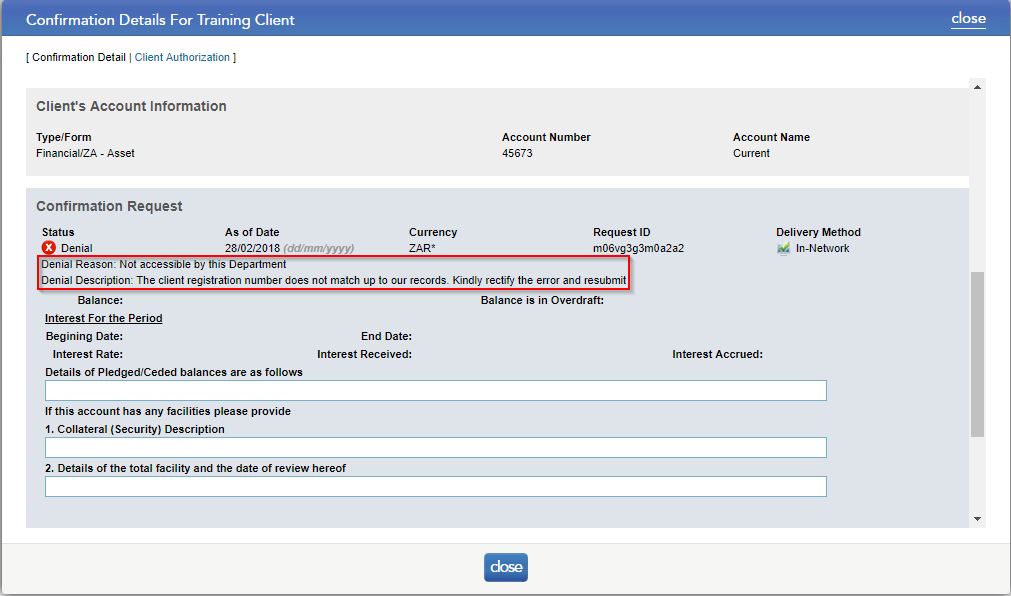
- Scroll to the Confirmation Request section and check the Denial Description.
Rate this article:
|vote=None|
Processing...
(Popularity = 0/100, Rating = 0.0/5)
Related Articles
Citibank South Africa Audit Confirmation Instructions
Investec Private Bank South Africa Audit Confirmation Instructions
Nedbank Commercial Banking Audit Confirmation Instructions
Denying a Confirmation for Bank Users
view all...
Search Results
SME Financial Statements App | Latest release
SME Latest Release Version 2025.01.01 Insl. IFRS vir KMO's 2025.01.01AFR
IFRS for SME (Incl. XBRL) | Release Nov 2024 | Version 2024.01.02
XBRL Lite | Release Nov 2024 | Version (IFRS) 2024.05.02 & (SME) 2024.04.02
IFRS for SME (Incl. XBRL) | Release July 2024 | Version 2024.01.01
view all...