- Select “User Profile” and “Settings” located at the top right of the screen.
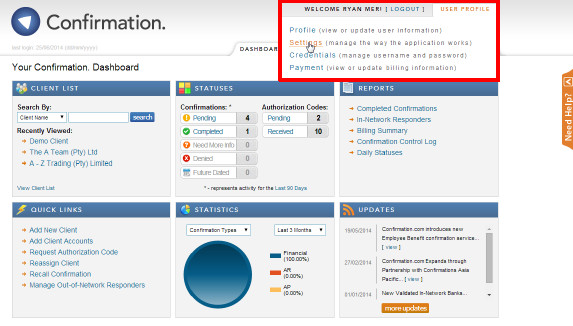
- Update the details and Click “save.”
Instructions:
Individual users can update their settings. This includes notification emails, the default date range of their client confirmation statuses tool and the default confirmation currency used on the forms.
Rate this article:
|vote=None|
Processing...
(Popularity = 1/100, Rating = 3.0/5)
Related Articles
Can I change my default billing currency?
How do I change my default confirmation currency?
Confirmation Billing Guide (Effective 1 Nov 2025)
User Profile for Bank Users Set Up
view all...
Search Results
Close a Caseware Cloud account
What if the Account ID requested was closed for the As of Date (New Version of Confirmation)
Closed Account Confirmation for Bank Users
Getting Started | Year end close
Caseware Working Papers | Performing a multiple Year-End-Close
view all...