How do the permissions on Caseware Time differ from the permissions on Caseware Cloud?
Answer:
How to access the Permissions screen from Caseware Time:
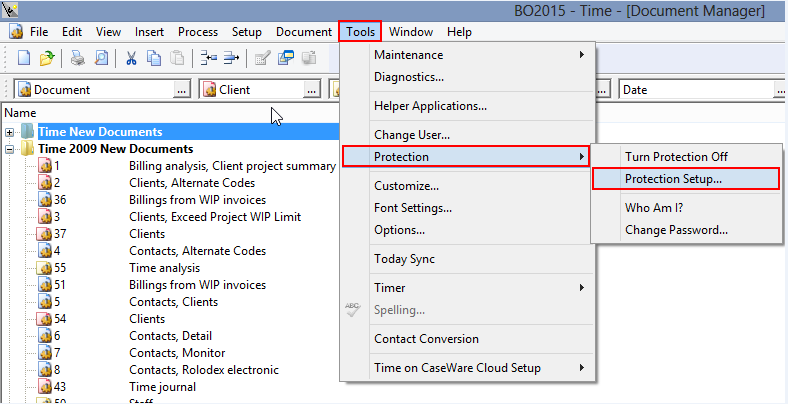
- Left-Click on Tools
- Left-Click on Protection
- Left-Click on Protection Setup
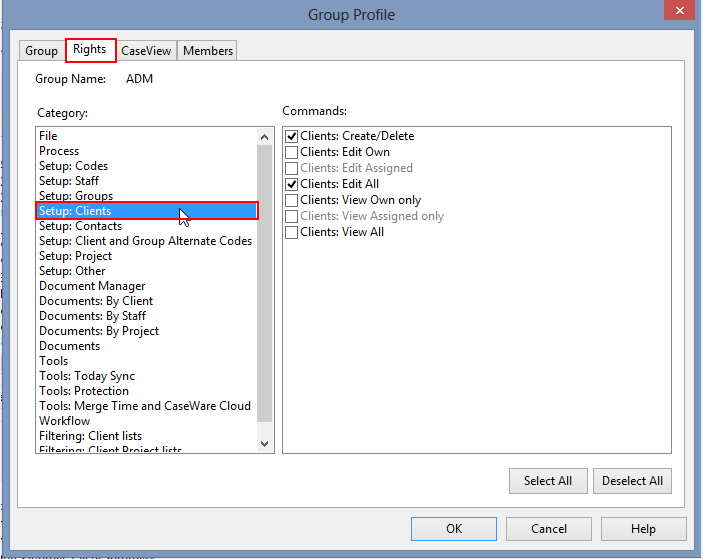
- Left-Click on Rights
- Left-Click on Setup: Clients
- The Commands window on the right represents the permissions
The permission’s screen is accessible on the firm settings screen in Caseware Cloud.
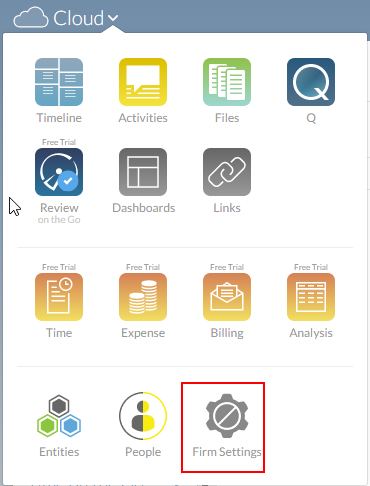
- Left-Click on the Firm Settings
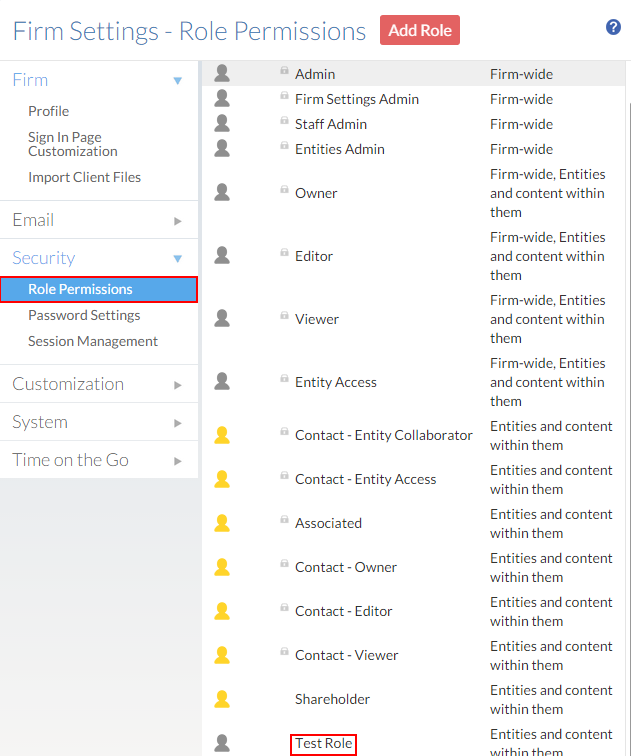
- Left-Click on Security
- Left-Click on Role Permissions
- Left-Click on the relevant role permission
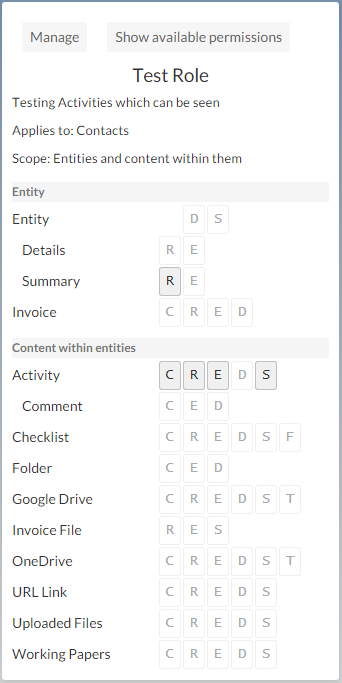
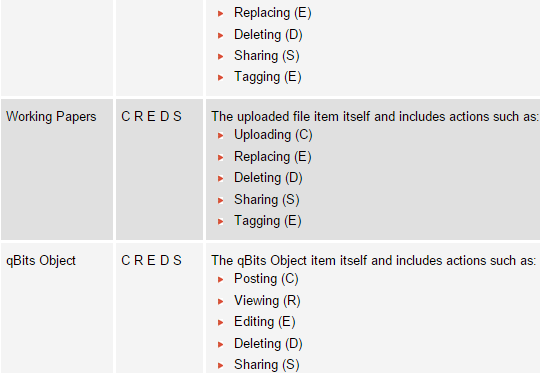
This is the role permissions screen for a detailed description of the abbreviations please see the below.
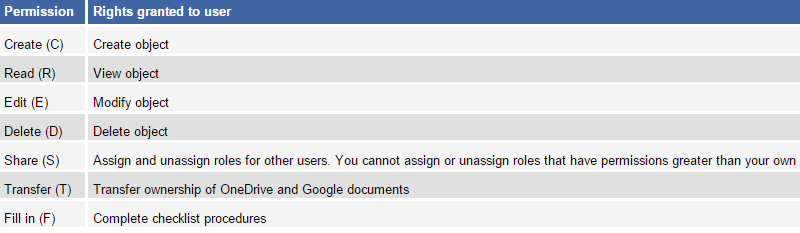
Permission Types
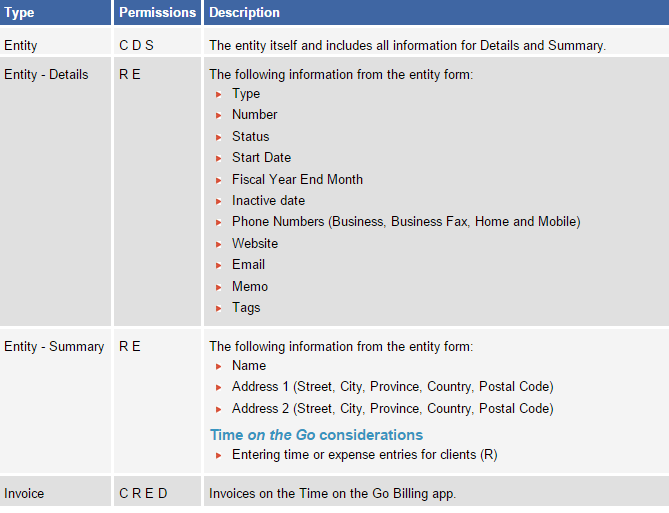
Entity Objects
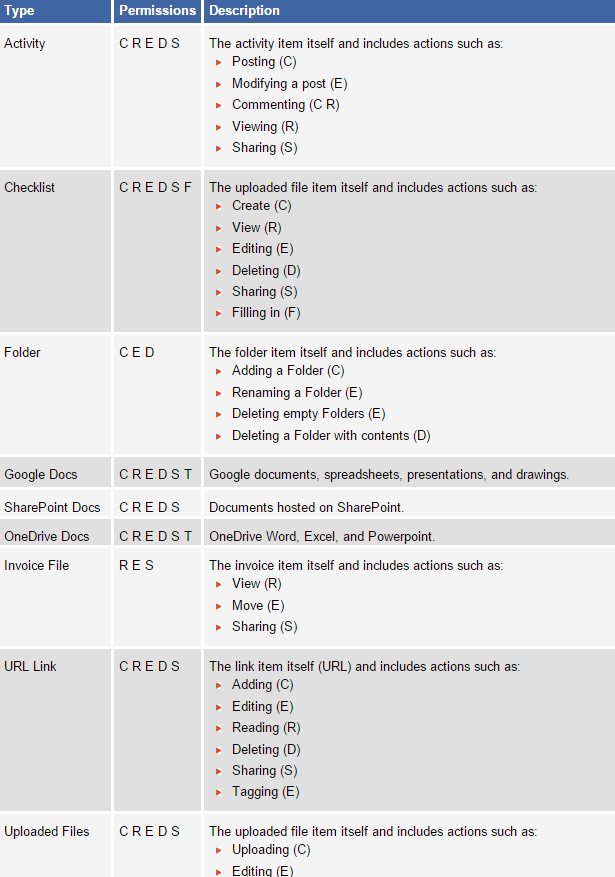
Content Objects
Time Rights vs Caseware Cloud Roles
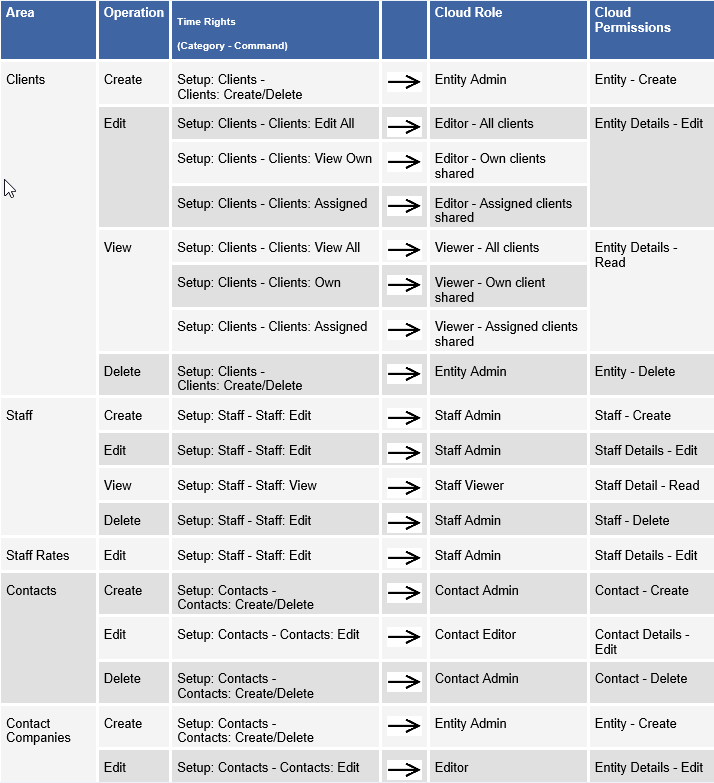
The above is a summary of all the permissions on Caseware Time and Caseware Cloud. The changes are subtle and the terms used to describe each permissions is quite different but the functionality remains unchanged.
Rate this article:
|vote=None|
Processing...
(Popularity = 0/100, Rating = 0.0/5)
Related Articles
view all...
Search Results
Reassigning Client Profiles to Different Audit Users
Adding Financial Forms to a Client Profile
Roll Forward of a Client Profile
Editing Financial Forms in a Client Profile
Can I add different authorised signers to different forms?
view all...