Confirmation.com - Caseware Internal Audit Latest Release
FAQ

Caseware Internal Audit Latest Release

Published:  18/09/2026

September 2026

1. Excel import functionality - IA Governance

You can now import action tracking and risk assessment information from pre-existing Excel files into IA Governance.

This release makes it easier for internal audit teams to transition existing follow-up trackers and risk assessments into IA Governance. Instead of manually capturing each action or risk record, users can populate the import template, upload the file, map the required fields, and validate the data before import. This helps reduce rework, supports more consistent data capture, and improves the efficiency of onboarding larger data sets.

Risk assessment import:

Action import:

2. Audit plan – IA Governance to IA Engagements integration

Planned engagements on the approved audit plan in IA Governance can now be synced into IA Engagements automatically.

This creates a more connected planning-to-execution workflow by allowing key audit plan and engagement information to flow into the engagement file without manual re-capture. Internal audit teams can use this integration to move approved planned engagements into execution more efficiently, while helping maintain consistency between the approved audit plan and the engagement work performed.

3. Other enhancements and fixes

The following list is a brief description of minor enhancements and bugs that have been resolved:

  • The audit plan snapshot refresh process has been improved so that engagements already created from the audit plan are preserved when updates to the audit universe and risk assessment are applied. This reduces the risk of removing engagement records during plan updates and supports more reliable integration activity.

  • When an audit plan is locked, only the Edit and Delete actions are disabled. You can still sort, filter, and export the table while the plan remains protected.

  • IA Governance and IA Engagements now provides clearer confirmation when information is synced between the two applications. Users receive a confirmation when a sync completes successfully, improving visibility over integration activity and giving teams greater confidence that information has been transferred as expected.

  • In IA Engagements, you can now copy items from an external or previous engagement, making it easier to reuse common risk library content and audit programme documents. This supports more consistent engagement setup and reduces the effort required when similar audit work is performed across engagements.

  • Controls deleted from document 165 Risk and Control Matrix (RACM) in IA Engagements no longer reappear after refreshing or reopening the engagement file.

  • The Information Help button in IA Governance and IA Engagements now directs users to the correct Success Community page.

  • The charter difference tooltip now displays the correct comparison details when users review changes between charter versions.

  • In IA Governance, the form builder configuration options in DRAFT MANUAL | Tasks have been simplified.

  • A database connection timeout that caused methodology deletion to fail has been resolved.


June 2026

June 2026 - What New Video

1. IA Engagements — IDEA SmartAnalyzer procedures

You can now use an expanded set of IDEA SmartAnalyzer procedures and checklists when performing IA Engagements.

This release adds new SmartAnalyzer procedures and checklists to support more consistent, data-driven audit execution. The additional procedures give users more ready-to-use options when designing and performing engagement work, helping teams apply standardised analytics and testing approaches across applicable audit areas.

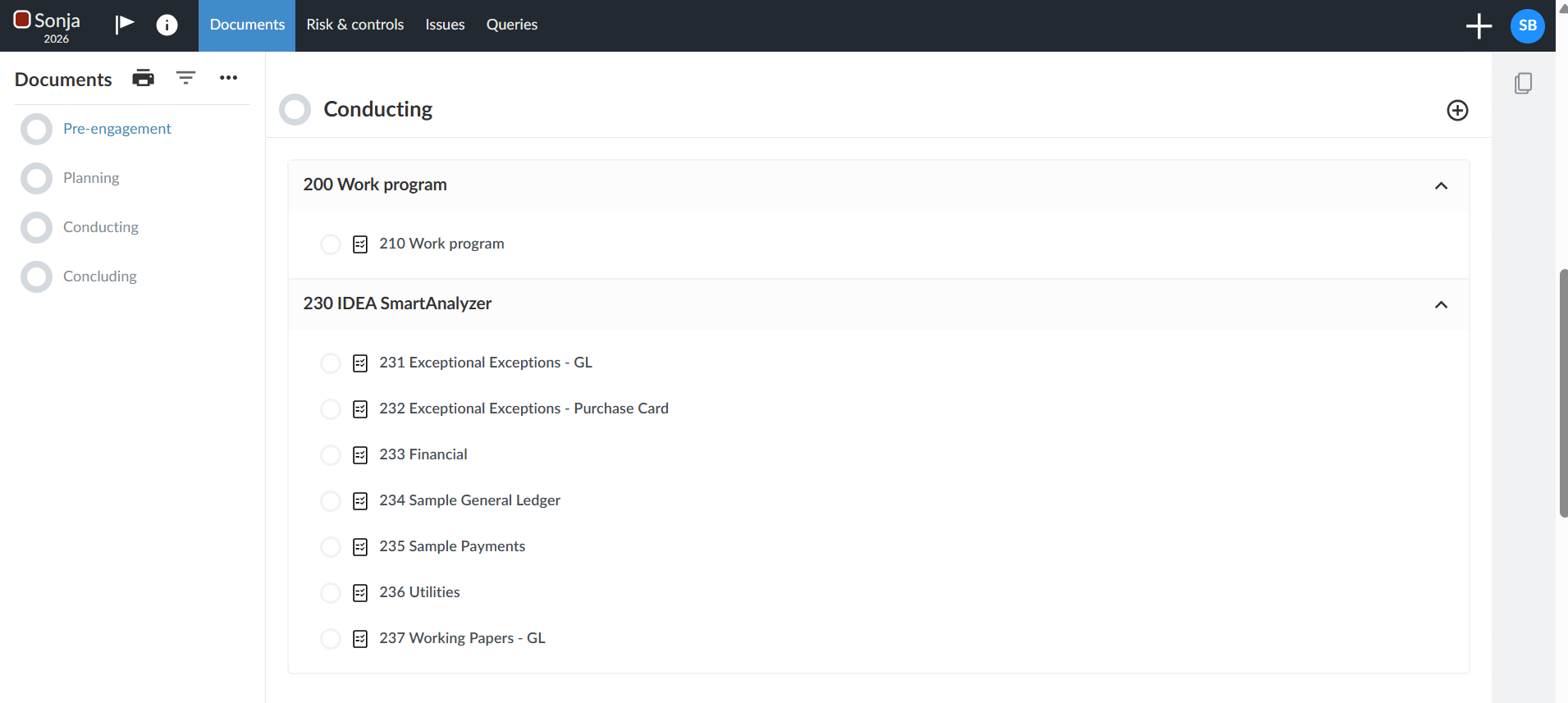
Data analytic results performed in IDEA can now be directly linked and imported into your engagement file and concluded on.
2. Action Tracking — IA Engagements to IA Governance Integration

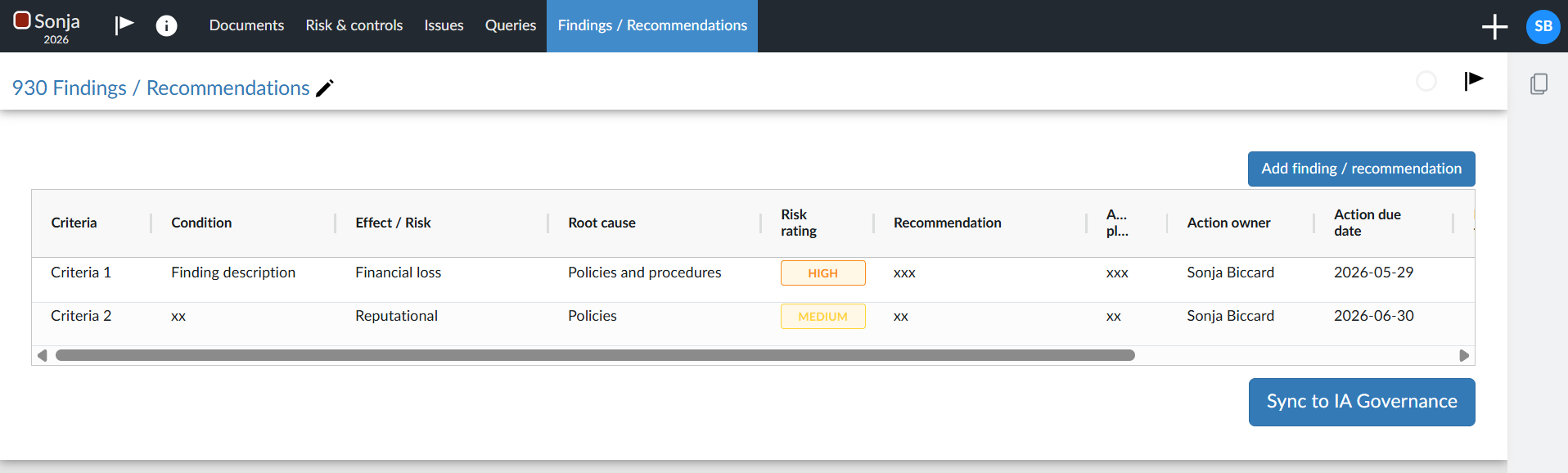
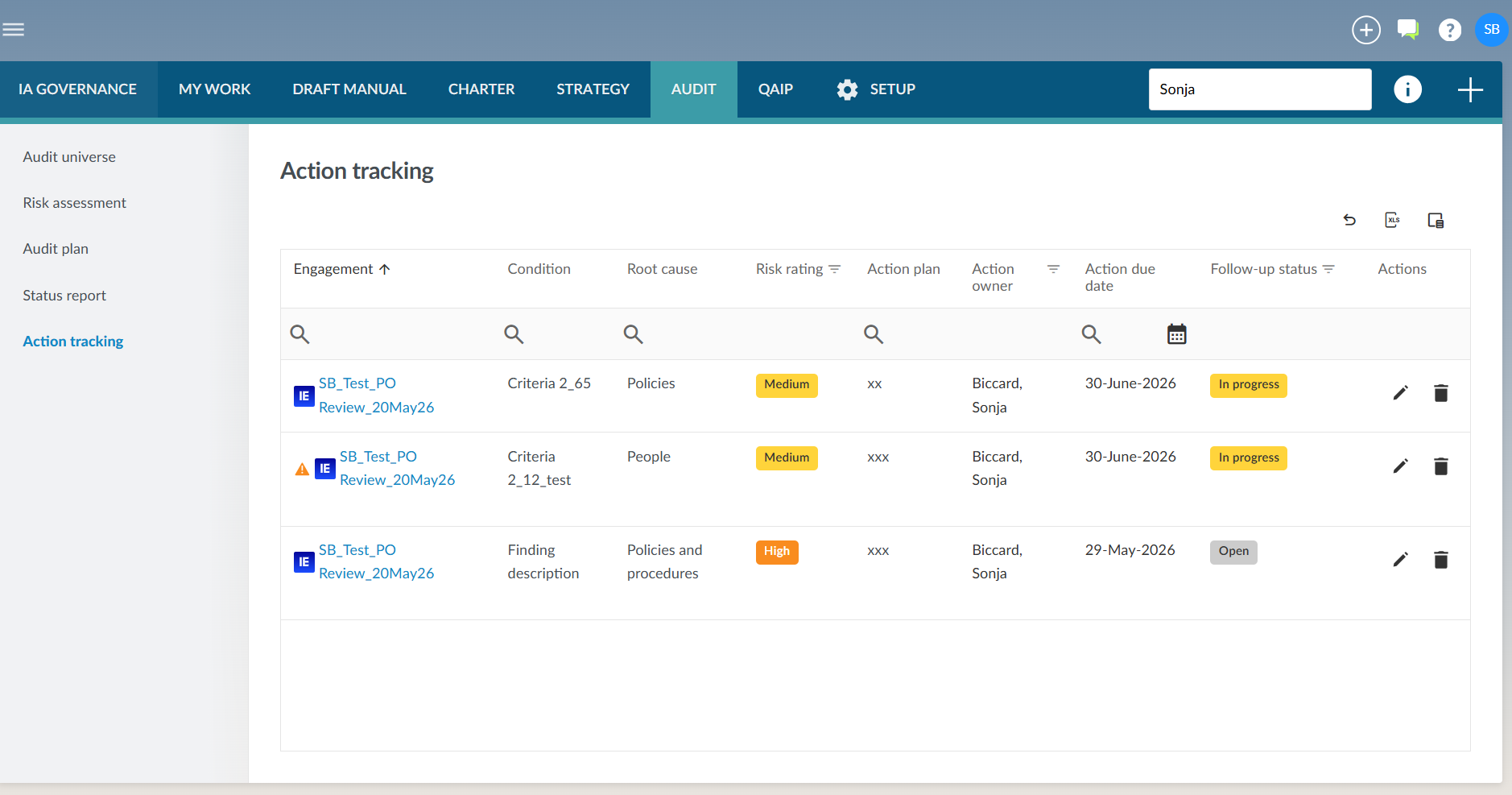
You can now send finalised findings and actions from IA Engagements to IA Governance for centralised tracking and follow-up.

This release introduces a unified action tracking workflow between IA Engagements and IA Governance. Once findings and actions are finalised in an engagement, they can be pushed to IA Governance so that management action plans can be monitored in one central location.

The IA Governance action tracking page and dialog have also been updated to use the new field structure, while the engagement findings and action fields in IA Engagements 930: Findings and Recommendations have been aligned to the Governance tracking model.

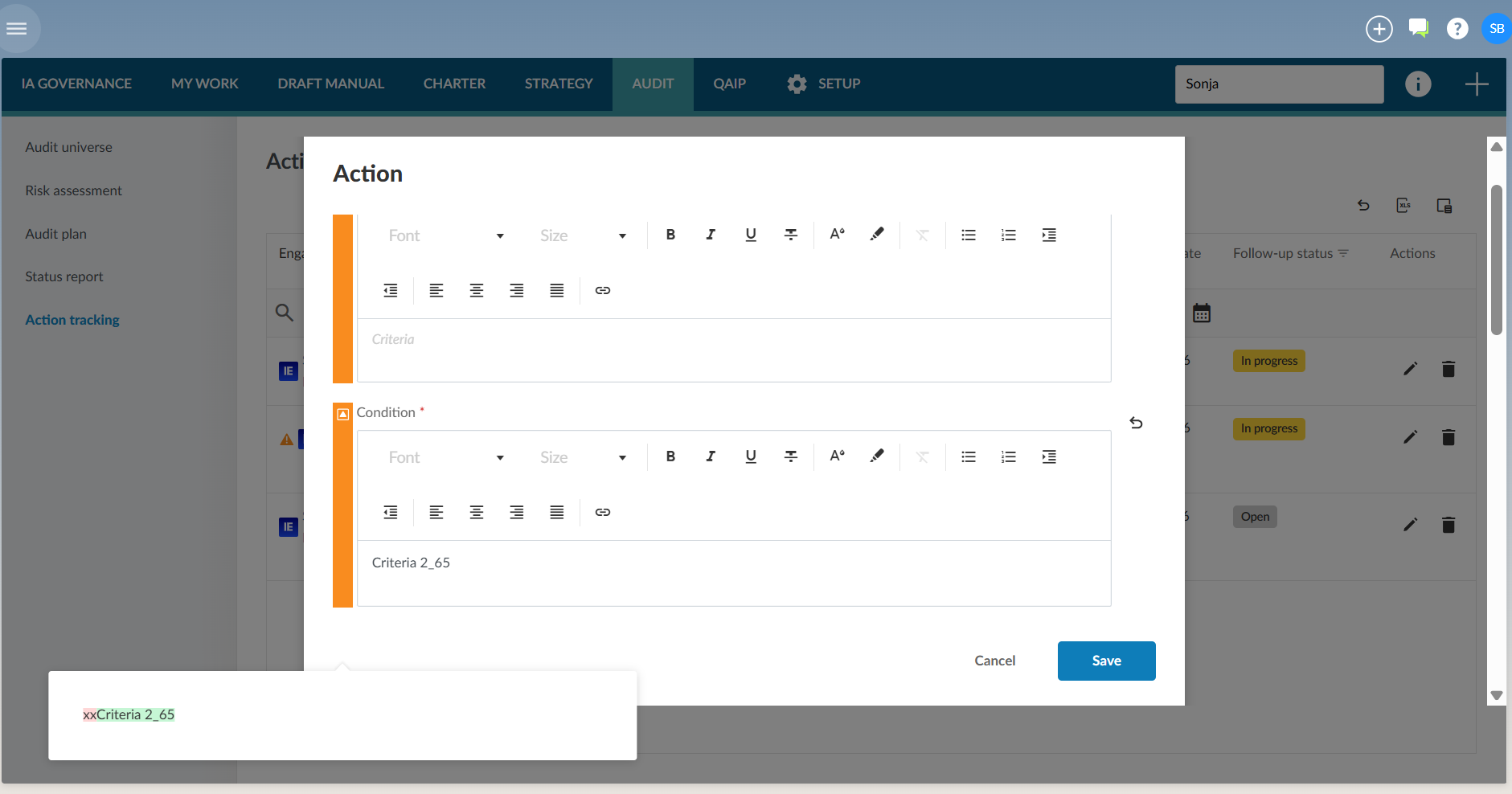
You can override field values in IA Governance where updates are required during follow-up. Visual indicators show where a Governance value differs from the original Engagement value, and you can revert individual fields back to the source value when needed.

This helps ensure that actions raised during engagement execution flow into the broader governance process without manual re-capture, while still giving Governance users control over the information used for ongoing monitoring and reporting.
3. Status Report Dashboard

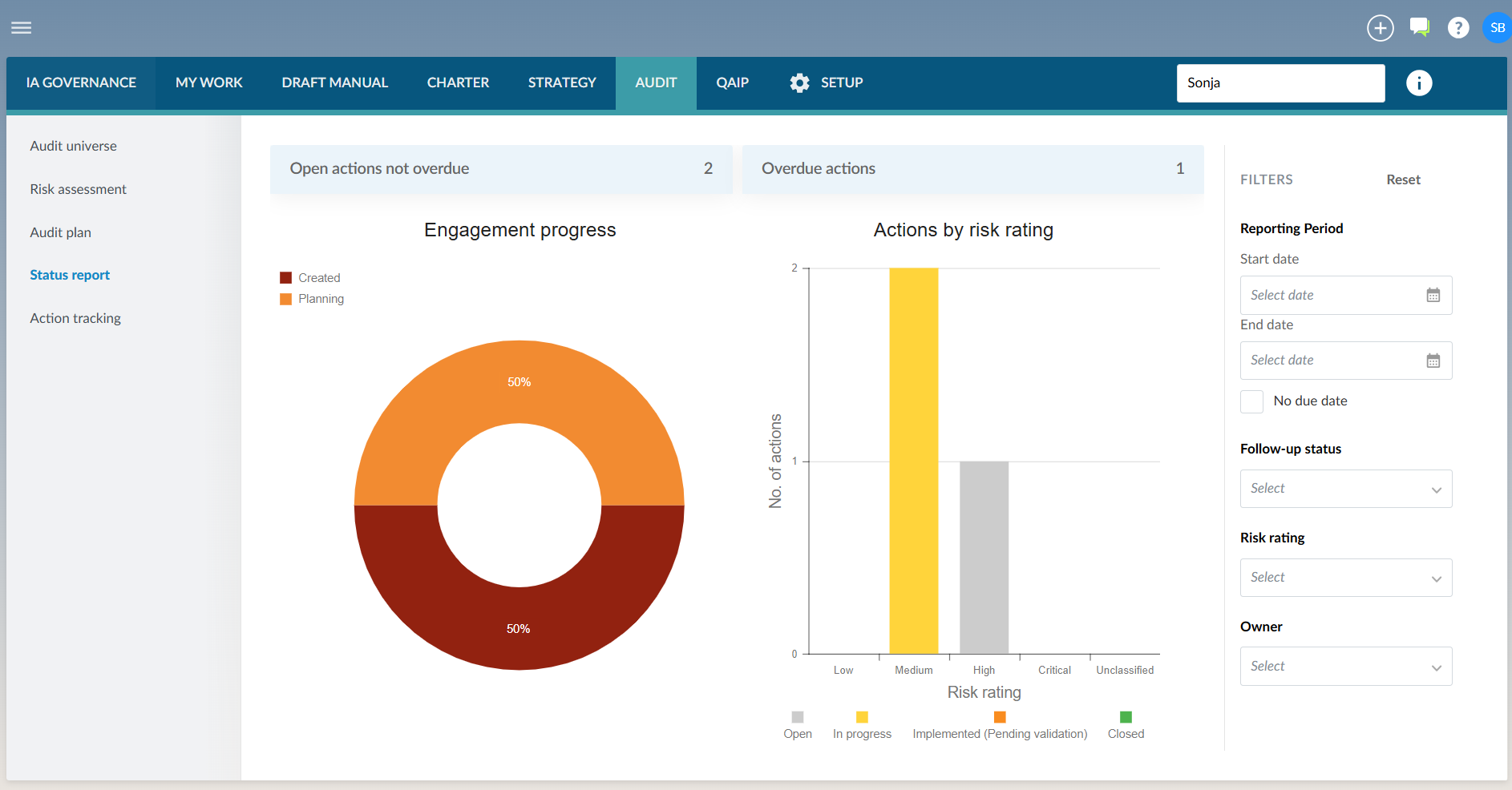
You can now use the new Status Report Dashboard to view consolidated, real-time functional reporting for IA Governance.

The dashboard provides CAEs and IA management with a single reporting view of key internal audit information. This supports more timely oversight, easier management review, and more consistent reporting across the internal audit function.
4. Other enhancements and fixes

The following list is a brief description of minor enhancements and bugs that have been resolved:

  • You can now scope library content more effectively by country and organisation type, as country and organisation type link tables have been added to all library tables.
  • Content syncs now apply only the relevant content for the entity, as stored procedures have been refactored to consider organisation type and country configuration.
  • You can now download all IA Governance tables as Excel files for external analysis and reporting.
  • Risk & RACM Improvements
    • Fixed a critical issue where strict sequential range validation prevented users from reconfiguring risk scales, such as changing default 1–35 ranges to a 1–9 model. Validation now runs on Apply rather than per row.
    • Engagement risk scales from IA Governance can now be synced in IA Engagements.
  • Other Enhancements
    • You can now sign off individual fields in Setup - General without needing to complete all three fields first.
    • User data handling has been improved with standardised name formatting across IA Governance.
    • Spacing, alignment and formatting have been applied more consistently across Risk Assessment, Recommendations & Actions, Audit Plan, My Work and Settings pages.
  • 930 Findings / Recommendations in IA Engagements SE form on old engagement files
    • Fixed a backward compatibility issue where updated SE form conditions hid columns on older engagement files, causing users to believe data was lost. If the new procedure is absent, all columns now display regardless.

Click here to view an Introduction to Caseware Internal Audit

 
Rate this article: 
  (Popularity = 0/100, Rating = 0.0/5)

   Related Articles

Audit International 26.2 Release Notes IA Governance | AUDIT | Risk Assessment - Import Audit International 26.1 Release Notes What is Caseware Internal Audit? Probe | Planning Risk Assessment | 12.21 Using internal audit view all...


   Search Results

Reassigning Client Profiles to Different Audit Users Adding Financial Forms to a Client Profile Roll Forward of a Client Profile Can I add different authorised signers to different forms? Editing Financial Forms in a Client Profile view all...


Didn't find what you were looking for?


Watch a video

Check out our helpful video guides

Contact Support

Contact our support team
Copyright © 2026 | All Rights Reserved