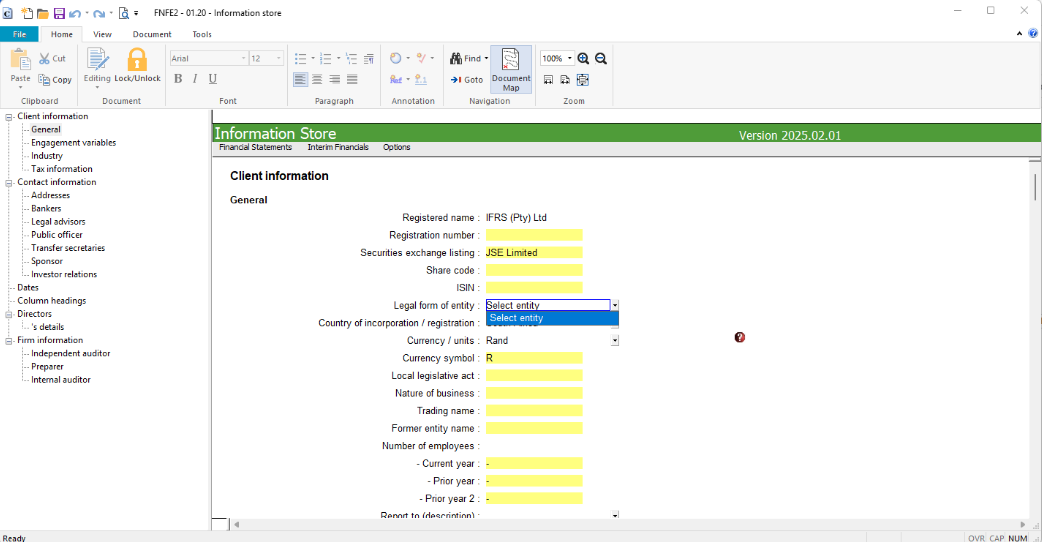
Why is the Entity dropdown blank when I open the Info Store?
How do I populate the Entity dropdown?
Answer:
After you create a new file from an existing IFRS or SME client file in Caseware Working Papers 2025 or 2026, the Entity dropdown in the Info Store may be blank when you open it.
Why is the Entity dropdown blank when I open the Info Store?
The entity templates have not loaded yet when the Info Store is opened directly after the new file is created. The entity templates are installed correctly; the dropdown is only populated once the AFS has finished loading.
How do I populate the Entity dropdown?
To populate the Entity dropdown:
-
Close the Info Store.
-
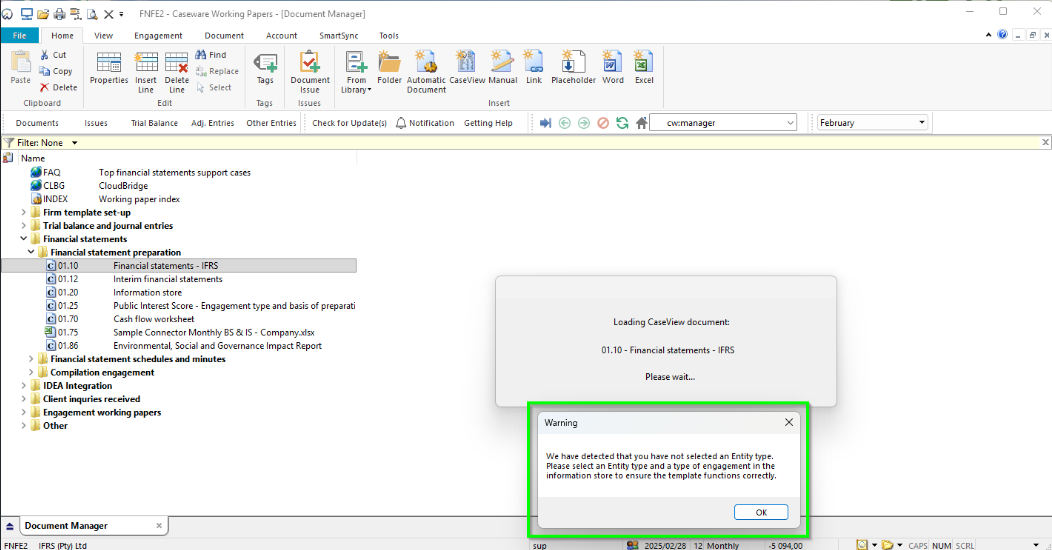
Open the AFS. When the warning message appears, select OK.
-
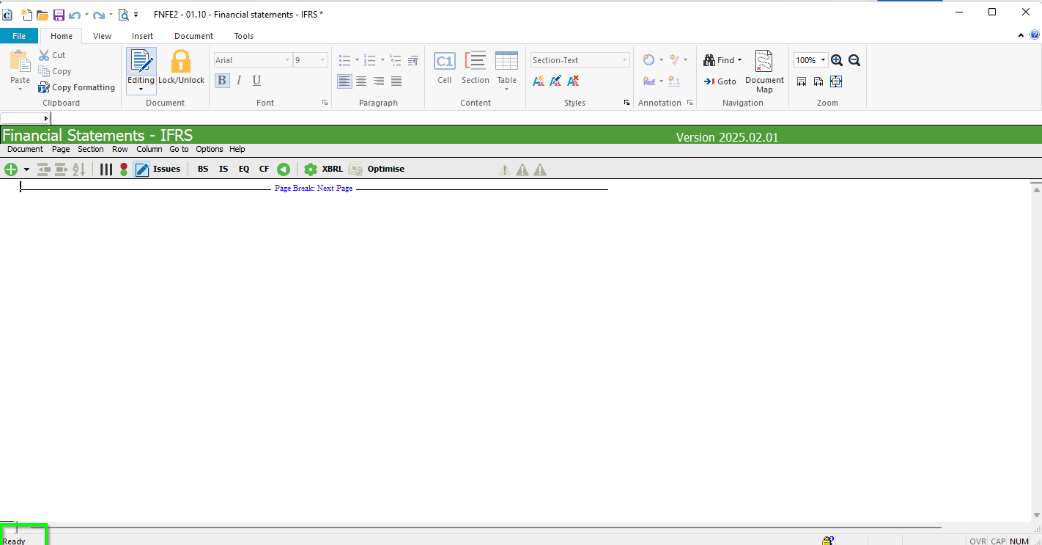
The AFS opens blank. Wait for it to finish executing.
-
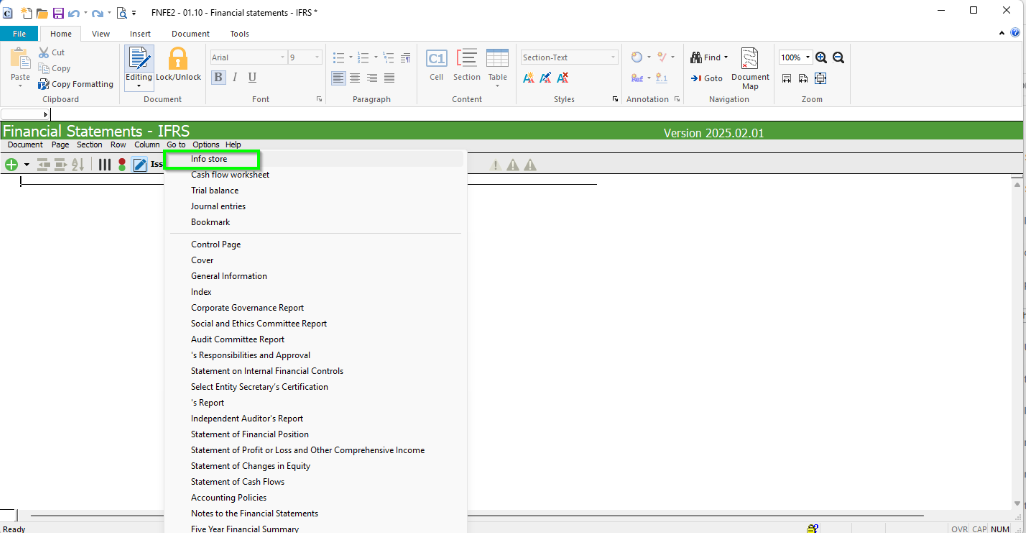
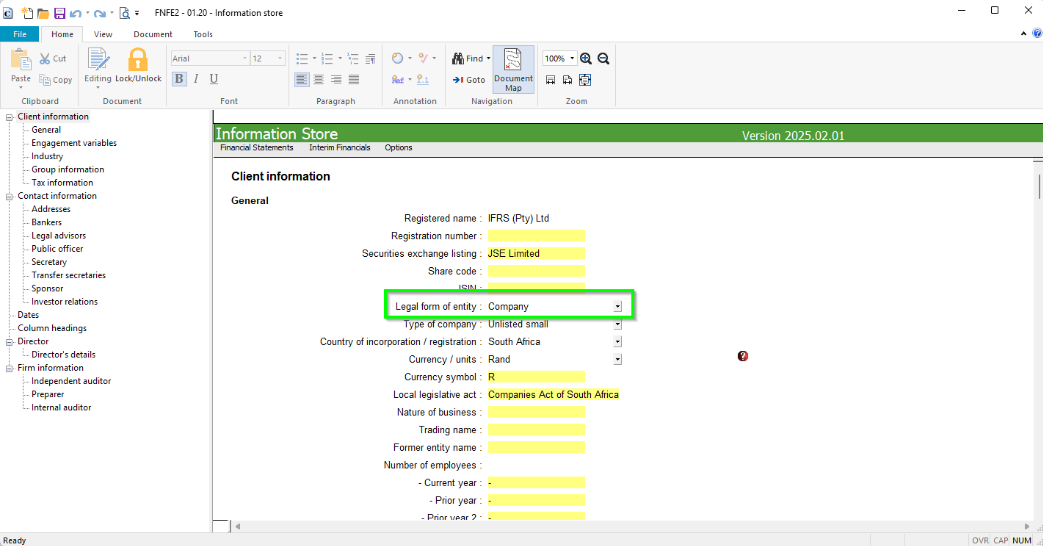
Without closing the AFS, open the Info Store from within the AFS.
-
The Entity dropdown is now populated. Select your entity.
N.B: Do not close the AFS before you open the Info Store, otherwise the Entity dropdown may be blank again.
If the Entity dropdown is still blank, contact Support.
Rate this article:
|vote=None|
Processing...
(Popularity = 0/100, Rating = 0.0/5)
Related Articles
When performing "File New from Existing" some of the info on the XBRL Mandatory page is incorrect, what is the cause?
Caseware Working Papers | How to avoid an error 32 when creating a new file based on client data?
How to create a new file in Caseware Working Papers?
Caseware Working Papers | Getting Started | Creating a new Caseware file
view all...
Search Results
Guide ZA-Cash Management Form
Firm Template Guide Latest Version
Guide ZA-Liability Form
Guide ZA-Asset form
Probe | How do I fix the error “knowledge library not found” when inserting a step in the work program?
view all...