What's new - Cloud 41.0
Find out what's new in Caseware Cloud 41.0.
This release includes performance and security enhancements as part of our ongoing commitment to delivering a faster, more secure, and reliable Cloud platform experience.
What's new - Cloud 40.0
Find out what's new in Caseware Cloud 40.0.
This release includes several enhancements that align with our ongoing commitment to improve Cloud performance.
Deprecation of Google & SharePoint integration
Due to the low usage of Google Drive and Microsoft SharePoint integration capabilities, these features will no longer be supported with this release. This change enables us to focus our efforts on solutions that provide greater value and long-term benefits to our entire user base.
For more information, including how this may impact your workflow, see Deprecation of Google & SharePoint integration.
What's new - Cloud 38.0
Find out what’s new in Caseware Cloud 38.0.
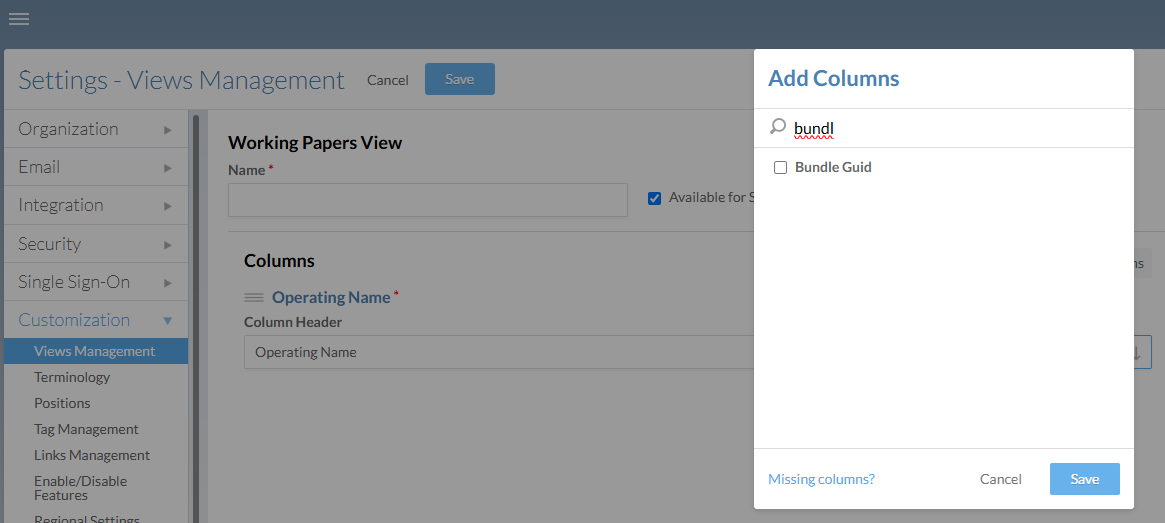
'Bundle Guid' view column for Working Papers engagements
We've added a new 'Bundle Guid' column to custom views for Working Papers engagement files. The Bundle Guid is a unique engagement identifier that may be useful for reporting and reference purposes.
In your Cloud site's Firm Settings, select Customization | Views Management and create a new Working Papers view. Add the Bundle Guid column and Save the view.
This release includes several enhancements that align with our ongoing commitment to improve Cloud performance.
What's new - Cloud 37.1
Find out what’s new in Caseware Cloud 37.1.
Enhancements
This release includes the following enhancements:
Fixes
This release includes the following fixes:
-
After modifying a user's app access between full access and read-only access, the license count now properly updates.
-
Licenses are no longer consumed upon assigning read-only access to staff groups.
What's new - Cloud 37.0
Find out what’s new in Caseware Cloud 37.0.
Prior engagements
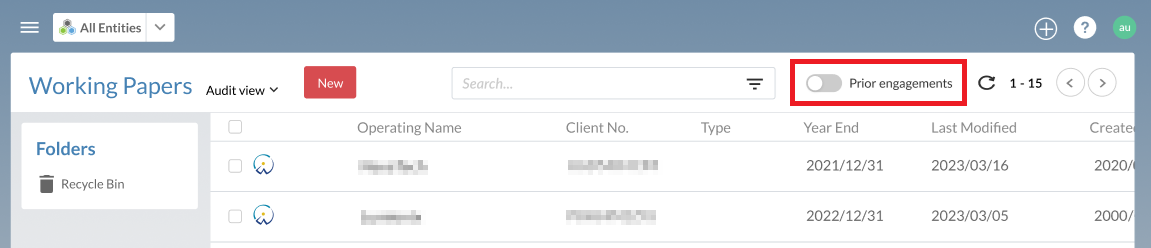
We’ve heard from many of you that you rarely access older engagements, so with that knowledge, we’ve added a new setting that will accelerate page load times and file searches in Caseware Cloud. This new setting lets you specify when to label engagements as ‘Prior engagements’ after a defined period elapses past the year-end date.
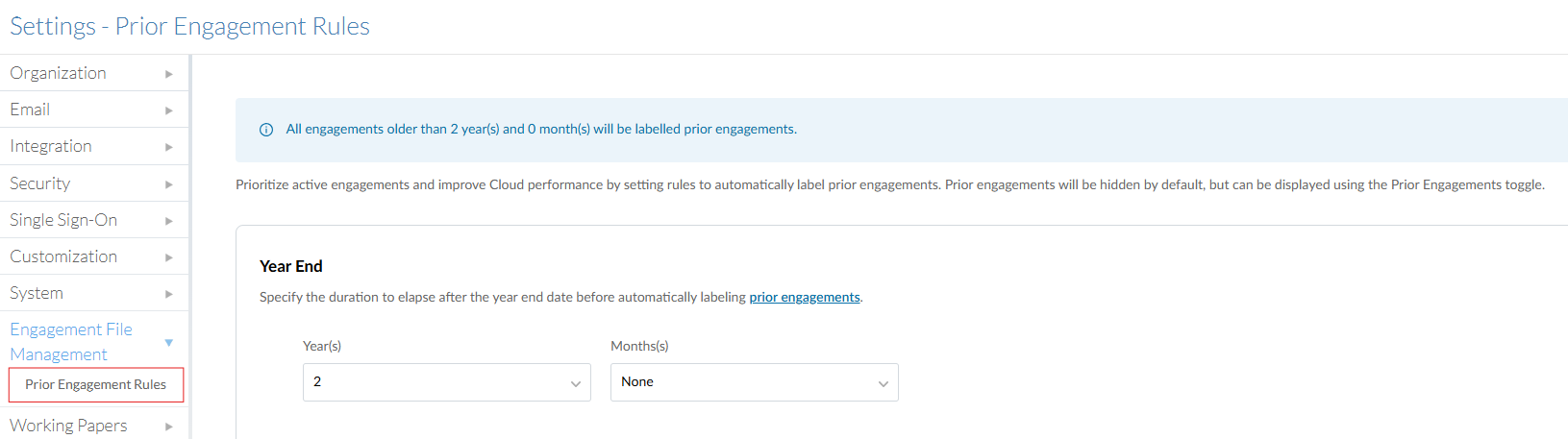
Once enabled, staff will only see the list of active engagements, but they can easily toggle between active and prior using the option at the top of the file list.
What's new - Cloud 36.0
Find out what’s new in Caseware Cloud 36.0.
This release includes several enhancements that align with our ongoing commitment to improve Cloud performance and security.
Whats new - Cloud 35.0
Find out what’s new in Caseware Cloud 35.0.
License renewal period
Administrators can now view the renewal period for all of their firm’s active licenses on the Firm Settings | System | Cloud Billing page.
Read-only licenses
Staff can now be assigned read-only licenses to Cloud engagement apps. Read-only licenses allow users to view engagement content within an app, without consuming a paid app license. To assign a user a read-only license, navigate to their user profile, and on the Apps tab, select Read-only for the relevant app.
For more information, see Manage access for Caseware Cloud apps.
Deprecation of the Replace function
Based on feedback from clients and overall low usage in the last year, we have decided to deprecate the Replace function for Working Papers files. This deprecation will have no impact on the Replace Server Copy feature in Working Papers, which is still available. Going forward, you can replace a Working Papers file by simply deleting the Cloud copy, then uploading the new copy from your local computer.