Setting Up Cloud Security for Caseware Working Papers
Instructions:
-
Integration
Cloud Security for Caseware only works in an online environment where Caseware Working Paers is integrated with a Caseware Cloud Instance. This is set up on the under Options | Caseware Cloud on launching the application and before opening a file.
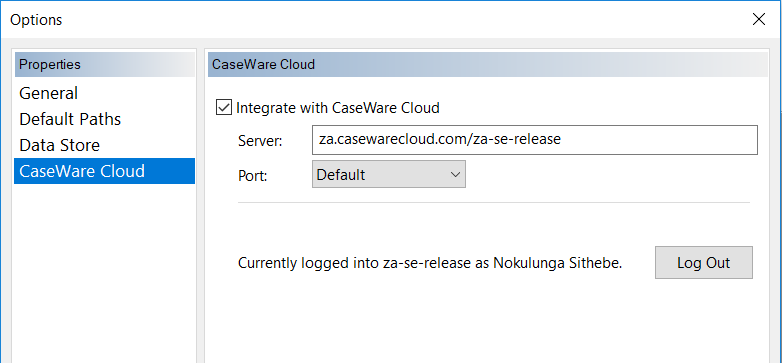
On entering in the server address the first time, Caseware will request you to log in order to identify you as a user, thereafter displaying as above.
-
Enabling Working Papers Security
On the Cloud firm instance, access the Firm Settings menu and navigate to Working Papers | Working Papers Security.
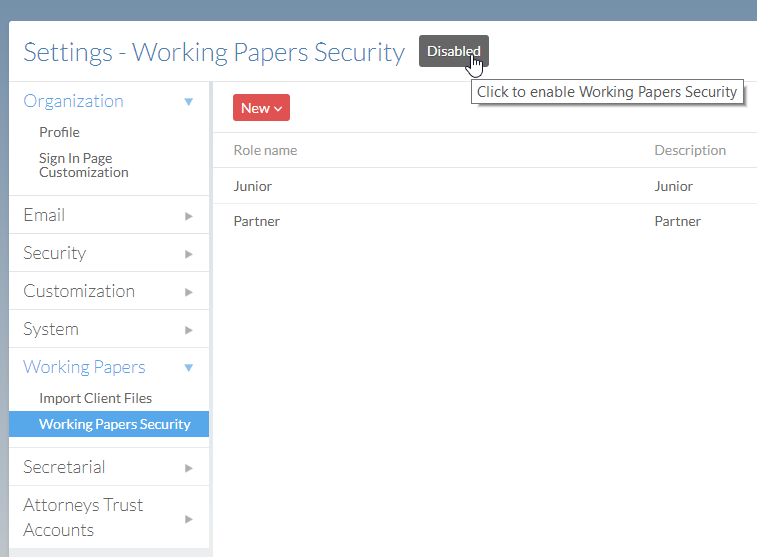
Click on “Disabled” to enable Cloud Security as shown above. This will automatically make it the Security Default which is recommended. This means permissions on the desktop application will be set through permission on the Cloud for integrated users.
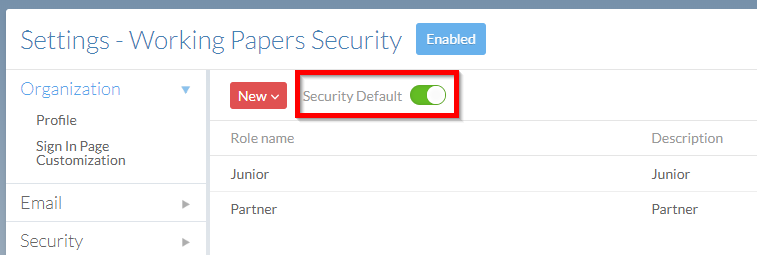
-
Setting Permissions on the Cloud
This is done by creating the roles on Cloud and setting permissions that group of users is allowed to have on the desktop application under each ribbon menu item. See example below:
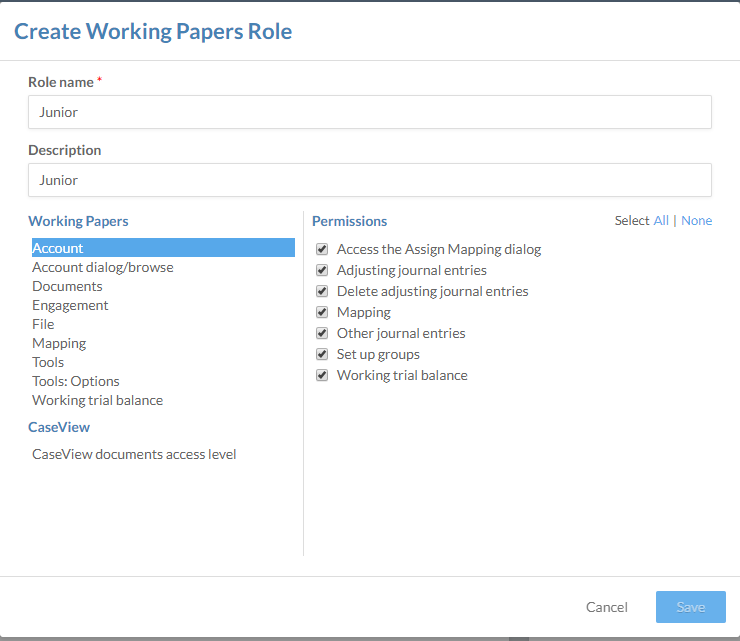
This means on creating a staff member on the cloud and setting those permissions. If the user is integrated within Working Papers, under Apps | Working Papers the administrator would also then allocate them to a group for the relevant permissions on Caseware engagement files.
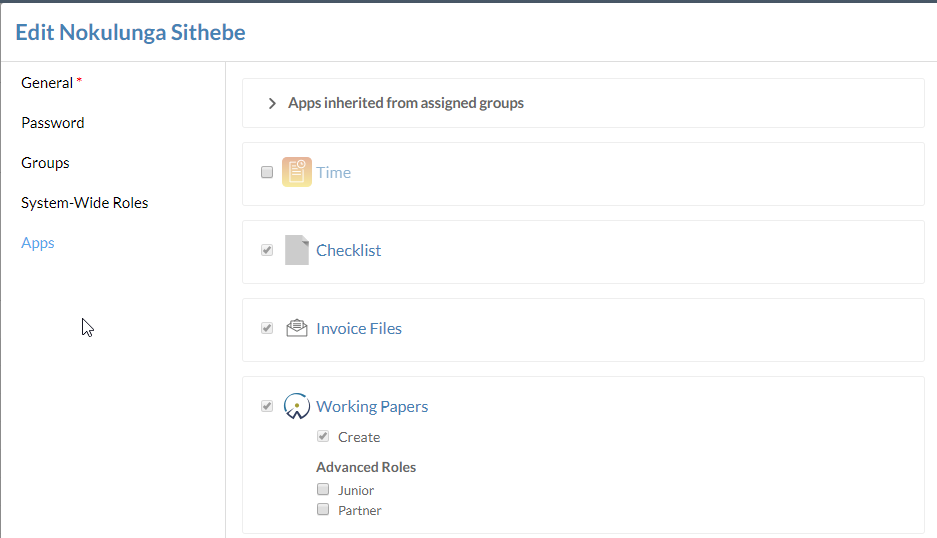
Remember full admin rights on the Cloud automatically allow full permissions on engagement files in an integrated environment.
Rate this article:
|vote=None|
Processing...
(Popularity = 4/100, Rating = 0.0/5)
Related Articles
How do I set up a Consolidation/Group figures in Caseware Working Papers?
Caseware Cloud | How to set up Azure to support Caseware Cloud Single Sign-On
Caseware Working Papers | Performing a multiple Year-End-Close
Caseware Working Papers | Create an engagement file that is synced on Caseware Cloud for the next period (roll forward)
view all...
Search Results
Guide ZA-Signatories Form
Guide ZA-Liability Form
Easy Add-ons User Guide
Firm Template Guide Latest Version
Caseware Time | How to Add a VAT amount on an Invoice?
view all...