How do I access design mode and what is the password?
Instructions:
NOTE: If it is the first time that you are accessing Design Mode, you will be required to enter a password.
This password can be requested via the Caseware Africa Success Community by logging in and navigating to the My Software page.
On the My Software page, you will click on the Design Mode bar to expand the "Design and Builder mode indemnity form".
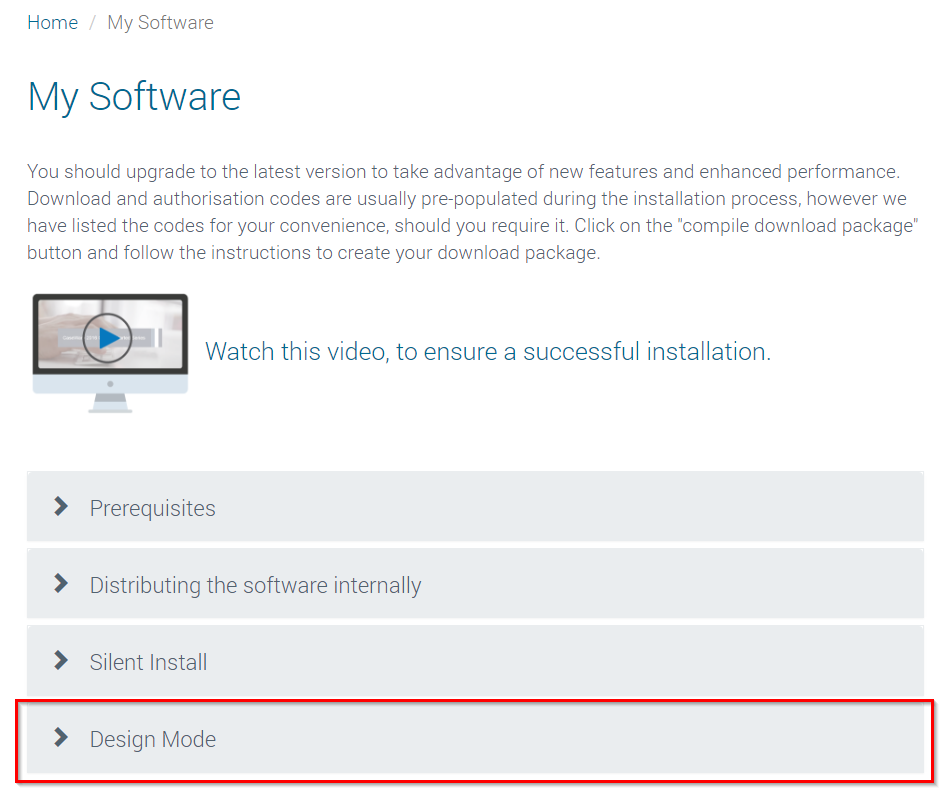
You will request access to the Design Mode password by:
- Reading through the recommendations, terms and conditions on accessing Design Mode.
- This section is very important as once consent is provided, giving you access to design mode, Caseware Africa will not be held responsible for any loss of data that may arise from that access.
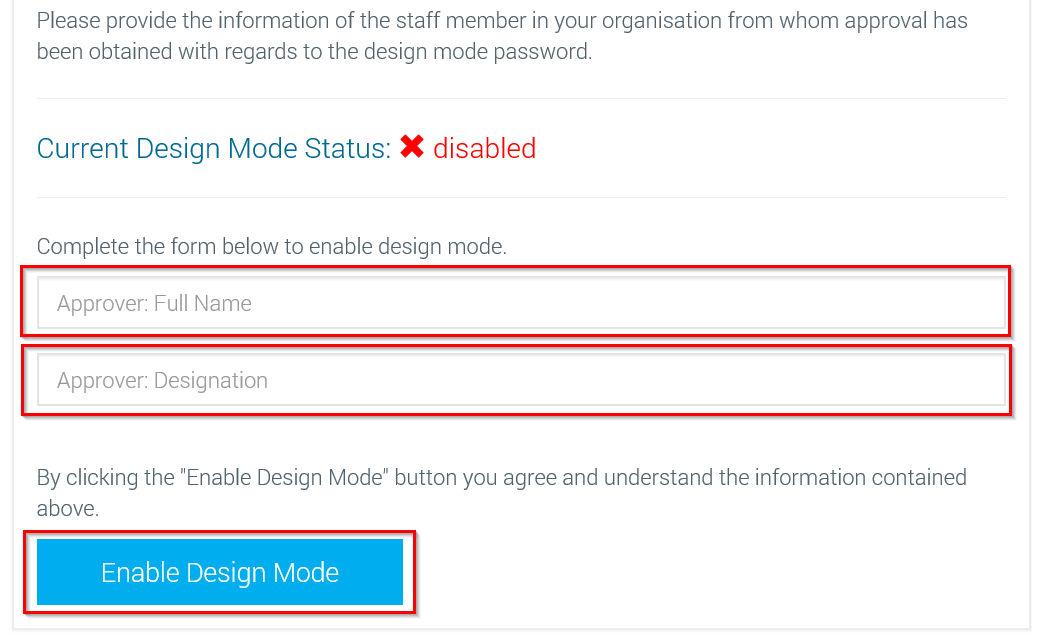
- Complete the following information on the form:
- Full Name of the approver
- Designation of approver
- Then click on Enable Design Mode
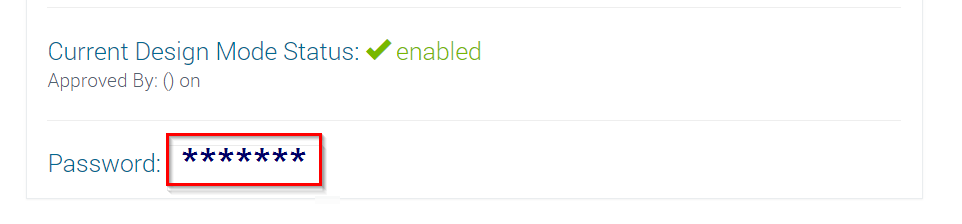
Once the above process has been completed the Current Design Mode status will be changed to Enabled and you will then be able to view the password.
Who is the approver or the staff member in your organisation from whom approval has been obtained with regards to the design mode password?
The partner of your firm (or the decision-maker) will be approver providing the consent for you to access Design Mode.
How do I access Design Mode in my Caseware Working Papers file?
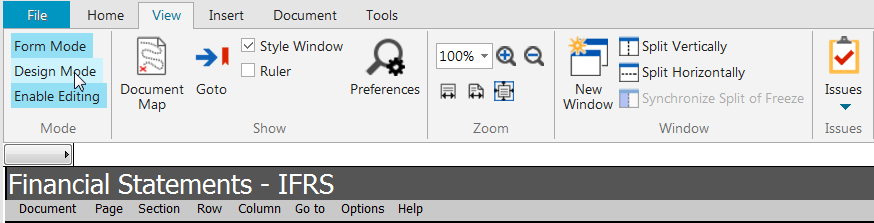
To go into design mode on your financial statements go to the View and click on Design Mode.
How do I check if the Design Mode password has been used in my file by another user?
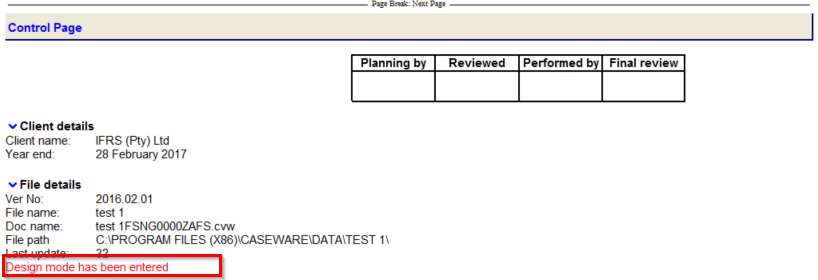
In the Financial statements | click on Go to | Control Page | Expand this heading by right-clicking on the title in blue | Then click ON.
If Design Mode has been enabled on the file, the following will appear on the Control Page:
Rate this article:
|vote=None|
Processing...
(Popularity = 22/100, Rating = 0.0/5)
Related Articles
Probe | F2 - Design Mode
How to change the default Design mode password?
Probe | Where do I find the Design Mode Password to make changes?
How do I add a note reference manually in design mode?
view all...
Search Results
Investec Bank - Corporate Cash Manager (CCM) Audit Confirmation Instructions
Investec Private Bank South Africa Audit Confirmation Instructions
RMB Investment and Corporate Banking South Africa Audit Confirmation Instructions
Nedbank Corporate Banking - Loans and Other Liabilities Audit Confirmation Instructions
ABSA Corporate Bank South Africa Audit Confirmation Instructions
view all...