When I create a new file from client data I receive the a JScript error message (Microsoft JScript error.(Line 28) Automation server can't create object), how do I resolve this?
Answer:
- Click on the Start button | In the Search box type cmd.exe
- Right click on the black icon and select Run as administrator
- You will now see a screen similar to the one below. Ensure that the window says administrator
- You will now need to clear the directory path until you see only C:\
- To do this, type in: cd..
- Press enter and repeat until you see only C:\
- Now type in: cd program files | press Enter (program files (x86) if on 64-bit)
- Then type: cd CQS Technology Holdings | press Enter
- Then type: cd meta reader | press Enter
- Your screen should look similar to the following now
- Now type in exactly and press enter after each command:
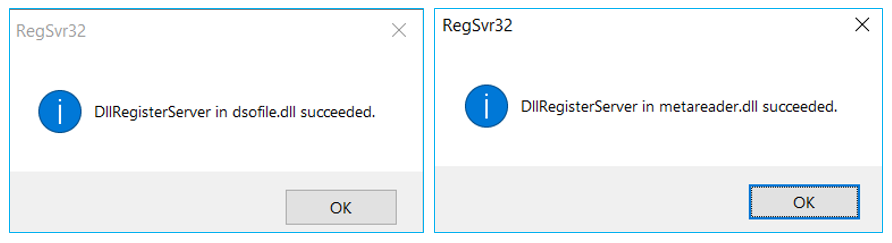
Regsvr32 dsofile.dllYou will see a message similar to the following after entering the command in a.
Regsvr32 metareader.dllYou will see a message similar to the following after entering the commands in b.
Rate this article:
|vote=None|
Processing...
(Popularity = 0/100, Rating = 0.0/5)
Related Articles
What is the cause of Error "Automation server cannot create object"?
Caseware Working Papers | How to resolve Jscript Line 572, Line 27 or Line 7 error
Windows H2V2 – Error Executing Script Hotfix
How to resolve a utilities script error on Integration of Financial Statement Components
view all...
Search Results
SME Financial Statements App | Latest release
SME Latest Release Version 2025.01.01 Insl. IFRS vir KMO's 2025.01.01AFR
IFRS for SME (Incl. XBRL) | Release Nov 2024 | Version 2024.01.02
XBRL Lite | Release Nov 2024 | Version (IFRS) 2024.05.02 & (SME) 2024.04.02
IFRS for SME (Incl. XBRL) | Release July 2024 | Version 2024.01.01
view all...