My Financial Statements are a placeholder, how do I get the Financial Statements in my file?
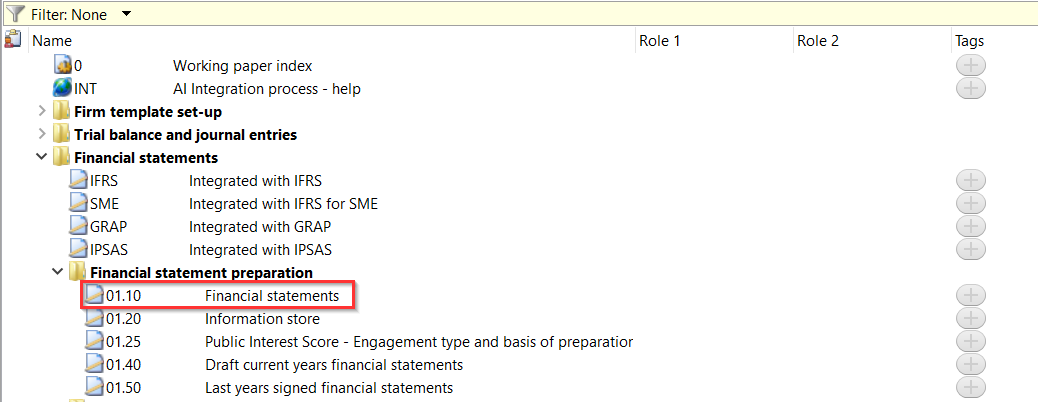
Answer:
You have to integrate your Financial Statements with your Audit file before the financial statements will show.
1. In Caseware, go to View | Show and make sure the Template Toolbar is enabled.
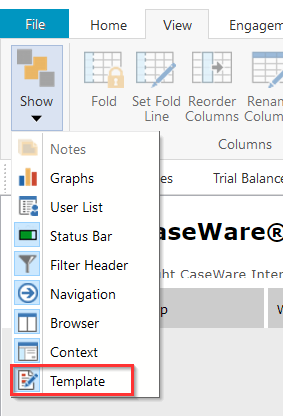
2. In the Template Toolbar, click FS Components.

3. This will then bring up the Integration wizard allowing you to integrate the Financial Statements with your Audit File. You will need to select either Template or File. [Best practice is to select template]
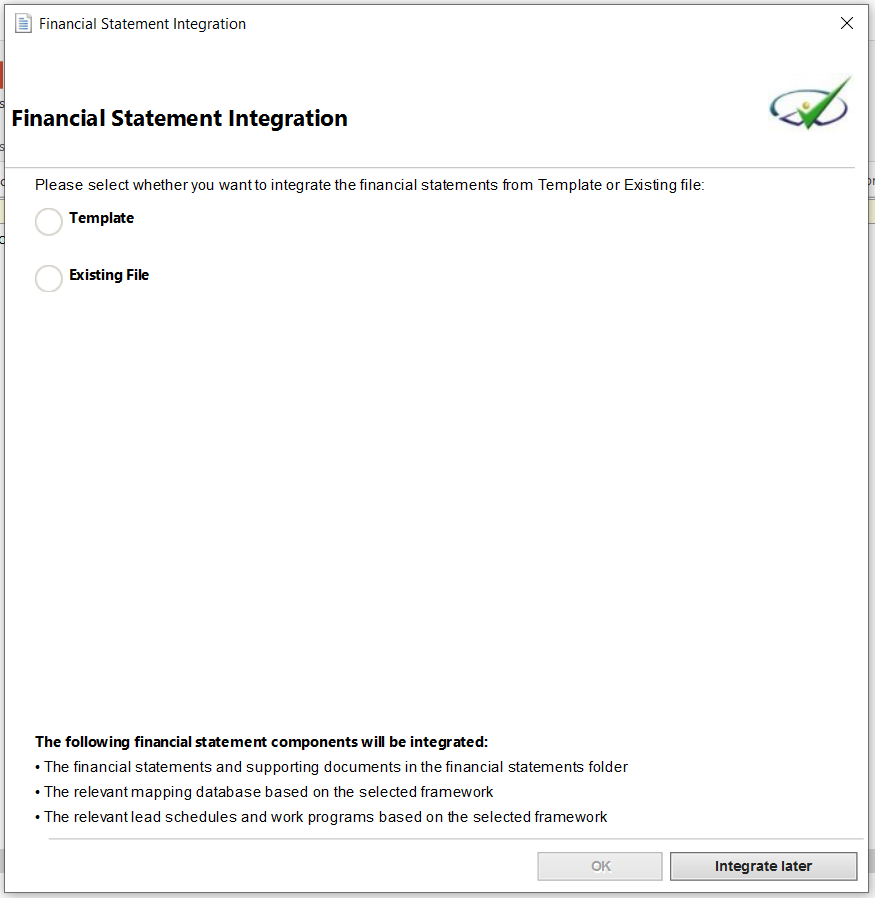
You have an option to select to integrate from either of the below templates:
- IFRS
- IFRS for SMEs
- GRAP
- IPSAS
NB: The available templates will depend on what your company is authorised for.
4. Select the template and click on OK to start the integration process.
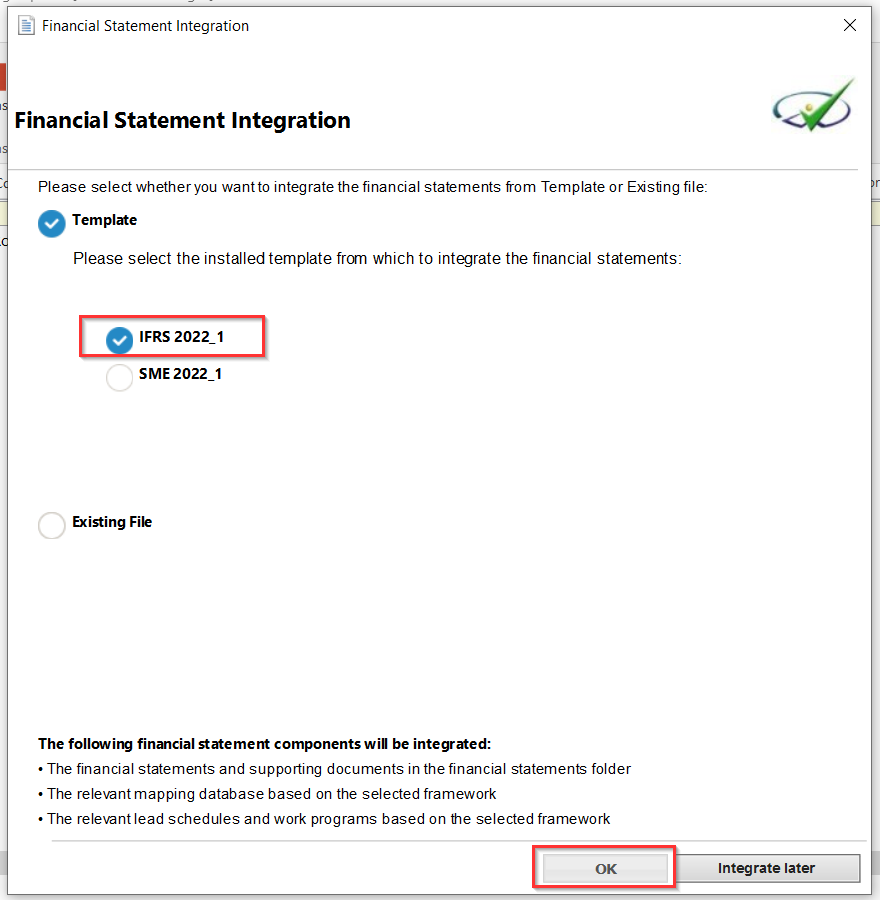
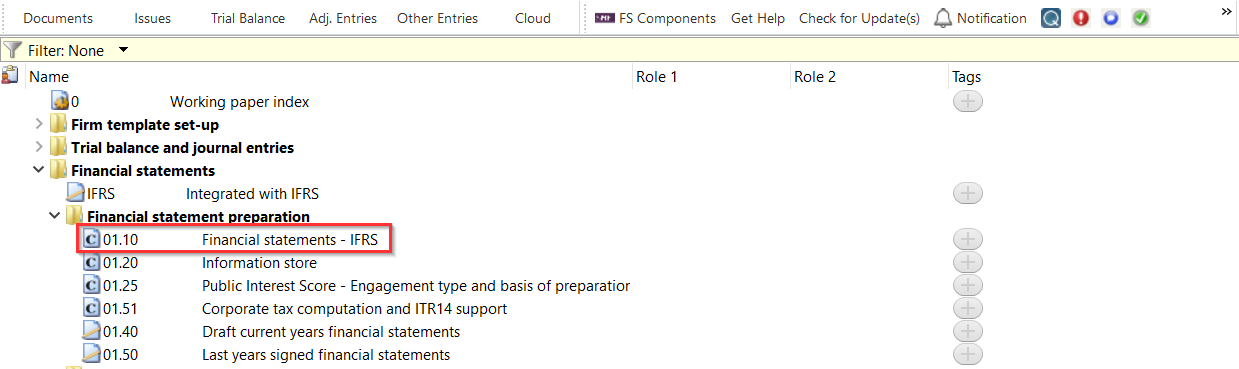
5. Once the integration process is completed your document manager will have the Financial statements in CaseView format and the placeholder will show the template you are integrated with.
Rate this article:
|vote=None|
Processing...
(Popularity = 16/100, Rating = 0.0/5)
Related Articles
Financial Statements | iXBRL | What's New
Financial Statements | iXBRL Lite | Best practice when copying and pasting the required disclosure content from your financials into the XBRL Lite template
Caseware Working Papers | How to sort your Financial Statement pages by activating builder mode
Financial Statements | iXBRL | How do I complete the submission to CIPC, after exporting to the document manager?
How to eliminate rounding differences and adjust rounding of figures in the financial statements
view all...
Search Results
Are there any sign up costs for a new user or an audit firm to use the Confirmation.com service?
How to Register a New User on Confirmation.com
How do I add a new user to my institution (New Version of Confirmation)
Cloud App | How to manage the firm template
Cloud App l How to include text areas for firm sign off in engagement letter
view all...