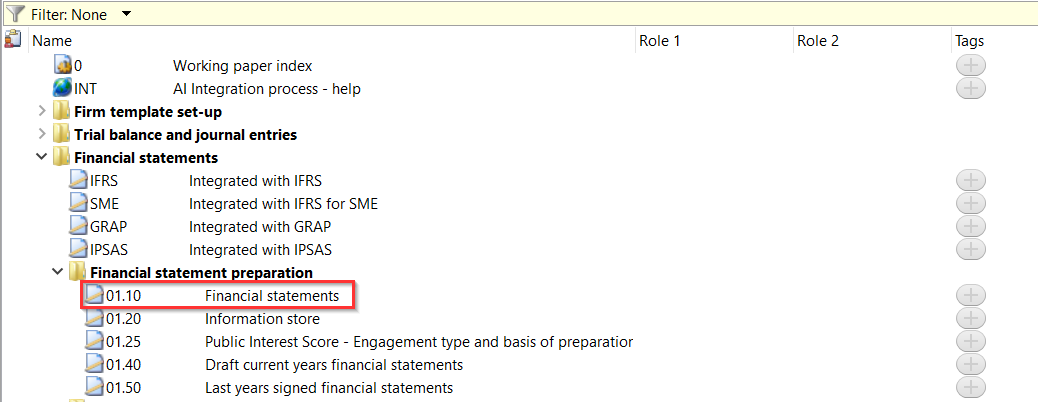
My Financial Statements are a placeholder, how do I get the Financial Statements in my file?
Answer:
You have to integrate your Financial Statements with your Audit file before the financial statements will show.
1. In Caseware, go to View | Show and make sure the Template Toolbar is enabled.
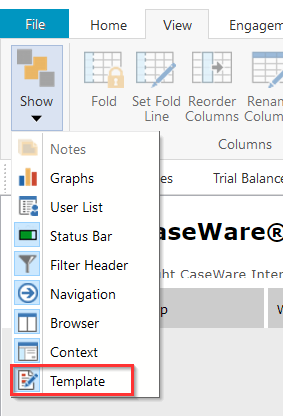
2. In the Template Toolbar, click FS Components.

3. This will then bring up the Integration wizard allowing you to integrate the Financial Statements with your Audit File. You will need to select either Template or File. [Best practice is to select template]
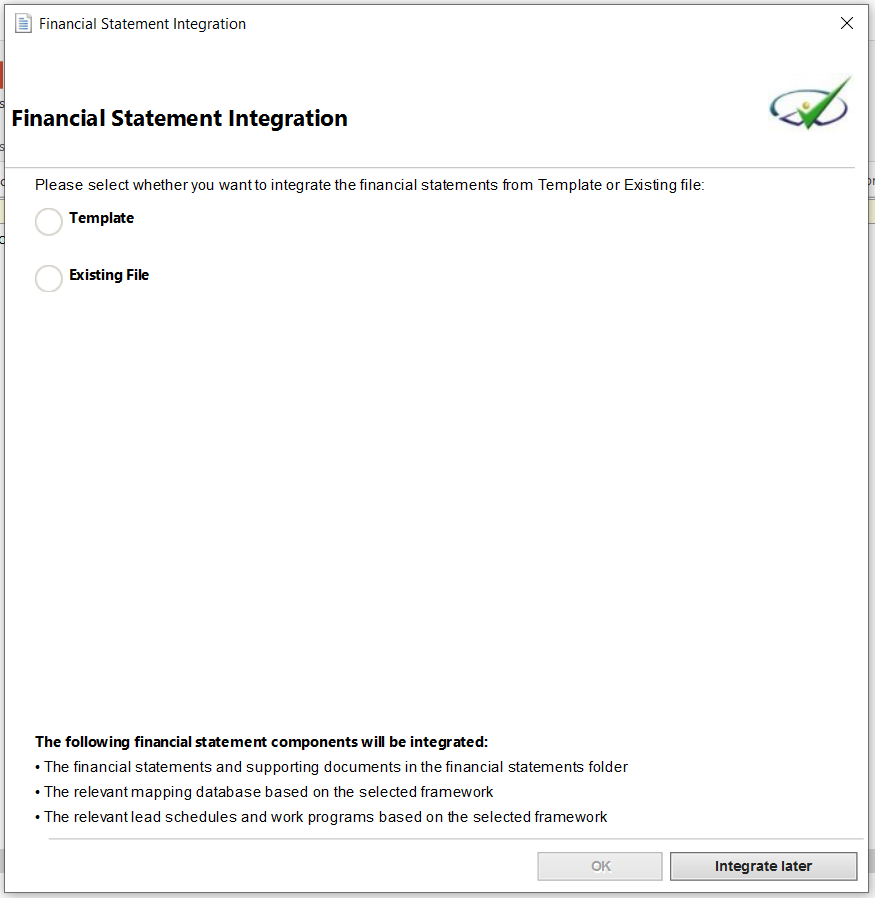
You have an option to select to integrate from either of the below templates:
- IFRS
- IFRS for SMEs
- GRAP
- IPSAS
NB: The available templates will depend on what your company is authorised for.
4. Select the template and click on OK to start the integration process.
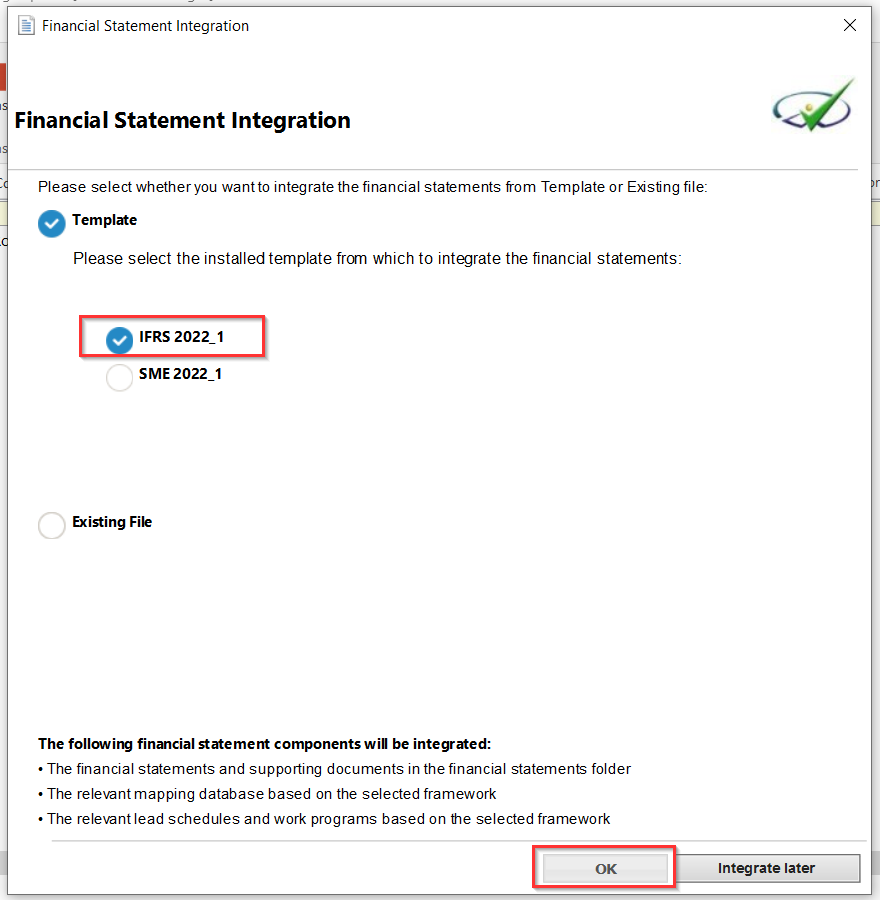
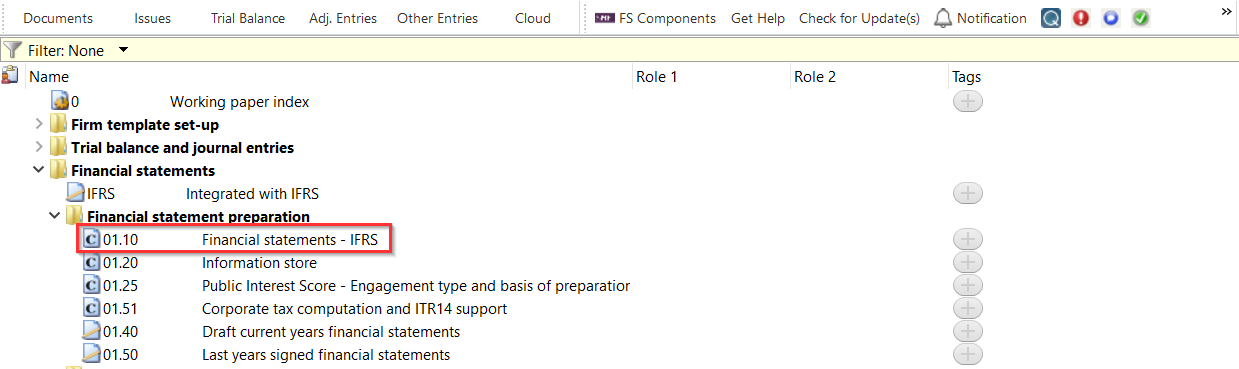
5. Once the integration process is completed your document manager will have the Financial statements in CaseView format and the placeholder will show the template you are integrated with.
Rate this article:
|vote=None|
Processing...
(Popularity = 2/100, Rating = 0.0/5)
Related Articles
Financial Statements | iXBRL | What's New
Financial Statements | iXBRL | How do I complete the submission to CIPC, after exporting to the document manager?
How to resolve special character XBRL submission error
Audit International | How to integrate your financials into your Audit International engagement file
view all...
Search Results
How do I know the client signer has authorized the auditor to send requests? (New Version of Confirmation)
I can’t request authorisation from a client signer as the name is greyed out (cannot be selected)?
Can my client signer give authorisation to multiple companies at the same time?
Editing Authorised Signer Details
Who is an authorised signer?
view all...