I currently use the ISAE Attestation, how to purchase more tokens and check the token balance.
Answer:
The ISAE Attestation application in the Cloud has a simple token process. From the ISAE Attestation application home page, your various engagements will display.
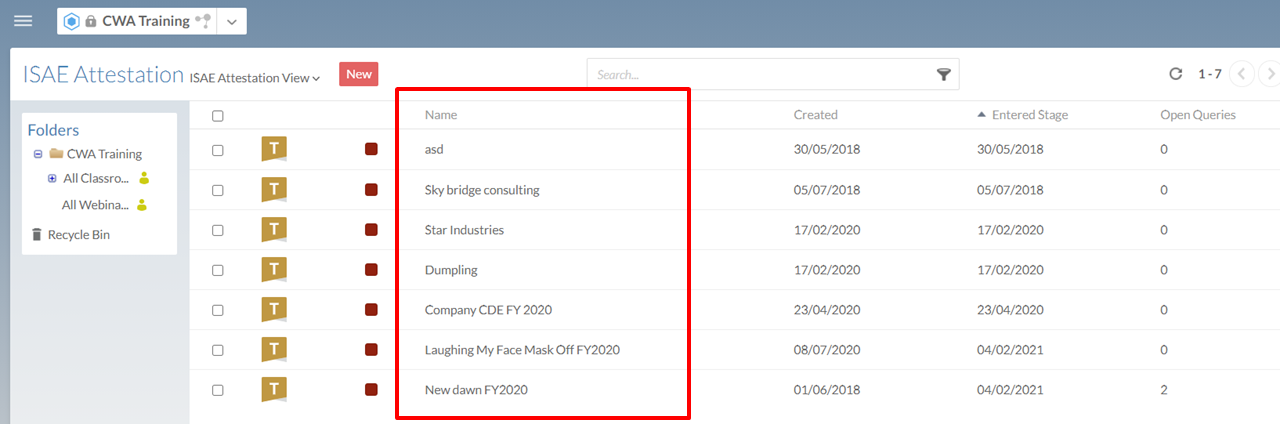
Each engagement will have a unique name, hence a token will be deducted from your token basket every time you create a new ISAE Attestation engagement.
Should you exceed your tokens, you will receive a pop-up display as follow:
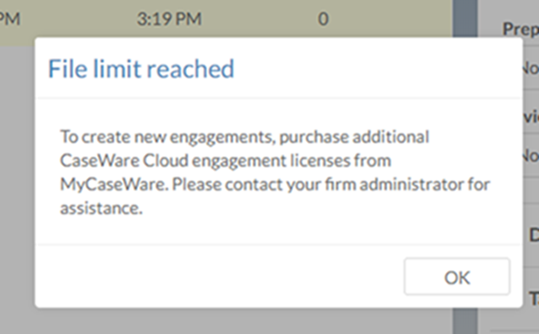
A generic Caseware International notice will indicate that you need to contact your firm administrator. All Caseware Africa users need to contact their Account Manager to add additional tokens to your Caseware Cloud ISAE Attestation Application.
If you are unsure, please submit a support case via the Success Community. Alternatively, call us on +2710 494 1000
Rate this article:
|vote=None|
Processing...
(Popularity = 3/100, Rating = 0.0/5)
Related Articles
Guide Escrow/Trust Account
How do I add / modify / remove flip account settings?
Accounts that flip in the lead sheets
What if the Account ID requested was closed for the As of Date (New Version of Confirmation)
view all...
Search Results
Nedbank Business Banking - Loans and Other Liabilities Audit Confirmation Instructions
Nedbank Corporate Banking - Loans and Other Liabilities Audit Confirmation Instructions
RMB Investment and Corporate Banking South Africa Audit Confirmation Instructions
Nedbank Capital South Africa Audit Confirmation Instructions
Nedbank Commercial Banking Audit Confirmation Instructions
view all...