The planning figures read off the Opening balance and the transactions column, so you can use the "Other entries" to pass journals from an accounting point of view.
The reason why we do not use the adjusting journals in the planning is that auditors pass journals throughout the audit, and this then affects the planning figures.
Answer:
To correct the above please follow the below steps:
1. Create a backup of the file by going to File| Backup| Select location| OK.
2. Copy the working trial balance to Excel by going to the Working Trial Balance| Ctrl+ A| CTRL
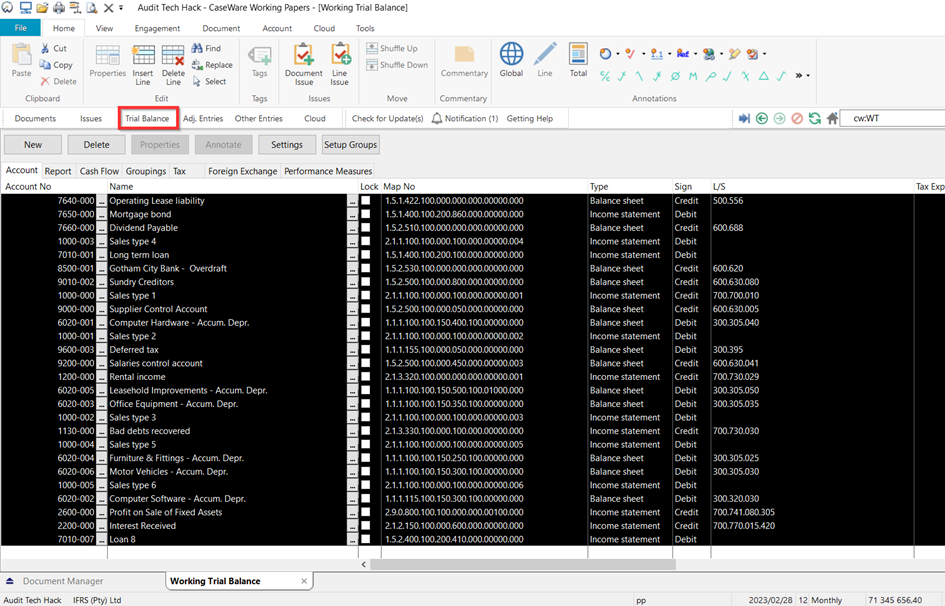
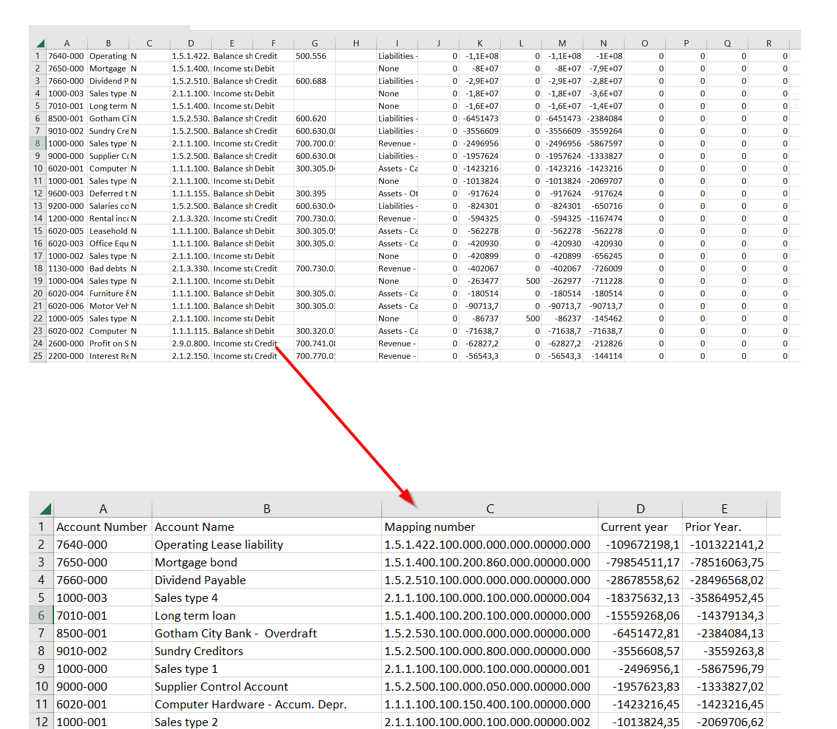
3. In Excel open a blank document and paste the copied information by using Ctrl + V. Enter column headers and delete what is not required for import i.e Lead sheet numbers and save the sheet.
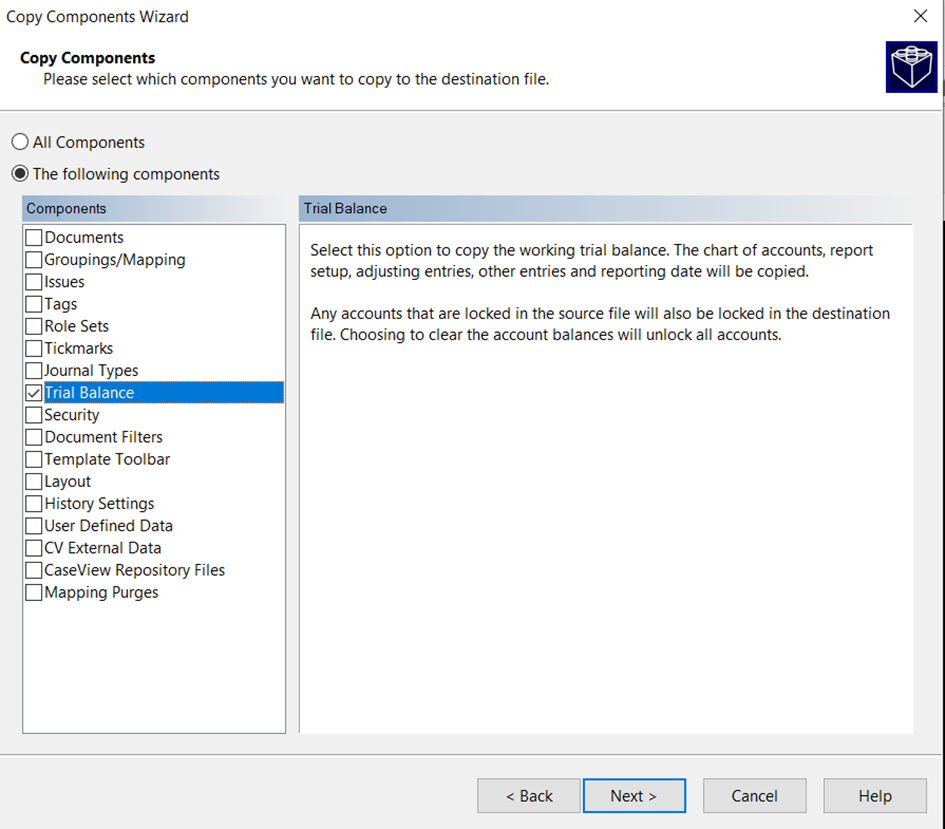
4. Clear the trial balance by File| Copy Components| The following documents| Trial Balance| Next| Finish.
5. Reimport the saved trial balance, selecting the final balance column as the current year.
Rate this article:
|vote=None|
Processing...
(Popularity = 1/100, Rating = 0.0/5)
Related Articles
Financial Statements | Amounts not pulling through to the notes or financial statements
Probe | Amounts not pulling through or pulling through incorrectly
What to do when an adjusting journal entry does not pull through to the financial statements?
Probe| How do I make figures show in my planning documents and adjusting entries?
view all...
Search Results
Confirmation FAQ for Banks
Closed Account Confirmation for Bank Users
ABSA Corporate Bank South Africa Audit Confirmation Instructions
Audit International | FAQ | Why is document 520E not showing any risks recorded in the file?
User Profile for Bank Users Set Up
view all...